Welcome to our community

Be a part of something great, join today!

  • Hey all, just changed over the backend after 15 years I figured time to give it a bit of an update, its probably gonna be a bit weird for most of you and i am sure there is a few bugs to work out but it should kinda work the same as before... hopefully :)

Dragon test

scott pommier

Well-known member
Joined
Feb 24, 2013
Messages
245
Reaction score
9
Points
18
Location
Ohio
i shot a test out in azusa, a couple hours of shooting. the edit/grading was done very quickly. just wanted to get a feel for how conversion to black-and-white looked under contrasty conditions, and also wanted to test out PMG's 'TYTO' gimbal. i was curious to see if the gimbal would stabilize the camera (shooting from a van) sufficiently to allow stills to be pulled. the image below was shot at 1/48th of a second. compared to the gyros i've used as a still photographer, there's no comparison. the gimbal is much, much smoother.

the black-and-white conversion was done in the newest redcine-x pro, just a simple desaturation/levels adjustment.

spent a fraction more time with the still in photoshop (a program i'm more comfortable with) but this is more or less right out of the box. i hasten to add, the flares are all in-camera.


rwt0qv.jpg
 
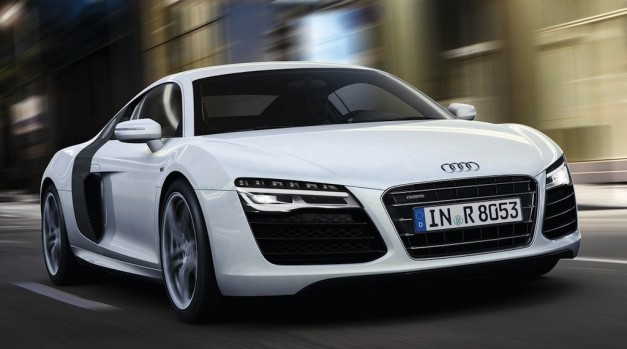
Next time rent my 8R for those low shots ;-)
 
Peter.G, just canon L zooms. 16-35mm 28-80 and 70-200. tried to keep things as quick and easy as possible, especially where the gimbal is concerned. spin-on variable ND and still lenses,

scott
 
One thing I dig about Photoshop is you can do black and white conversions favoring specific color channels. That allows an effect similar to what I used to get shooting black and white film through colored filters like a #25 Red or a deep yellow. It would be awesome if we had a similar capability for B&W conversion in RC-X.... nudge nudge wink wink.
 
One thing I dig about Photoshop is you can do black and white conversions favoring specific color channels. That allows an effect similar to what I used to get shooting black and white film through colored filters like a #25 Red or a deep yellow. It would be awesome if we had a similar capability for B&W conversion in RC-X.... nudge nudge wink wink.


You sort of can. Turn saturation in the Post Effects to zero. Now adjust the individual colour curves, or any colour wheel for that matter.
 
One thing I dig about Photoshop is you can do black and white conversions favoring specific color channels. That allows an effect similar to what I used to get shooting black and white film through colored filters like a #25 Red or a deep yellow. It would be awesome if we had a similar capability for B&W conversion in RC-X.... nudge nudge wink wink.

RCX . . . just copy LightRoom 5 controls and call it a day ;-)
 
Back
Top