Welcome to our community

Be a part of something great, join today!

  • Hey all, just changed over the backend after 15 years I figured time to give it a bit of an update, its probably gonna be a bit weird for most of you and i am sure there is a few bugs to work out but it should kinda work the same as before... hopefully :)

DRAGON GREEN SCREEN - SOLVE THE PROBLEM !

Dima Gryaznov

Active member
Joined
Sep 8, 2014
Messages
28
Reaction score
0
Points
0
Location
MOSCOW / RUSSIA
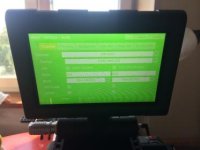
REDUSER IS AWESOME !!! A huge thank you to everyone who responded to the post about the green screen. Your advice has really helped. Yesterday we spent the whole day in search of a solution to the problem and here is what I managed to understand. The problem was obviously in the module and we replaced his RED MINI-MAG SIDE SSD MODULE on DSMC 1.8" SSD SIDE MODULE and now everything works fine. Then we set up our MINI-MAG SIDE SSD MODULE on RED EPIC-X and he began to work normally, no green screens. We think that the problem is in the incompatibility of the RED DRAGON and MINI-MAG SIDE SSD MODULE (such as in the picture: http://www.red.com/store/products/dsmc-18-ssd-side-module ). Not compatible and fail in the form of a green screen. In the representation of RED in Moscow, we wrote a letter to the main office RED. On the website RED in the description of the MINI-MAG SIDE SSD MODULE, you can find this ( DRAGON Customers: Contact your Bomb Squad rep to get a DRAGON engraved Side SSD Module ) ( The RED MINI-MAG system requires that your DSMC is on firmware v5.1.34 or later. ). The firmware didn't help us !!! The owners of the CARBON DRAGON should know that they cannot use other MINI-MAG SIDE SSD MODULE with the CARBON DRAGON. Incompatibility also gives a green screen. As I said, we turned to RED for comments as soon as you reply I'll let you know what they said about the whole story. Be careful when choosing your equipment. We will use the 1.8SSD SIDE MODULE and wait for a replacement MINI-MAG SSD to MINI-MAG SSD with the inscription DRAGON .
attachment.php
 

Attachments

  • image.jpg
    image.jpg
    12 KB · Views: 0
maybe its just a bent pin? lots of people have mini mags with dragon i believe...i know panavision does... could just be a broke mini mag ssd module...
 
Definitely not .Examined under the microscope every contact all normal and everything is new. I wrote in the post that we put this module on an EPIC-X and it worked. No green screens. Maybe it's just the defective module and you are right, how can you be heard, in Russia everything is possible.)))))
 
Last edited:
maybe the bent pin is on the brain then? but why would the normal 1.8 mags work then...def check with your rep they should be able to isolate the problem and give you a functional unit
 
With the camera may not be the problem it is brand new and the connector in order to tell you more. We had to tie the module to several different DRAGON. The result is a green screen. And with cameras RED EPIC-X and RED EPIC-M works perfectly. Of course I understand that this may not be the problem of all modules but our behaving this way. Just in our experiment module is installed, we tried 6 different cameras that were available from the distributor and our personal. 3 different DRAGON and 2 EPIC-X and EPIC-M. One of the DRAGON which we could use while we were waiting for delivery. had no serial number on the case as I understand this was one of the first samples of the camera, we went after the Moscow Redurection.
 
With the camera may not be the problem it is brand new.

Just because the camera is new does not mean it's not the problem, it happens from time to time.
I recommend sending the camera and ssd side module back to Red to be fixed under the warranty.
 
Back
Top