Welcome to our community

Be a part of something great, join today!

  • Hey all, just changed over the backend after 15 years I figured time to give it a bit of an update, its probably gonna be a bit weird for most of you and i am sure there is a few bugs to work out but it should kinda work the same as before... hopefully :)

DPX sequences from CineForm cf2dpx import to Assimilate SCRATCH

Gerry Lee

Member
Joined
Apr 24, 2007
Messages
10
Reaction score
0
Points
0
Age
50
Website
www.avit4hd.com
We found the look of DPX sequences from CineForm cf2dpx is strange(different) when it is imported to Assimilate SCRATCH,
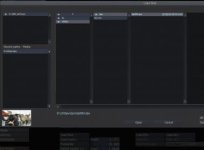
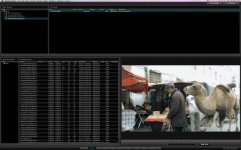
the preview look in Import Window is right,
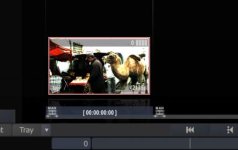
but the one in Construct Window is strange.
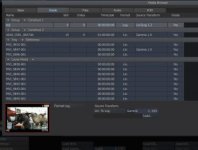
We tried to change Source Transform Settings, finally, it seems to have right look with Lin2Log with Gamma 2.2.

Any suggestion could you like to share with us?

snap pictures in attachment.

Thanks in advance.
 

Attachments

  • DPX Source preview look in Import Window.jpg
    DPX Source preview look in Import Window.jpg
    8.3 KB · Views: 0
  • DPX Source preview look in Construct Window.jpg
    DPX Source preview look in Construct Window.jpg
    14.3 KB · Views: 0
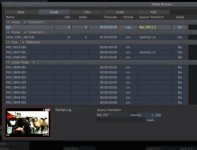
  • DPX Source preview look in Construct Window-Main Properties.jpg
    DPX Source preview look in Construct Window-Main Properties.jpg
    14.8 KB · Views: 0
  • DPX Source Transform with Rec709_Gamma2.2.jpg
    DPX Source Transform with Rec709_Gamma2.2.jpg
    15.3 KB · Views: 0
  • DPX Source Transform with Lin2Log_Gamma2.2.jpg
    DPX Source Transform with Lin2Log_Gamma2.2.jpg
    15 KB · Views: 0
We found the look of DPX sequences from CineForm cf2dpx is strange(different) when it is imported to Assimilate SCRATCH,
the preview look in Import Window is right,
but the one in Construct Window is strange.
We tried to change Source Transform Settings, finally, it seems to have right look with Lin2Log with Gamma 2.2.

Any suggestion could you like to share with us?

snap pictures in attachment.

Thanks in advance.

I would humbly suggest that you'd be much better off asking this question on either Assimilate's support site, their Google group, or somewhere on a forum devoted to either Cineform or GoPro. This being RedUser, the Scratch section is devoted primarily to Scratch's use with Red files.
 
Any suggestion could you like to share with us?

I have a "fool proof" tool in the image processing program I am developing for dealing with any such DPX issues, if you can send me some sample DPX files by email, one DPX per email, I can look at the data in the DPX file and its header, and maybe send you back some information about the data values.

If you can shoot a 90% white card, a 18% Gray card and a 2% Black card in a test frame, and make that into a DPX with the EI/ISO set right and K value right, that can give a result that is closer to exact.

You have your PM disabled, and your web site does not show an obvious email in English, you should fix both of those if you want people to help you.

My mail is at the top of each page of my DI system web site, tempnulbox (at) yahoo (dot) com keep the total DPX file size under 20MB per email by using *.zip or *.7z (7-zip format).

If anyone else has DPX issues feel free to contact me and I can look at samples with my DPX tools, please put "DPX file issues" in the subject line of your email so I know its not junk.
 
If you click onto the bottom portion of the Thumbnail in the Construct you see a detailed metadata window pop up. check and see if your file is being read as LOG or LIN. I assume its probably being read as LOG and if you change to LIN your image will represent as it should.
But I also agree with Mike, this topic should be presented on the Assimilate support site and not on REDUSER.
 
LIN?

LIN?

If you click onto the bottom portion of the Thumbnail in the Construct you see a detailed metadata window pop up. check and see if your file is being read as LOG or LIN. I assume its probably being read as LOG and if you change to LIN your image will represent as it should.
But I also agree with Mike, this topic should be presented on the Assimilate support site and not on REDUSER.

I was wondering what LIN means in this case as real Linear data as in how sensor data is linear would not seem to apply.

Are you saying that LIN is like Rec709 or other gamma 0.45 monitor corrected data where 18% Gray is about 0.462 normalized signal?

If LIN is not monitor gamma corrected then 18% Gray would be 0.18 or lower normalized signal, as it would be in sensor data without 0.45 monitor gamma correction (normalized after adjusting for sensor blacklevel offset).

Would LIN allow for the ITU/CCIR limits, in the case of 10bit DPX HD at black_clip=64 white_clip=940 and 18% Gray at about 470?

(940-64) = 876, 876*0.462 = 405, 405+64 = 469 or about the same as Cineon (tm) 470 for mid-tone 18% Gray.

1023*0.462 = 473 or about the same as Cineon (tm) 470 for 18% midtone.

1023*0.18 = 184, black level about 1023*0.0925 = 95, so 18% gray would be value 278 or less with black offset of 95,

Or are those adjustments a sub-set of LIN selection?

A = LIN_sensor_linear (somehow also needing ISO curve, midtone at black offset plus about 184 or less)

B = LIN_monitor045 (0 to 1024 limits, midtone at 470)

C = LIN_monitor045_plus_ITU_limits (64-940 limits, midtone at 470)

D = LOG (95-685 midtone at 470)

E = LOG (other limits?)

So which of those does LIN mean?

I guess both B and C can display without LUT on a monitor, so I guess what I am asking is would B and C (called LIN even though they are gamma 0.45 corrected) have midtone near 470 and so not require a monitor LUT, or would they have midtone near some lower value and require monitor gamma correction to be viewed?
 
If you click onto the bottom portion of the Thumbnail in the Construct you see a detailed metadata window pop up. check and see if your file is being read as LOG or LIN. I assume its probably being read as LOG and if you change to LIN your image will represent as it should.

hello, Mike.
I have this snap picture, please check 3rd picture.
In construct window show source is read as LOG.
 
Which tools of viewing DPX and its file header is recommanded or used for your studio?

My tools are under development, but you can convert the DPX to BMP without using a LUT, then read the pixel values in the freeish program IRFANVIEW, use gogle for that. Multiply times 4 to get about the 10bit value.
 
This is your problem. Click the "Log" button and change it to Lin and all will be right with the world.

Please see the look of source in Import window(1st picture) is right, but the look in Construct window after imported is changed(recognized as LOG).
Also something I did not mentioned above, is that the frame rate changed from 25p to 29.97p.
I do not do anything. Why does this happen?


Does compatibility exist between DPX from cf2dpx and SCRATCH,
or
Did I miss something in SCRATCH settings?
 
What do you think about XnView, which can read DPX directly, but seem have some limitation?


In your conversation with David Newman of Cineform on DVINFO,

http://www.dvinfo.net/forum/cinefor...ineform-cf2dpx-import-assimilate-scratch.html

He mentions XNVIEW, bit it has some issues as a viewer as far as I know:

1) May reverse red/blue for 16bpc DPX. (try making 16bpc DPX from REDCINE-X and see if the RED/BLUE match in Scratch and XNVIEW, let me know what you see)

2) Crops data to 8 bits (unless they have updated that)

3) I have not seen their having a soft clip adjustment.

You cannot load LOG DPX without softclip if soft clip has not already been applied since the values between 685 and 1023 will not be visable, soft clip prevents blow-out highlights if the data was recroded in the "super-white" area above white clip. The way Cineon (tm) files were designed, was as a archive format for film negatives that would not be re-saved graded, but soft-clipped when run through the LUT in the film recorder, or converted to 8 bit formats for TV use. Without soft-clip LOG files are unusable for film like results from digital sources. It's possable to save the LOG file with soft-clip done, in that case there is no extra data above 685.

What I was asking, was are the so called "LIN" files, in fact gamma 0.45 compensated (1/2.222 = 0.45)?

If the Cineform (tm) convertor is making "LIN" files, then are they 64-940 range or 0-1023 range, I can see that on the histograms of the DPX data and with a digital density probe, you look to see if the highlights are 940 or 1023 in the blown out areas, and if the shadows are under 64.

Actual "linear" files would be at gamma 1.0 not 0.45, but 10 bits is not enough data for real linear data to be stored for Digital Cinema Camera use.
 
Dan, you're making this way more complicated than it needs be. The whole discussion on how lin is not actually gamma 1.0 is theoretically interesting but not relevant to the problem.

Mike already gave the answer. Scratch by default assumes dpx's to be log. So you need to set them to lin. You can do this in the Scratch's media browser for all clips in one go. Or for individual clips in the shot config.

Barend
 
Dan, you're making this way more complicated than it needs be. The whole discussion on how lin is not actually gamma 1.0 is theoretically interesting but not relevant to the problem.

Mike already gave the answer. Scratch by default assumes dpx's to be log. So you need to set them to lin. You can do this in the Scratch's media browser for all clips in one go. Or for individual clips in the shot config.

Barend

Thanks for everyone give me kindly help.:smile5:

Update:
I have done another tests.

DaVinci Resolve for Mac can import the same sequences correctly.

DJV playback software cannot read DPX sequences from cf2dpx and report "[ERROR] WGL - Cannot get pixel format (#0)".
(Tool menu/Information or shortcut key "4" - popup new window
or
View menu/HUD or shortcut key "h" - data overlay image
for viewing DPX file header information)
DJV Imaging - Downloads

Here are download link (type file download code:2d7383ab) for DPX sequences and snapshot(4 png files) about importing in DaVinci Resolve.
 

Attachments

  • DaVinci Resolve Import Preview in Browse Window.jpg
    DaVinci Resolve Import Preview in Browse Window.jpg
    20 KB · Views: 0
  • DaVinci Resolve Preview in Conform Window.jpg
    DaVinci Resolve Preview in Conform Window.jpg
    20.3 KB · Views: 0
LOG LUT?

LOG LUT?

Dan, you're making this way more complicated than it needs be. The whole discussion on how lin is not actually gamma 1.0 is theoretically interesting but not relevant to the problem.

Mike already gave the answer. Scratch by default assumes dpx's to be log. So you need to set them to lin. You can do this in the Scratch's media browser for all clips in one go. Or for individual clips in the shot config.

Barend

Thanks for the insight Barend.

Can one assume that Scratch uses HD limits of 64-940 by default for so called "LIN" monitor gamma DPX, or does it load 0 to 1023, and map that to 0-255 for 8 bit graphic cards by linear scaling? Or does it map 0-1023 to 16-235? Or map 64-940 to 0-255?

For the "LOG" files, does Scratch automatically apply softclip to push the highlights from 1023 down to 685, or does it automatically clip all file data above 685 off for default conversion of LOG to monitor gamma?

Does Scratch default 8 bit monitor gamma in the range of 0-255 or 16-235?

The ITU limits come up for viewing on LCD monitors which can have issues with highlight detail etc.
 
You can set monitoring to full-range or 16-235. Or load any display LUT for that matter. Both on UI monitor and DVI or SDI output. I monitor 10-bit out of SDI which you can set to YUV 8 or 10 bit or RGB 8 or 10 bit - and set to fullrange or 'legal'.

By default when loading LIN dpx's (which are usually not actually gamma 1.0 but 2.4 - so 'VID' would be a more useful notation) Scratch does not scale back to 16-235. If the material is fullrange it shows as fullrange.
 
HD DPX

HD DPX

usually not actually gamma 1.0 but 2.4 - so 'VID' would be a more useful notation) Scratch does not scale back to 16-235. If the material is fullrange it shows as fullrange.

Thanks for the information, I was asking about the 64-940 issue, because if that is mapped full 0 to 1023 to 0-255 then the images may look a bit washed out, and it was my understanding that 1920x1080 HD DPX are "always" 64-940, so they would need to be clipped on input to display with full black and white.

gamma 2.4 I don't think is right it should be the inverse of 0.45 or 2.22 for HD use, 2.4 is the monitor gamma, but HD images and some DCP images are encoded for 2.22 showing midtone a bit off center on standard gamma 2.4 monitors because of room lighting being on, and also encoded 2.22 for DCP projectors at gamma 2.6 because the room lights should be off in the movie theatre. Maybe someone at SCRACH can say what the default encoding gamma would be for HD DPX, and if they just map 0 to 1023 to 0 to 255 by default, showing 64 to 940 HD DPX as washed out?

If the input is full range, and the file is 64-940, then setting the monitor to sub-range 16-235 (0-15 not output and 236-255 not output) would only make the monitoring more washed out (on a 0-255 monitor) since that is a second contrast decrease, a third monitoring option of clip and expand to 0-255 would be needed to exapand 64-940 subrange on full read, to fill 0-255 on the monitor... I guess maybe that is to be done with some non-default LUT? But it would seem to be a common issue?

If the link above gets fixed, I can look at the histograms and see if cf2dpx is making 64-940 or 0-1023 "LIN" type DPX. One way to tell LOG is that from Digital Cinema Cameras there should be no data under code 95, whereas "LIN" would have histogram data between 64 and 95 most of the time, so that might be a way to auto select.
 
……
If the link above gets fixed, I can look at the histograms and see if cf2dpx is making 64-940 or 0-1023 "LIN" type DPX. One way to tell LOG is that from Digital Cinema Cameras there should be no data under code 95, whereas "LIN" would have histogram data between 64 and 95 most of the time, so that might be a way to auto select.

I have update the link.

http://bit.ly/oyAjHK
(type file download code:2d7383ab)
 
Back
Top