Welcome to our community

Be a part of something great, join today!

  • Hey all, just changed over the backend after 15 years I figured time to give it a bit of an update, its probably gonna be a bit weird for most of you and i am sure there is a few bugs to work out but it should kinda work the same as before... hopefully :)

CS5.5 - What am I doing wrong?

Patrick O'Sullivan

Well-known member
Joined
Oct 20, 2011
Messages
561
Reaction score
0
Points
0
I am running the following:

CPU: i7 950 3.06 OC'd to 3.45 GHz
GPU: GeForce 470GTX
Motherboard: GIGABYTE GA-Z68MX-UD2H-B3 LGA 1155 Intel Z68 HDMI SATA 6Gb/s USB 3.0 Micro ATX Intel Motherboard
RAM: 12GB 1600MHz DDR3 SDRAM
Storage: 64GB SSD System Drive + 2 1TB SATA 7200RPM Hard Drives
CS5.5 Premiere Pro


I can't for the life of me get anywhere near real-time playback. not even close. I open up a 4k timeline, populate it with some clips (no effects), and I get terrible playback even at 1/8 resolution.

Not sure what everyone else on the board considers smooth playback but at 1/16 resolution i get what i would call mediocre (at best) playback. Press play wait 4 or 5 seconds then get a few good clips then nothing. Nothing I could ever edit a real gig with.

Now I am new to R3D files and playback but surely I must be doing something wrong.
I assumed it was the HDDs not being able to cope with the R3D file size but I have read on these boards today that people are editing in realtime off a single SATA HDD.
I originally built this rig for 5D stuff and it worked perfect but I'm getting nothing with R3Ds.

What do I need to upgrade or do differently to get better results?

Also a side note:

Rendering: I gave up with real time and went back to offline edits for my project. Everything was good, 1080 timeline 24fps, brought back the original R3Ds, everything still good, colored, still good, exported to AMD and it works great for about 20 minutes then craps out. Estimated Render time for a 1:53 second clip going to H.264 @ VBR 2 Pass Target 8.00 Max 20 is over 4 hours. Tried 5 times today. CPU is maxed out the whole time at 100% till it stops all together. Please tell me where I am dropping the ball here.

Cheers
 
Hey Patrick,
Man, sorry you seem to be having issues with the 4K footage :-( In comparing the specs of our systems, there are only 3 real differences: 1. Our OS and Data drives are set up in RAID 0 for the additional read write speed. 2. We have 24 GB of memory. 3. We are on a significantly more robust GPU.

I don't think the speed of the drives is really the issue, rather the GPU performance of your card. The memory could also have some impact. Though your card is listed on the Adobe site as "compatible," it is really more of a gaming card. When you start digging, it is not listed anywhere for HD video production. Somewhere I read (can't find it right now) that the Quadro 4000 was pretty much the minimum card to deal with 4K content. And on the link from nVidia below, they are really recommending the Quadro 6000 or Maximus cards for 4K content in CS5.5.

We work with Sabre PC when building systems... their contact info is below. They are very price competitive and build a fair amount of high end systems. They have good customer service and will probably be glad to discuss your issue.

Link to nVidia:
http://www.nvidia.com/object/adobe_PremiereproCS5.html

Sabre PC
408-914-8196
 
Are you sure you've installed the CUDA enabler and enabled the Mercury engine inside Premiere Pro? I'm getting realtime playback at 1/4 res even now while Resolve is using the Quadro to render :-)
 
Are you sure you've installed the CUDA enabler and enabled the Mercury engine inside Premiere Pro? I'm getting realtime playback at 1/4 res even now while Resolve is using the Quadro to render :-)

Tony, i just purchased teh quadrra 4000...i'll install in next week. Where do you enable or install this? i thought it just worked? do i need to go into some setting then? I'm running rocket card so i know to right click on the clip and enable rocket...but unknown on the video card CUDA/Mercury stuff...and anyone know if both will assist me...my Rocket enabled and my video card assisting?
 
Usualy the Mercury Engine gets enabled by default when creating a project.
But you might want to check your project settings and make sure GPU Acceleration is activated.
If this Parameter is grey then Premiere has not accepted your GPU.
The 470 is on the official list so this should not be happening.
If it did then you still could enable it by your self. This way you can also enable most current nVidia Cards as long as they got atleas 1GB of Memory.
There are plenty of easy walk troughs on the internet. Search for "adobe mercury hack"

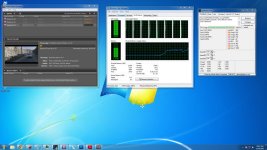
You might also want to take a look at your cpu load when working/scrubbing in premiere.


mercury.gif


When rendering the Mercury engine won't help you at all. Rendering is done by CPU only.
 
Last edited:
maybe it helps to check out that one; http://www.studio1productions.com/Articles/PremiereCS5.htm
it's a very good read on the basics of the Mercury Engine and the use of graphics cards not on the official support-list of Adobe and what to choose here...
(even if you've got a officially supported card and don't need the hack - it helps to better understand the whole topic if you ask me).
 
Hi Patrick,

I hope I'm wrong, but I had a similiar prob a while back and it was due to heat. Everytime I tried to render to H.264 (cpu intensive) the damn cpu would overheat causing the render to fail. Sometimes the cpu doesn't have the correct application of paste, maybe your case is too small or you don't have enough fans. can you check what temperature your CPU is ?

Just checked a 30sec render time for you info.

Red 4k 30sec timeline exported via AME to 1080p H.264-render time 3m 50sec.
CPU 980x not overclocked
GTX 480 gpu
24g Ram
 
Last edited:
Thanks Mark

OK that gives me something to go off with the render time. Im over that for a 10 second clip.

I downloaded a CPU Heat monitor. Not sure what normal temp is.

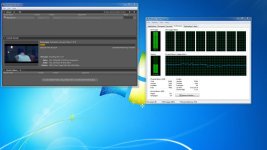
The results during a failed export are in the photo.

This is just before the Render just stops. It never fires up afterwards even though it still says it is encoding. CPU drops from 100% to 0.
 

Attachments

  • Red2.jpg
    Red2.jpg
    95.8 KB · Views: 0
As I said before, my prob occurred a while ago and I can't recall what my temps were, I can seem to remember that the cpu shuts down at a certain temp. I think the red flames in your speed fan results would certainly suggest its very hot. After I had the problem, I built a new machine with a much bigger case for better airflow.
 
I am running the following:

CPU: i7 950 3.06 OC'd to 3.45 GHz
GPU: GeForce 470GTX
Motherboard: GIGABYTE GA-Z68MX-UD2H-B3 LGA 1155 Intel Z68 HDMI SATA 6Gb/s USB 3.0 Micro ATX Intel Motherboard
RAM: 12GB 1600MHz DDR3 SDRAM
Storage: 64GB SSD System Drive + 2 1TB SATA 7200RPM Hard Drives
CS5.5 Premiere Pro

I have a similar system:

CPU: i7 3.1
GPU: Geforce 470GTX
Motherboard: Gigabyte GA-X58A-UD3R
Ram: 12GB DDR3
Storage: 1gb 7200 system drive, media on a 8TB eSATA Raid 5
CS5.5 Premiere Pro

I get realtime playback at 1/4 resolution. I would definitely look at your temperatures - my system normally hovers in the 25-50C range. I also have a 750W power supply.
 
OK I finaly managed to get it sorted.

This could be useful for other slow individuals (like myself) who can't understand why Premiere isn't realtime playing.

There was some issue with the Epic plug in. I uninstalled and then reinstalled and it picked up incredibly. Im now playing 1/2 res real time. awesome.

As for the render issue I think you guys are right about the heat. H.264 is too cpu taxing.

My workaround:

I create a lossless master AVI and then render the web stuff from that. Much easier on the CPU and it leaves us with a master copy.

All good

Thanks again for everybody's input
 
Back
Top