Jean Déraps
Well-known member
- Joined
- Jan 2, 2007
- Messages
- 846
- Reaction score
- 1
- Points
- 18

Follow along with the video below to see how to install our site as a web app on your home screen.

Note: this_feature_currently_requires_accessing_site_using_safari

What codec are you rendering to?
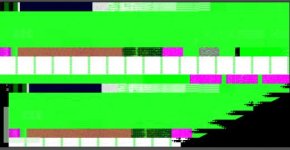
I rendered r3d to proress 4444 and 422 HQ they all get the dead green clips------
I have tryed all and I guess someting is wrong with my Graphic card or memory ---- because when this happen I reboot the mac pro and rerender it'll be ok and then trun bad...... if the r3d clip stands too long even reboot I can't render it OK also bad green ones----Have you tried uncompressed or dpx. There have been spotty reports of issues with the new prores out of color.

...I am going to try to delete the prores component, reinstall and repair permissions.
Been having the same issue here. Been working around it using the Media Manager to render all the FCP media to ProRes444 and coloring that... but it makes me sad to lose the RAW manipulation panel... which was kind of the point of all this after all....
I've found that a complete power-down with a minute wait before powering on again gets a few renders done well... then it starts screwing up again.
BTW, it happens regardless of the output codec. I've done everything from AJA's Uncompressed (using my Kona 3's native codec) to DPX to ProRes444 and ProRes422(HQ).... all have the same problem. Heck, if I save a primary or secondary grade, the thumbnail even has the problem.
W
PS... using a Radeon HD2600.... If this could be fixed with a new NVIDIA card, I'd buy one today.
Did it work? How do you go about reinstalling the ProRes component?
-Parke
Is your project and media local?, I'm having the same problem when accesing the project through an xsan, and when I copied the project locally started rendering correctly. Worth a try.
Jorge Torrens