Charl Senekal
Member
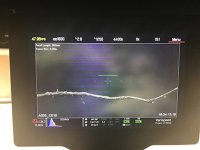
Good day all, I just got my first brand new Red camera (Weapon Helium) but I am having trouble with horizontal blue (sometimes green) lines appearing across the sensor as soon as the sensor temperature reached around 41-42 degrees C.
I manually recalibrated blackshading at 43 degrees C (average operating temp from observations) and varying shutter speeds. I am working in warm environment but it is always warm here! I set a target temp for 39 degrees to keep the fans going and the sensor as cool as possible. There is definitely a correlation between rising temperature and appearance of the lines which get recorded in footage as well, hence I believe it is a sensor issue. I thought it was a blackshading issue but it doesn't explain the appearance even when blackshaded for correct temperatures.
The use of pre-record adds to the issue as I assume the temperature rises when pre-recording, although happens too when the camera is just switched on and in standby mode, just to a lesser degree. Switching fans to max speed reduces the lines and sometimes eliminates them.
Using Firmware version 6.3.78, Dragoncolour 2 and Redgamma4 if that helps at all.
I sent a request to tech support, though being Easter weekend the chances are I might not get a response until normal working days resume though I would like to use my camera this weekend. Any thoughts would be appreciated.
PS Was shooting high shutter speeds to draw stills from footage though I doubt that will cause an issue as it appears even when shooting at 1/24s
I manually recalibrated blackshading at 43 degrees C (average operating temp from observations) and varying shutter speeds. I am working in warm environment but it is always warm here! I set a target temp for 39 degrees to keep the fans going and the sensor as cool as possible. There is definitely a correlation between rising temperature and appearance of the lines which get recorded in footage as well, hence I believe it is a sensor issue. I thought it was a blackshading issue but it doesn't explain the appearance even when blackshaded for correct temperatures.
The use of pre-record adds to the issue as I assume the temperature rises when pre-recording, although happens too when the camera is just switched on and in standby mode, just to a lesser degree. Switching fans to max speed reduces the lines and sometimes eliminates them.
Using Firmware version 6.3.78, Dragoncolour 2 and Redgamma4 if that helps at all.
I sent a request to tech support, though being Easter weekend the chances are I might not get a response until normal working days resume though I would like to use my camera this weekend. Any thoughts would be appreciated.
PS Was shooting high shutter speeds to draw stills from footage though I doubt that will cause an issue as it appears even when shooting at 1/24s