Welcome to our community

Be a part of something great, join today!

  • Hey all, just changed over the backend after 15 years I figured time to give it a bit of an update, its probably gonna be a bit weird for most of you and i am sure there is a few bugs to work out but it should kinda work the same as before... hopefully :)

Black Shading Nightmares

Rick Darge

Banned
Joined
Dec 29, 2006
Messages
3,775
Reaction score
0
Points
0
Age
44
I love the Epic but I find that I have to do black shading more often than not. Sometimes when I shoot at up to 2000 ISO, I notice that I'll get a very gentle gradient from black to light light blue LEFT to RIGHT of frame when I have the lens cap on. Sometimes it's reverse.. As you crank up the ISO the issue becomes more apparent. So a simple black shade should solve the issue but it often times does not. And why does it take 25 minutes to do a black shade on the EPIC? This has literally brought shows I've worked on to their knees while we patiently wait. This just happened to me on a shoot and it took 2 black shades to correct the problem. That's 50 minutes of down time and unacceptable to producers. Anyone else experience this phenomenom? Never had this many black shade issues with my Red One.
 
I've heard of a couple Epics that need regular black shading but ours hasn't needed it even when switching between 24fps and 300fps. We only black shade after firmware installs. Occasionally we do it when switching frame rates but there hasn't been a noticeable difference.
 
  • Thread starter
  • Banned
  • #4
I see it in the monitor and EVF.

Why are some Epics doing this and other Epics are not? WTF..
 
Thats a weird one...

I don't think we have black shaded once... ever? in 3 years... using 6 different RED-ONES and EPICs... Am I doing anything wrong or right.. ?

Can you show me this artefact, or colour shift you talking about Rick... I may see it in my shots and never let it worry me? ...

Just curious mate. :)
 
Rick,

a snapshot R3D file taken from RCX PRO would tell us more what you were talking about???!!!

Just because something that could look wrong at EVF or LCD doesn't immediately mean that already existing at the R3D files.

Also the best field monitors are TV Logic VFM-056WP or Transvideo CineMonitorHD8 SBL (SuperBright) that both can be with HD-SDI connected to Epic/Scarlet.

Never forget that a so called "R3D Doctor" or DIT always has to take first R3D files for a test in computer and only then to see in RCX what was going on there in a field.
 
  • Thread starter
  • Banned
  • #7
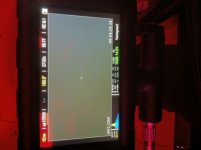
Sanjin, black shading usually takes care of this issue but I'll try to get a still out of RC-X soon. This is the 3rd time it's happened to me while owning the Red for 6+ weeks. Maybe it's time to send in that RMA since it sounds like this doesn't happen to everyone. i just worry because the last time I dealt with RMA, it took 4 weeks to repair a faulty touchscreen. Here's a snap showing the symptoms. I cranked it up to the highest ISO to show the issue clearly. Going to do more testing and contact RMA next week even though it's crazy XMAS season
 

Attachments

  • photo(2).jpg
    photo(2).jpg
    94.1 KB · Views: 0
  • Thread starter
  • Banned
  • #8
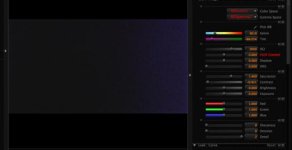
Here is what it looks like in RC-X. This is so you can see my settings to bring out the effect more. I've also attached a snapshot.. I'm doing another black shade now to see if it gets rid of the issue
 

Attachments

  • Screen Shot 2011-12-18 at 2.14.49 AM.jpg
    Screen Shot 2011-12-18 at 2.14.49 AM.jpg
    12.2 KB · Views: 0
  • A013_C001_1218UJ.jpg
    A013_C001_1218UJ.jpg
    73.6 KB · Views: 0
Also I would suggest immediately sending a camera off to RED for repair because you are in California anyway.
 
Now this is interesting...

Here is a grab taken from a cold boot up of the Epic. I shot this 10 seconds after it turned on. You can see the issue.

The second image was taken after letting the camera roll for 15 minutes. The issue is gone after the body warmed up. What is going on here?
 

Attachments

  • WARM-UP.jpg
    WARM-UP.jpg
    95.6 KB · Views: 0
  • WARMED-UP.jpg
    WARMED-UP.jpg
    99.3 KB · Views: 0
Rick,

All Black shading should always be done after about 15minutes or when the camera is at temperature. This has been stated quite a few times by members of teh RED team.

The second one looks about correct to me.


David
 
doesn't seem right, Rick - my EPIC takes 10-11 minutes to black shade, and I've only done it when upgrading firmware or over/undercranking at extreme fast/slow rates (where I have to do it, or the footage looks noisy).

you should probably drop a ticket or put in a call to tech support to see what they say.
 
Used to be a lot faster, thinking back a few builds. I quoted an A.D 7-10 minutes for a black shade on my first job on 202 and lo and behold it took over 20 minutes. I was executed, and now speak from the beyond.
 
Maybe TEAM RED can address Black Shading comprehensively via a White Paper style document. This is a very reasonable request - not a complaint.

My B/S can take 20+ minutes (an entire REDVOLT in the field). RED, please take time to provide us with complete engineering information so we can stop guessing and failing.
 
Ha, as I was under the impression it would take less than 10 minutes, I did it with a redvolt too. Was really cutting it close, glad I didnt have to start again! :)
 
If my Canon 5D Mark II can black shade quickly then why not the EPIC-X etc.?
 
Back
Top