Welcome to our community

Be a part of something great, join today!

  • Hey all, just changed over the backend after 15 years I figured time to give it a bit of an update, its probably gonna be a bit weird for most of you and i am sure there is a few bugs to work out but it should kinda work the same as before... hopefully :)

Bad grain on Epic Monochrome native ISO

Joined
Feb 25, 2010
Messages
24
Reaction score
0
Points
0
Hello all. Shot with an Epic Monochrome at ISO 2000 and was disappointed to see lots of grain. Did we do something wrong? Any help would be much appreciated! Cheers,Coop
 
Last edited:
There is a lot of noise, but that's because your trying to expose for light that isn't there. Check out the scopes and you can see how underexposed the shot really is.

Screen-Shot-2013-02-26-at-9.04.46-PM.png


Your noise goal post indicator is to the max and the exposure is very far to the left (the low end for exposure). So you can't expect clean images in those conditions.

Also keep in mind these are the RAW images, use a bit of noise reduction and your good to go. Although, don't rely on denoising software, just bring lights and expose properly.
 
i just checked out the R3D, the exposure is in the low 30's at its peaks. Thats way too low man. With a T1.4 lens and 2000ISO, a 2.5k would have lit up that plant.
 
We shot on Zeiss Superspeeds. And we're viewing these files on a MacBook.
 
Last edited:
How I grade this type of footage on my epic monochrome is fairly different then how i grade color. First off I set the gamma space to linear, then iso to 2000, then for this i'd set the flut control to 1.9 (also i'd keep the contrast to 0, yours was higher). [this one i did at flut 1.67]
 

Attachments

  • test.0000000.jpg
    test.0000000.jpg
    41.3 KB · Views: 0
Last edited:
We shot on Zeiss Superspeeds. And we're viewing these files on a MacBook.

Even all of our interior images that we lit are very grainy. I uploaded another R3D to the folder:

www.zaration.com/test

This one is underexposed as well: (Exposure is again bunched up on the left side and your noise goal post is to the max. Your levels peak at 40% which is pretty low.)

Screen-Shot-2013-02-26-at-9.33.27-PM.png


In low light you should aim to shoot with a lower ISO if you don't want any noise. I'd have probably rated at 800 and used more light to get a better exposure for these shots.
 
What - if any - filters are you using on the lenses and are they wide open?
This could not be images shot on superspeeds wide open at 2000ISO on the Epic Monochrome...

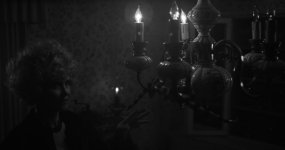
This is shot on the Monochrome at f/2.8 Canon L-series and Ted was in a really dark spot with only back of the room (way to the right) being lightly illuminated...:

A001_C005_11193A_1K.jpg
 
We shot on Zeiss Superspeeds. And we're viewing these files on a MacBook.

Even all of our interior images that we lit are very grainy. I uploaded another R3D to the folder:

www.zaration.com/test

What does your DP say about this? Were they using ND filters or were the light levels really so low they couldn't get a good exposure even at ISO 2000? That's hard to imagine. Any idea what stop these shots were shot at?
 
What was the frame rate and shutter speed?

From the meta-data the base was at 23.98, but the DP shot at 40 FPS with 180˚ shutter, so 1/80 s - any ideas why (at the OP)?
Even still - wide open superspeeds at ISO 2000 would produce much brighter images...
Firmware was at 3.3.14
 
Adding another voice to many - this is just underexposure. If I'm intending to shoot for a dark, underexposed look I'd probably shoot at ISO800 on the monochrome, and make sure to expose nice and strongly. Its easy to crush the image back down for the look, and 800 is super clean for manipulation.

My personal ratings for the Mono vary by shooting res. For HD delivery with a well exposed image (ie a nice full histogram)

5kHD - 4000
4kHD - 3200
3kHD - 2500
2kHD - 1280

For 4k delivery I'd halve all the above.

The clips the OP linked to need a bump to ISO 6400 or 12800 to fill the histogram, and in that context the noise seen in a graded image is pretty damn good IMHO.
 
Adding another voice to many - this is just underexposure. If I'm intending to shoot for a dark, underexposed look I'd probably shoot at ISO800 on the monochrome, and make sure to expose nice and strongly. Its easy to crush the image back down for the look, and 800 is super clean for manipulation.
My personal ratings for the Mono vary by shooting res. For HD delivery with a well exposed image (ie a nice full histogram)

5kHD - 4000
4kHD - 3200
3kHD - 2500
2kHD - 1280
For 4k delivery I'd halve all the above.
The clips the OP linked to need a bump to ISO 6400 or 12800 to fill the histogram, and in that context the noise seen in a graded image is pretty damn good IMHO.
That makes a lot of sense, for extreme low light I shoot at 5k at redcode 3:1, and am shooting at iso 800. With those settings a 2k di is super clean. redcode has to be set lower with low light btw, since there is no way to compress the noise without introducing error (i.e. it's much better to smooth the pixels when down resing from 5k to 2k DI, then trying to compress/smooth realtime with redcode).
 
To me, it almost looks like you (or the DoP) tried very hard not to clip the highlights, but in doing so let the rest of the image get too underexposed... assuming that none of this stuff was shot wide-open. It also looks like available light in both shots (which would work if it were t2/ISO2000) and no fill/bounce was used.

That being said, even when I blast those frames to ISO6400-12800 it still looks usable (in my opinion). Throw some noise reduction on there and both shots should be more than workable (especially if going for a 2k finish.)
 
Back
Top