Welcome to our community

Be a part of something great, join today!

  • Hey all, just changed over the backend after 15 years I figured time to give it a bit of an update, its probably gonna be a bit weird for most of you and i am sure there is a few bugs to work out but it should kinda work the same as before... hopefully :)

Auto White Balance Issues.

Piero Sgarbi

Well-known member
Joined
Dec 10, 2014
Messages
96
Reaction score
0
Points
0
Location
Boston
Hey everyone.

So, someone used our camera and had a bit of an issue using auto white balance.

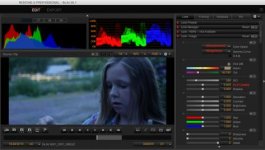
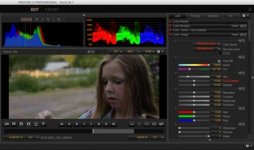
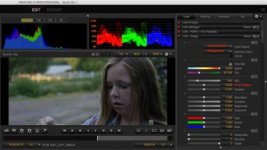
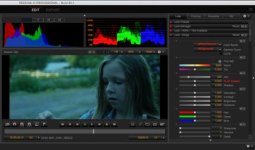
Basically while shooting outside during daylight, if they used auto white balance, the Dragon would shift the Kelvin up to 12k (And of course it also shifted the tint accordingly) resulting in a well balanced image.

Now, when they brought the kelvin back to 5600, no matter how they shifted the tint, the colors resulted not to balance properly. Also, while using any software (Davinci, PPCC etc) you are basically not allowed to work with temperatures above 10k Kelvin.

Does anyone have had this issue before?

Check the SS attached.
 

Attachments

  • shot2_5600_0tint.jpg
    shot2_5600_0tint.jpg
    19.4 KB · Views: 0
  • shot2_5600.jpg
    shot2_5600.jpg
    20.5 KB · Views: 0
  • shot2_camera_settings.jpg
    shot2_camera_settings.jpg
    19.4 KB · Views: 0
  • shot2_r3d_max_wb.jpg
    shot2_r3d_max_wb.jpg
    19.7 KB · Views: 0
You'll need to get me an R3D frame snapshot to look at so I can try to see what's going on.

Not all lights have a colour temperature. Strictly speaking only lights which are pure black body radiators and thus lie on the Plankian locus have a colour temperature. All other lights, whose colours like above or below the Plankian locus are said to have a "correlated colour temperature", which is the colour temperature they would be if we moved their white point along an iso-temp line until it touched the locus. The tint control is just that - it moves lights along the iso temp lines above and below the locus. For any real light source there's only going to be one combination of kelvin and tint that accurately describes the colour of the light and thus allow us to white balance it. Therefore if the light balances at around 12k, then there is no way moving the kelvin to 5600k and adjusting the tint will ever balance the image.

Graeme
 
Also make sure the OLPF setting is assigned to the right filter.


Somehow (never messed with it) the OLPF was set to LLO..Thanks, would have never thought about that... Even after a factory reset it got set to LLO for some reason.
 
Somehow (never messed with it) the OLPF was set to LLO..Thanks, would have never thought about that... Even after a factory reset it got set to LLO for some reason.

The user OLPF setting is preserved through firmware upgrades and factory resets.
 
Back
Top