Welcome to our community

Be a part of something great, join today!

  • Hey all, just changed over the backend after 15 years I figured time to give it a bit of an update, its probably gonna be a bit weird for most of you and i am sure there is a few bugs to work out but it should kinda work the same as before... hopefully :)

Apple + RED

Just use Resolve. Waiting around for software to get support and become enough to handle what you want to do takes longer than just learning to edit in a software that works flawlessly. Resolve is optimized for Apple silicon and R3Ds work really well together with having the most powerful color grading integration on the market.

Thanks for the report Christoffer. If Resolve can adequately leverage Apple Silicon it becomes even more attractive as a one stop shop for post. Sure, some workflows may not fit into that envelope, but for some projects it could be just the droid you're looking for.

Cheers - #19
 
Thanks for the report Christoffer. If Resolve can adequately leverage Apple Silicon it becomes even more attractive as a one stop shop for post. Sure, some workflows may not fit into that envelope, but for some projects it could be just the droid you're looking for.

Cheers - #19

Yes, other software works better for pure offline editing, hell, Avid is still the king of that. If there's a longer project that is better off working with offline proxies, then any NLE will work for that. But if the project used R3Ds directly, Resolve is the best choice I've tested, on both PC and Mac (as long as the PC use RTX cards). So any short form, short film, commercial, youtube, whatever, benefit from editing R3D directly in Resolve since the color grading step is a proper one and not some plugin. Everything is faster and I've gone from having almost count down scenarios being close to late for deadlines to being a few hours or days early on my final exports. However I try to find reasons to go back to Premiere or any other NLE, the one thing I feel keeping me from it is the enemy of all editing, the dreadful experience of having to wait for everything, be it adjustments, playback, interface lag etc. Resolve... resolved all of that, without losing touch with what editors actually need and require. So, Avid, Adobe and Apple really needs to step up their game. Apple has the performance, but their interface does not compute with the more professional standard of Premiere and Avid, while they are slow and in the way of a smooth workflow. Resolve is just going to get better, so if the rest are just sitting on their thumbs there will be little reason not to move over to Resolve for heavier projects as well.
 
Just use Resolve. Waiting around for software to get support and become enough to handle what you want to do takes longer than just learning to edit in a software that works flawlessly. Resolve is optimized for Apple silicon and R3Ds work really well together with having the most powerful color grading integration on the market.

You know what FCPX is 1000x better at than Resolve? Editing. Because it isn't trying to be a one stop shop for everything. Performance in FCPX with R3Ds is already phenomenal and the way it handles ProRes can't really be compared to any software at the moment. FCPX is MUCH more optimized for Apple silicon than Resolve will ever be. Hard to do with any multi-platform app. Resolve doesn't handle R3Ds any different than FCPX it's all through the same SDK.
I use Resolve for many things. The current IPP2 workflow in FCPX is still more streamlined than in Resolve it's not difficult at all, just trivial to make it even easier.

Please spare me your hot takes just this once I beg you.
 
Last edited:
Thanks for the report Christoffer. If Resolve can adequately leverage Apple Silicon it becomes even more attractive as a one stop shop for post. Sure, some workflows may not fit into that envelope, but for some projects it could be just the droid you're looking for.

Cheers - #19

Resolve doesn't handle R3Ds any different than FCPX on Apple Silicon, it's all through the same Red SDK.
 
You know what FCPX is 1000x better at than Resolve? Editing. Because it isn't trying to be a one stop shop for everything. Performance in FCPX with R3Ds is already phenomenal and the way it handles ProRes can't really be compared to any software at the moment. FCPX is MUCH more optimized for Apple silicon than Resolve will ever be. Hard to do with any multi-platform app. Resolve doesn't handle R3Ds any different than FCPX it's all through the same SDK.
I use Resolve for many things. The current IPP2 workflow in FCPX is still more streamlined than in Resolve it's not difficult at all, just trivial to make it even easier.

Please spare me your hot takes just this once I beg you.

Not sure why you need to make an NLE battle argument out of what I said?

People can use whatever they want, but FCPX has never become an industry standard for a reason. The way it functions is trying to reinvent the wheel and that's why it didn't resonate with long-time editors. That's just the facts of FCPX as an NLE in our industry. However, I have nothing against its performance or any NLE fight BS bias like that, in the right circumstance it is the right tool and for people who are primarily locked in their own workflow with little interaction with others, there's no reason it can't be the best tool for the job.

That doesn't mean it is "better at editing". There are so many parameters to speak of for such a conclusion. One thing, speaking generally of the modern experience for editors, is that being an editor today means much more than just editing. I've seen editors around me go out of business because they didn't learn past just editing (except for film and series editors who can primarily just focus on that). Being a general editor today means having knowledge of compositing, color grading, and sometimes mixing. So because of this, I would say that the best tool is the one that flawlessly combines these three areas, which Resolve does better than everyone else.

But generally, I'm agreeing with you about FCPX, I don't think it can take on an industry so locked down in a very specific type of workflow for editing, but it is still doing much more than Avid and Adobe. I just personally recommend Resolve as it is super fast, has a workflow that resembles the standard the industry uses, and combines industry-standard color grading and compositing. But if someone feels FCPX works better, there's no issue with that.
 
Resolve doesn't handle R3Ds any different than FCPX on Apple Silicon, it's all through the same Red SDK.

Might be, but different software handles decoding differently, how it utilizes GPU cores etc. The Red SDK doesn't change the underlining performance of a software and if a software is better coded to utilize different silicon architectures, be it Apple or Nvidia, then performance goes up regardless of how similar the SDK is implemented.
 
I find red 8k footage plays much smoother in FCP than in any settings I have tried in Resolve.
 
John,

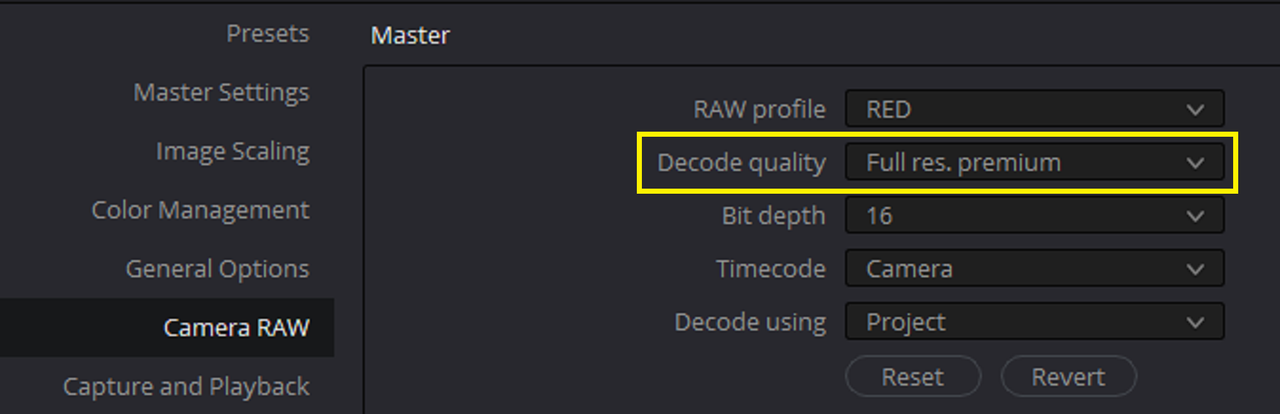
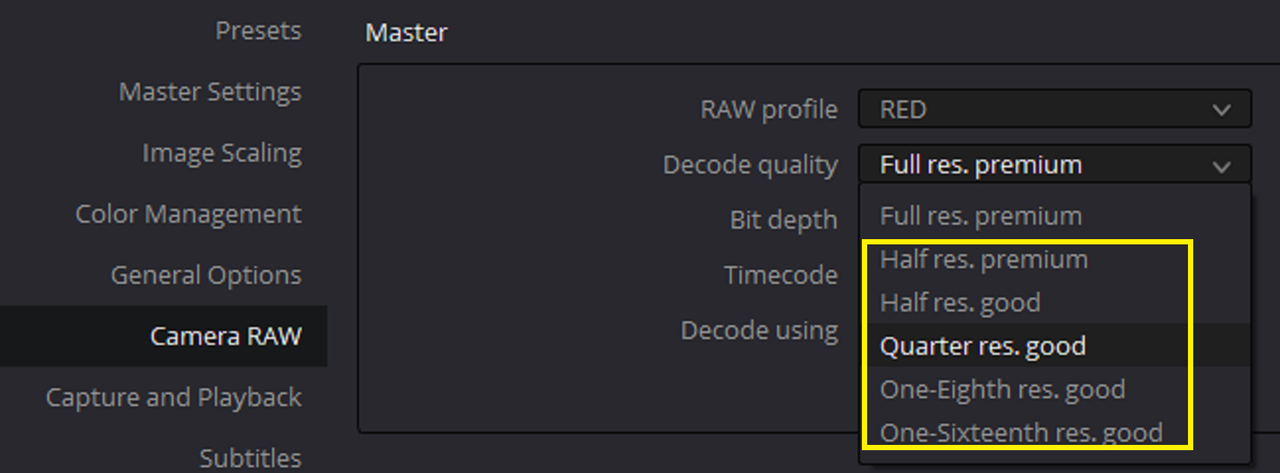
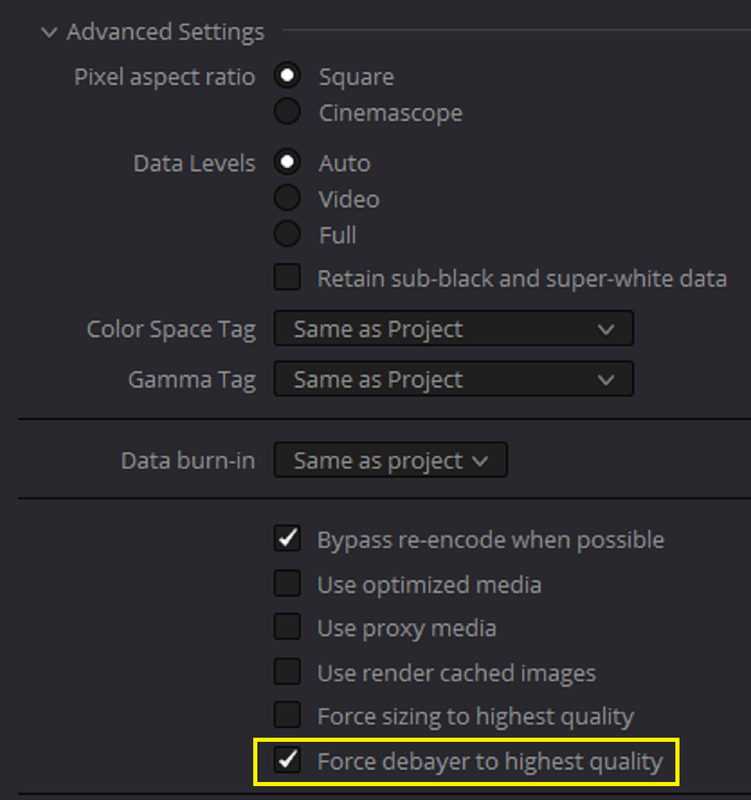
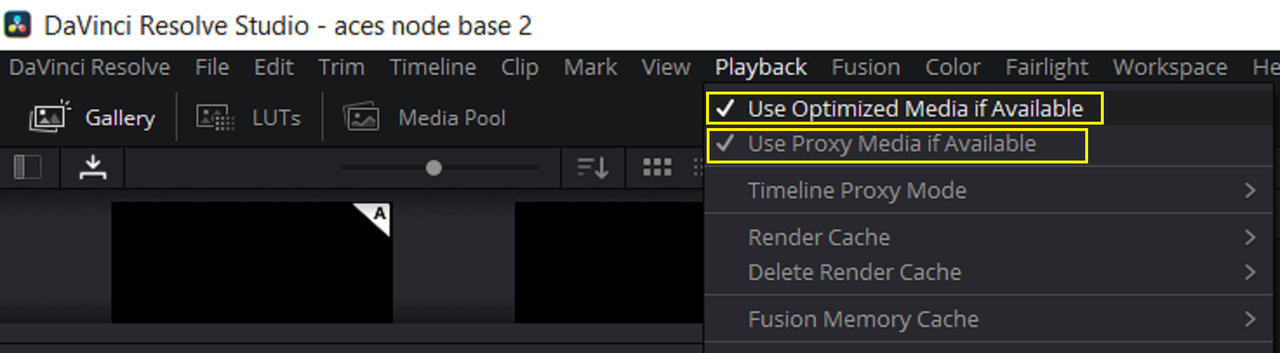
Here's something I posted in another thread, but you can try one or a combination of these to try to get better 8K performance in Resolve.


Different Settings that you can choose from to try to get better playback quality of your 8K files in Davinci Resolve


1) CAMERA RAW SETTINGS

Screenshot-3671.png

Screenshot-3669.png


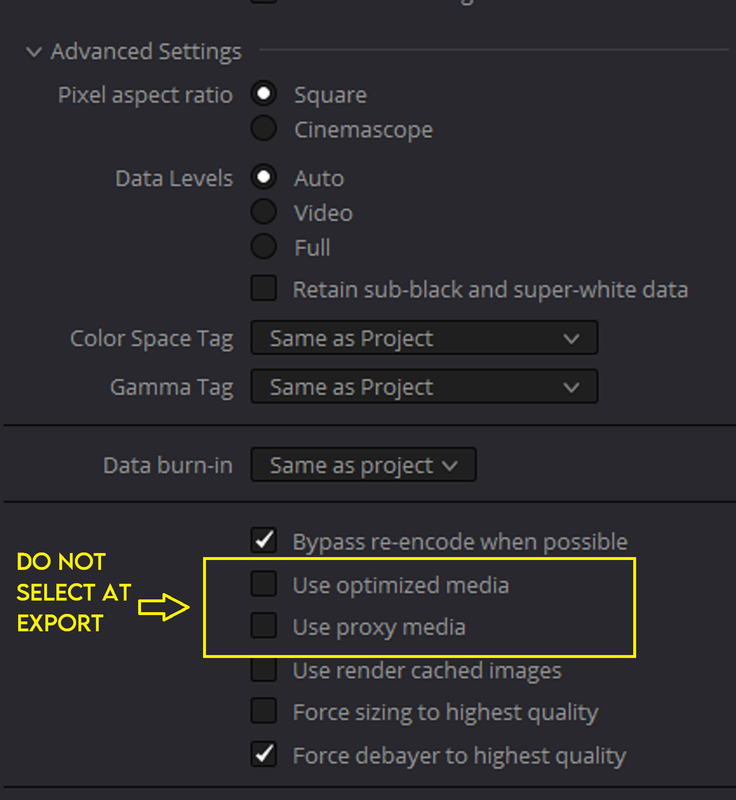
At Export

Screenshot-3672.png


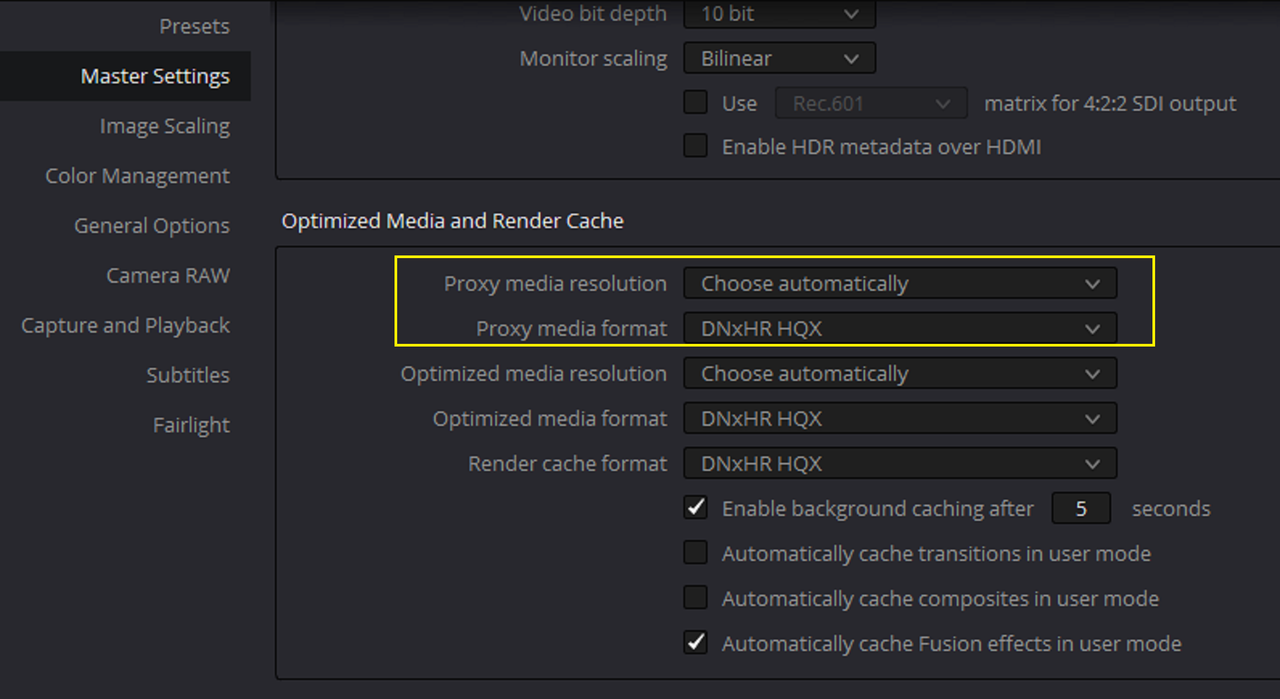
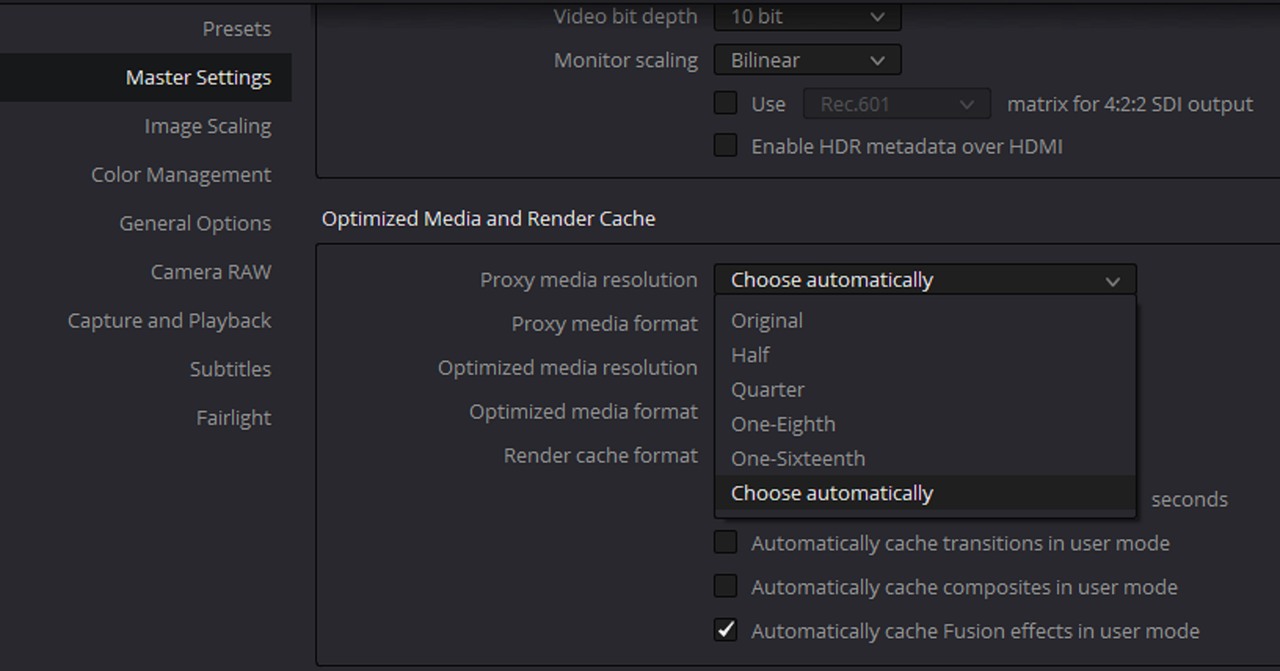
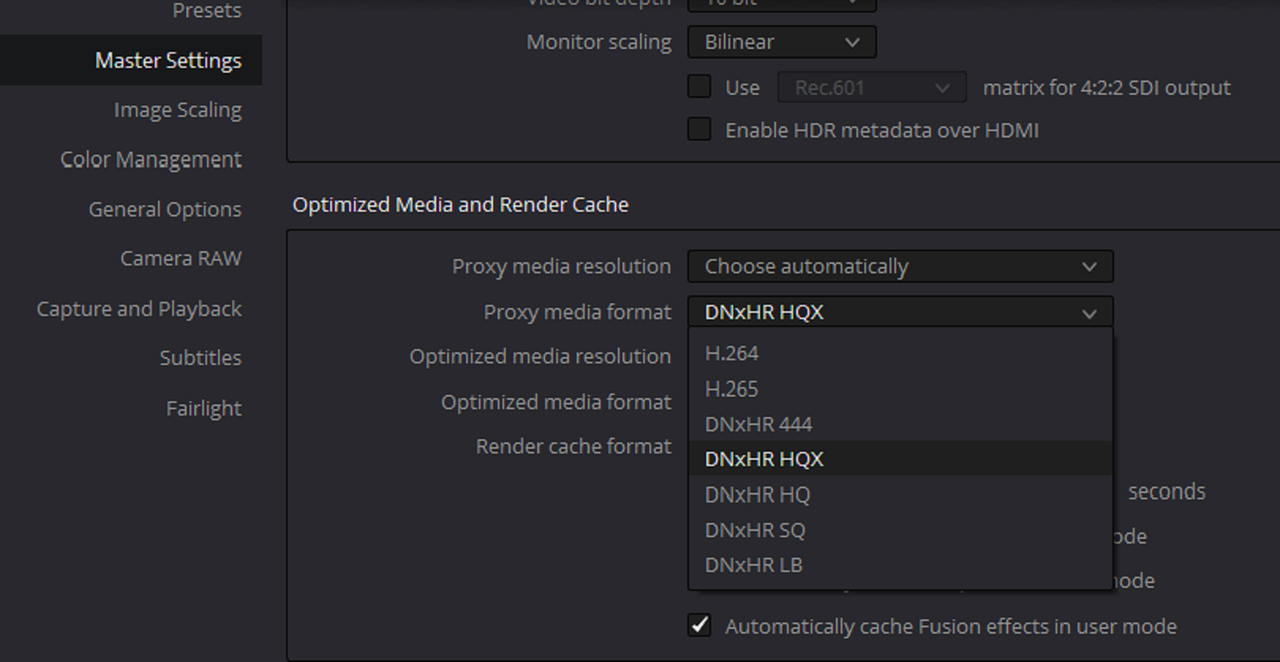
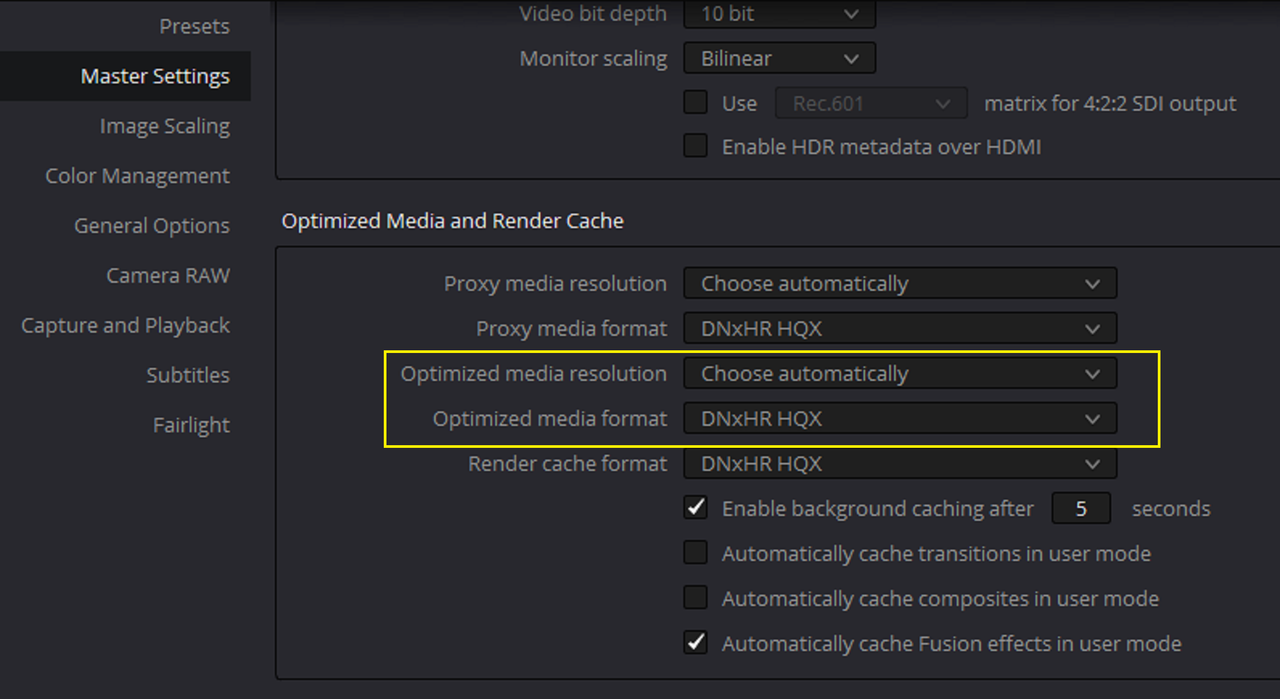
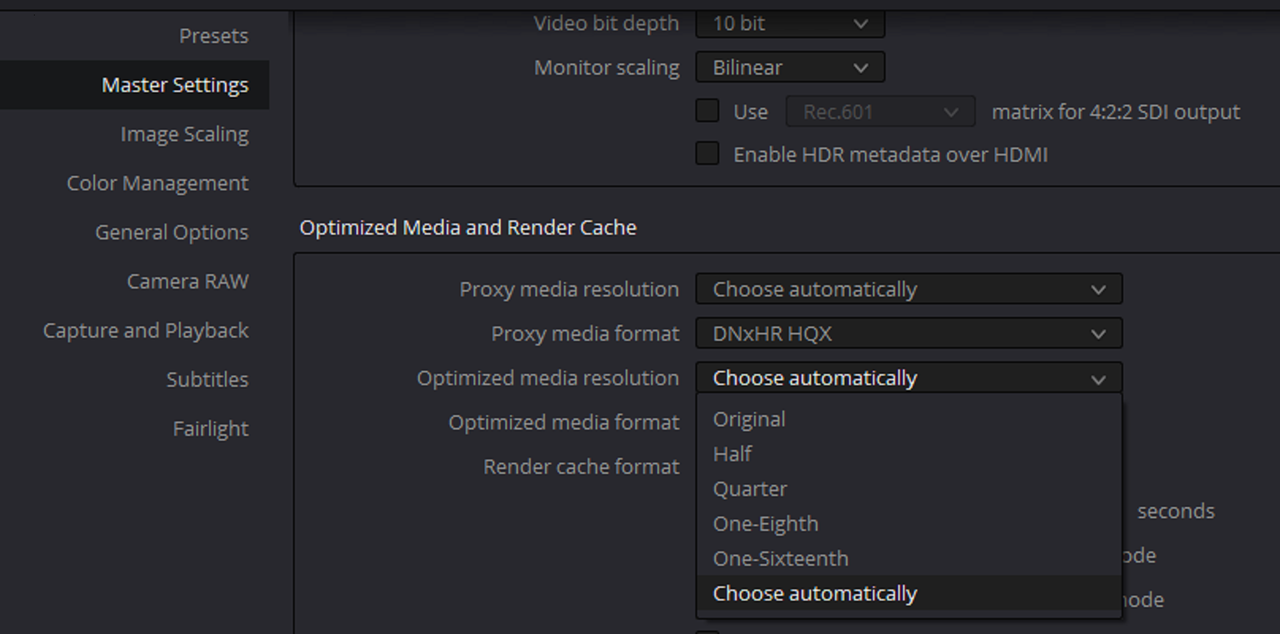
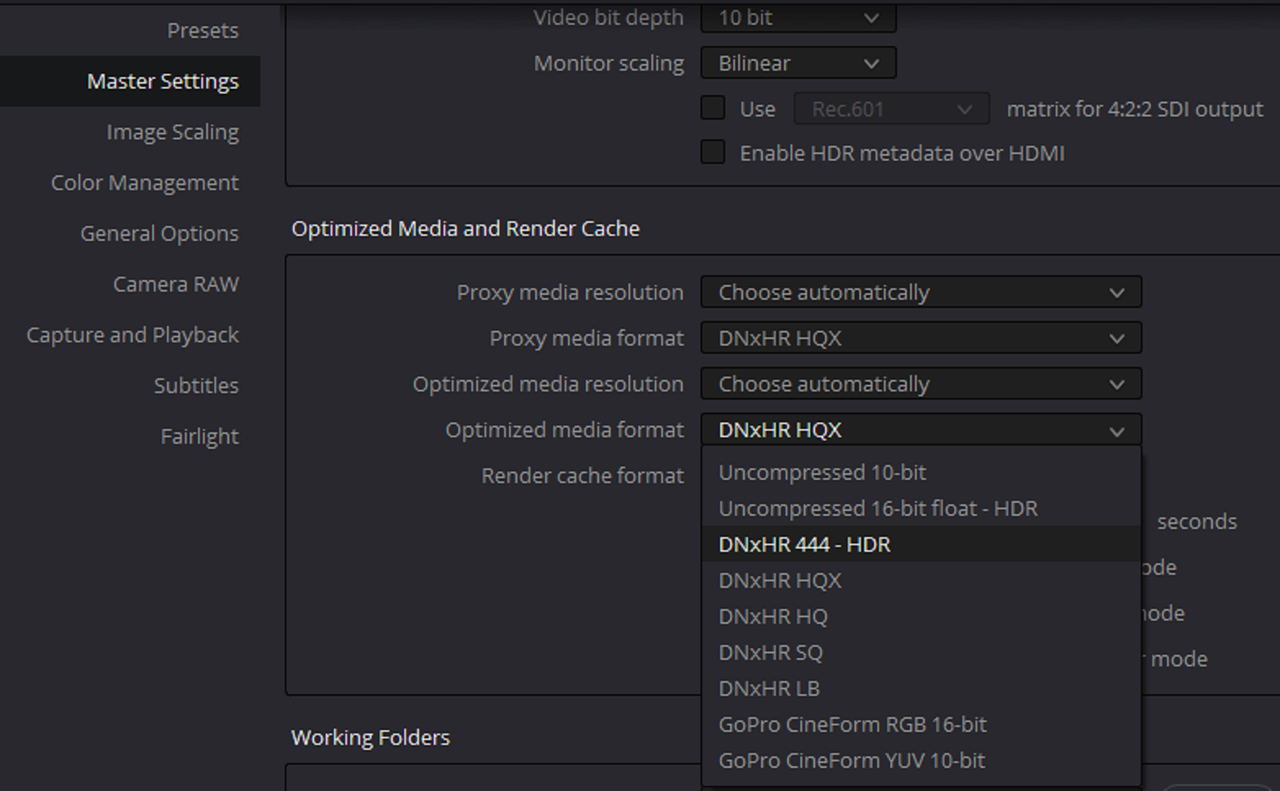
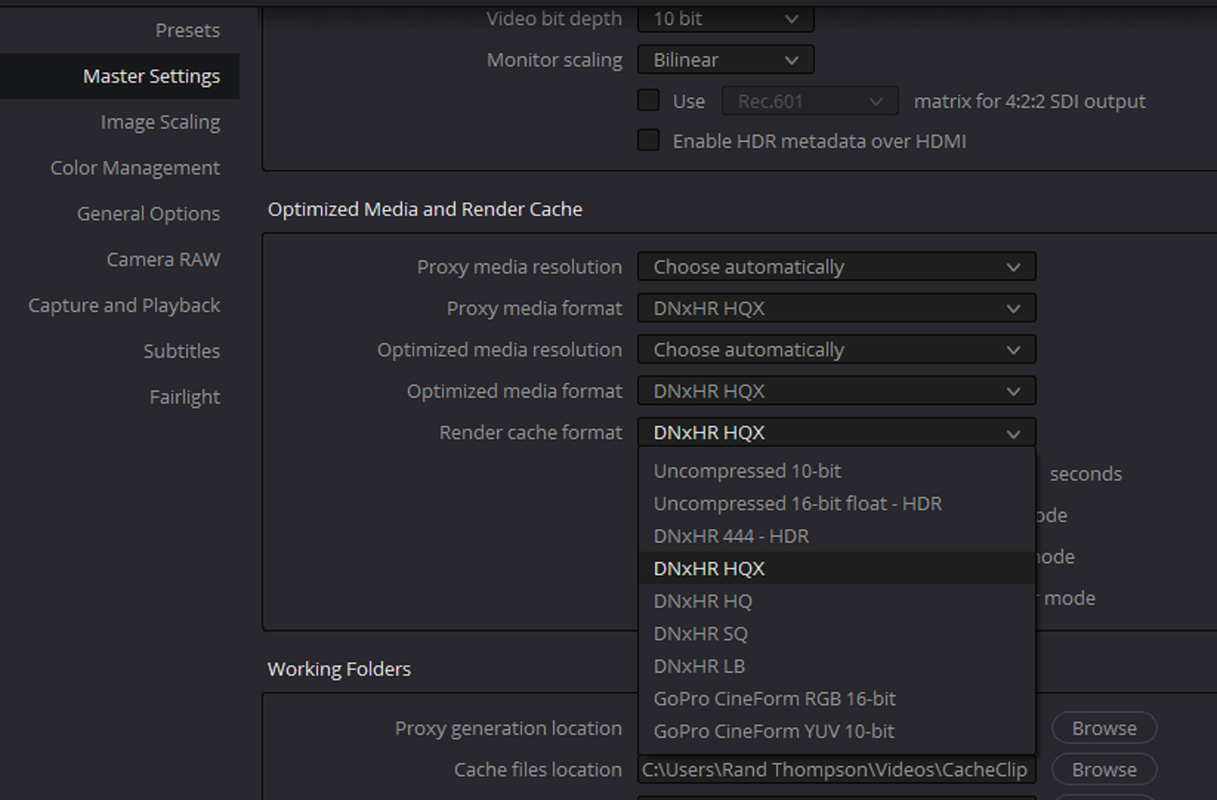
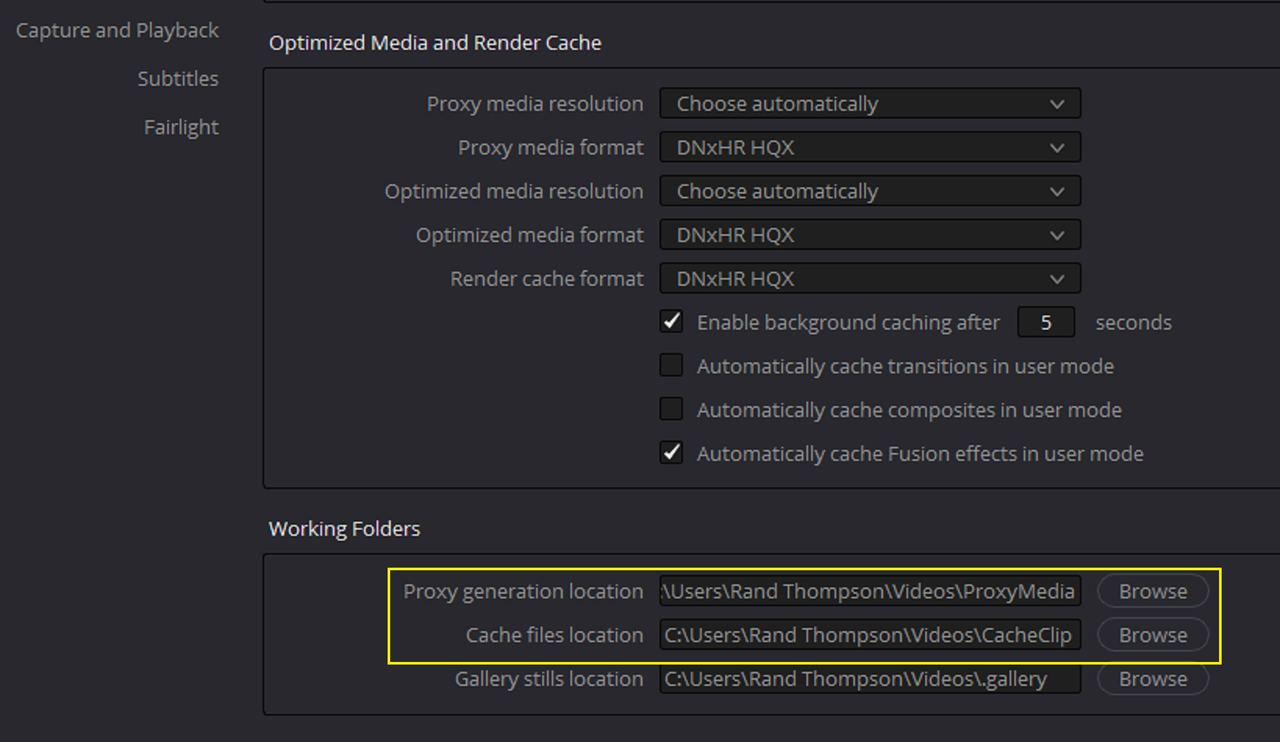
2) Proxy or Optimized Media

Screenshot-3687.png


proxy.png

Screenshot-3675.png

Screenshot-3674.png


optiized.png

Screenshot-3677.png

Screenshot-3678.png

Screenshot-3679.png


NOTE: You can also select which harddrives you want to store your, Proxy/Optimized media to and where you want to send your Cache files to, so to a potentially fast harddrive for better READ/WRITE speeds.

Screenshot-3690.png

At Export

Screenshot-3689.png


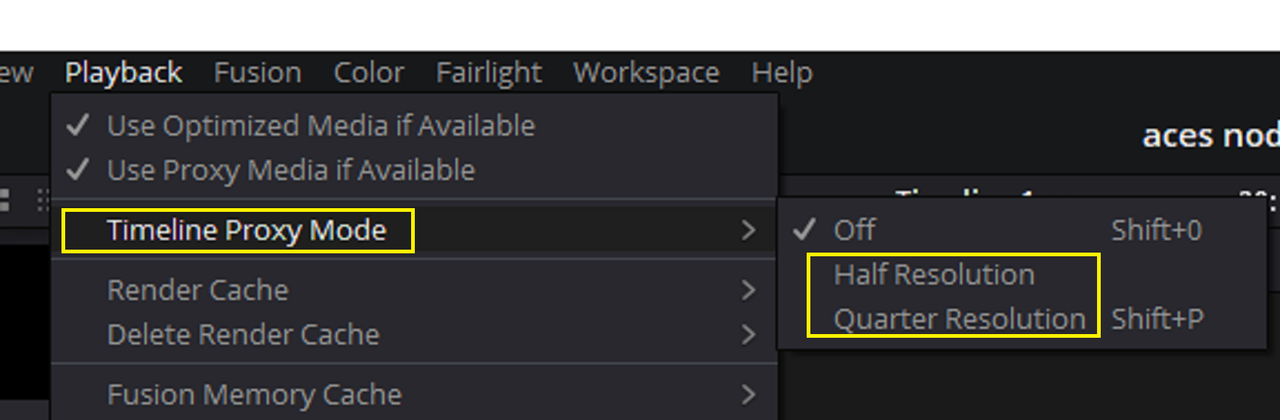
3) Timeline Proxy Mode

Screenshot-3688.png


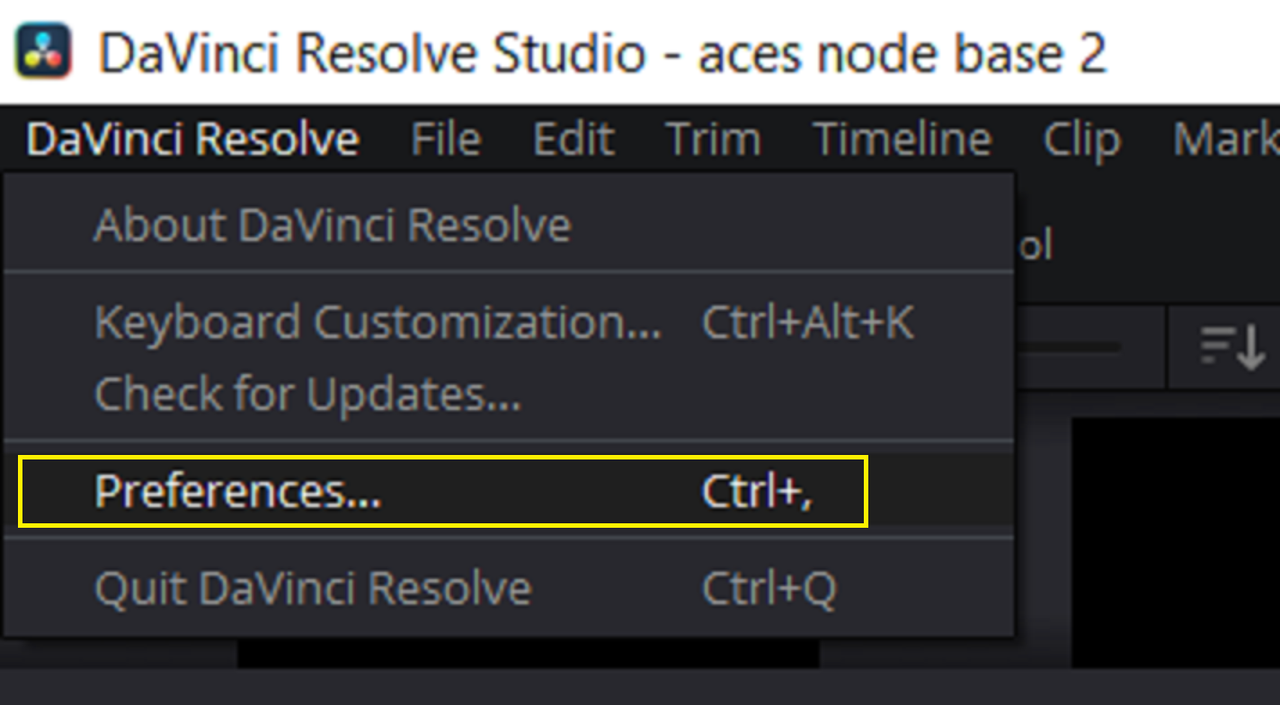
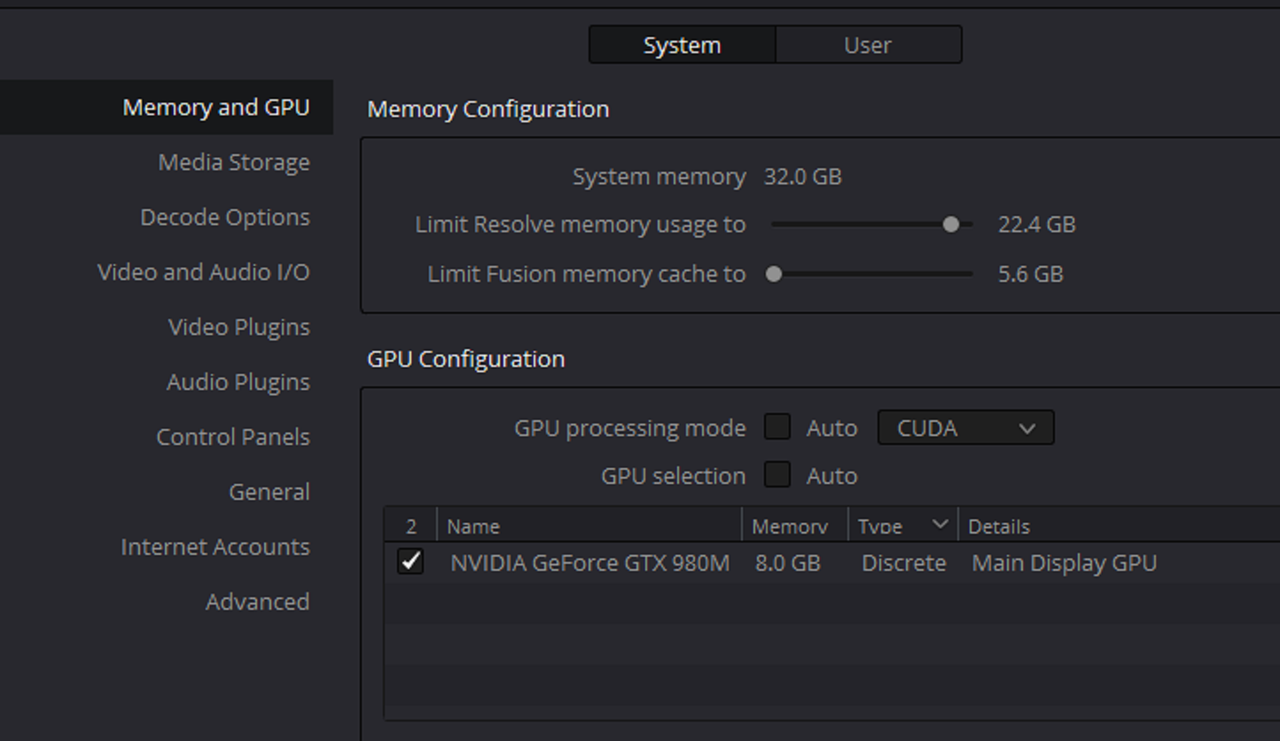
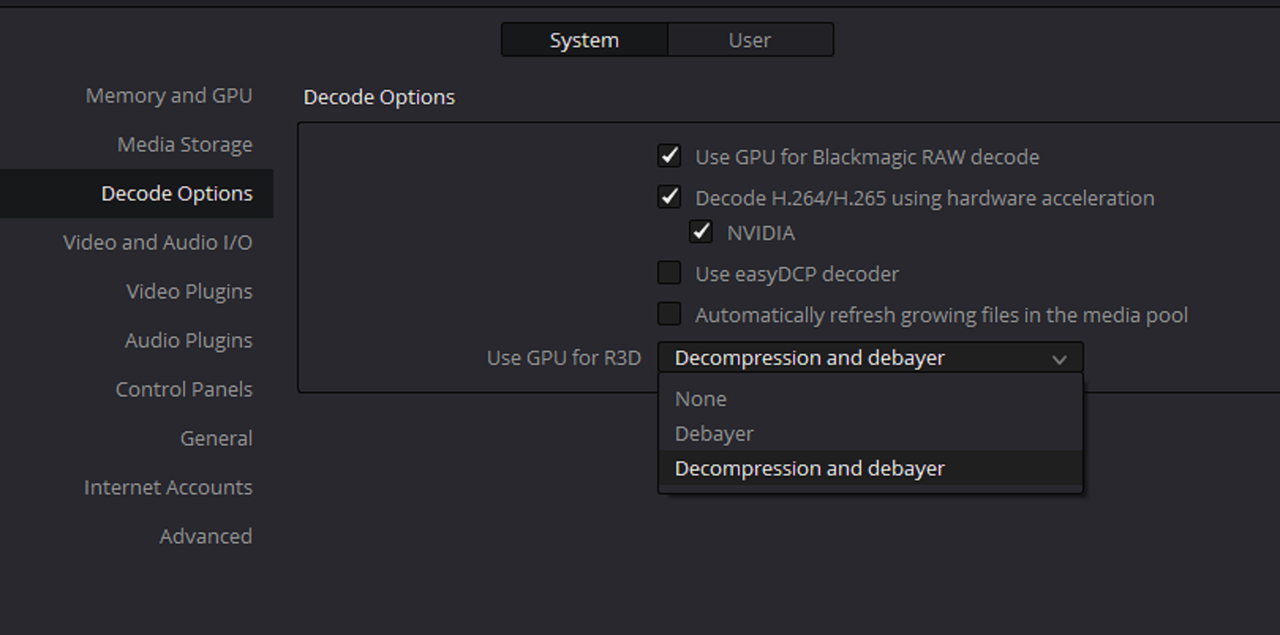
4) Preferences- System Settings

Screenshot-3686.png

Screenshot-3684.png

Screenshot-3683.png
 
Thanks Rand, yes I saw that post and do use 1/4 res which helps some, and of course proxy helps but takes a long, long time to create. And I have tried a 4k timeline, but it still does not play anywhere as smoothly as FCP X does in "better performance" mode in 8k timeline. And that is without any fancy node stuff. I think that Resolve is a much better program, especially for color. Sometimes I edit in FCP and then export XML into resolve and then work from there.
 
You're welcome Jon,

I came form Avid Media Composer to Resolve. For Non Raw video, Avid allowed you to simply transcode to DNxHD/HR at the import stage and edit with that. However, with Raw Video , Avid would not allow you to work with native red raw files at all. So I went from exporting an ,I believe it was either an OMF or MXF file, out of Avid into Resolve to just using Resolve entirely since it supported Native Editing of Red Raw Files.

Maybe Blackmagic Designs, with the help of an updated SDK from Red and better optimizations for Resolve, will bring the 8K playback performance you are currently experiencing in FCP X to Davinci Resolve.
 
Last edited:
Back
Top