Welcome to our community

Be a part of something great, join today!

  • Hey all, just changed over the backend after 15 years I figured time to give it a bit of an update, its probably gonna be a bit weird for most of you and i am sure there is a few bugs to work out but it should kinda work the same as before... hopefully :)

Antique suede vs coral filters

Yinka Edward

Member
Joined
Jan 11, 2013
Messages
14
Reaction score
0
Points
0
Please any body explain to me the difference in looks between the antique suede and coral filters
what was your experience using them and do you have any reference material or movie I can look at?
Thanks
 
Antique Suedes have more of a mustard yellow-brown to them, Corals are more orange-magenta, trouble is that one can shift any warm color in post towards green-yellow or red-magenta and thus make a Coral look like a Tobacco, or an Antique Suede look like a Coral, etc. plus changes in gamma and saturation in post will affect how strong the filter looks, so I don't think looking at movie references is going to help much.

But here's a clip that used Antique Suede:
http://vimeo.com/42841799

This filter test may be useful:
http://www.youtube.com/watch?v=6Mtg9A-yui4
 
Thank you David, i was just reading your posts and wishing I could get across to you and then you replied... wow! thanks a lot. I'm shooting in Nigeria and it's a movie set in 1960's Nigeria. I'm shooting with the RED Epic and I was wondering how to get an old film look and that's why I was looking at those filters. Do you have any further suggestions considering I'll be shooting both black and white actors. Furthermore, it's a community without electricity so most of the light sources will be lanterns. Thanks
 
One thing to keep in mind is that if you want a brownish period look, a brown tone can be achieved by taking an orange tone and desaturating it. I remember a thread over at Roger Deakin's site where someone asked Roger about the use of Sepia filters for "True Grit" and Roger said that he didn't use any filters like that, the colors of the movie were built into the production design and the wintery desert landscape. But also a lot of scenes are warm toned -- late in the day or lit by campfire, etc. -- and when you take a warm image and play the saturation on the subdued side, warmth looks brownish.

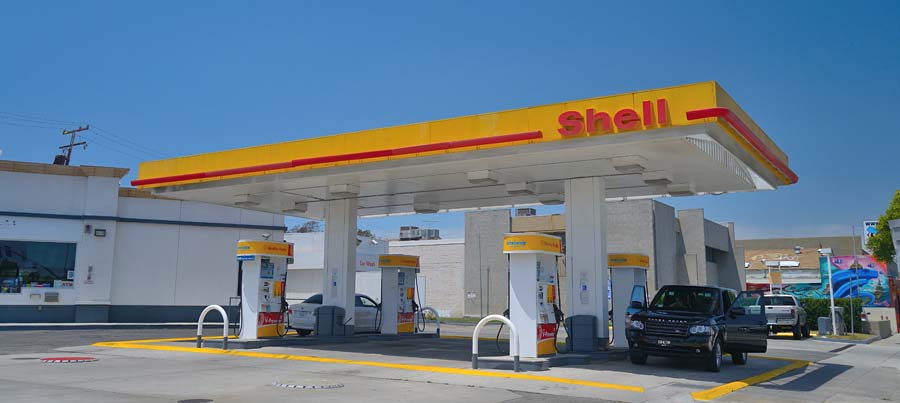
Here's an example. I took a photo of a Shell gas station here:
brown1.jpg


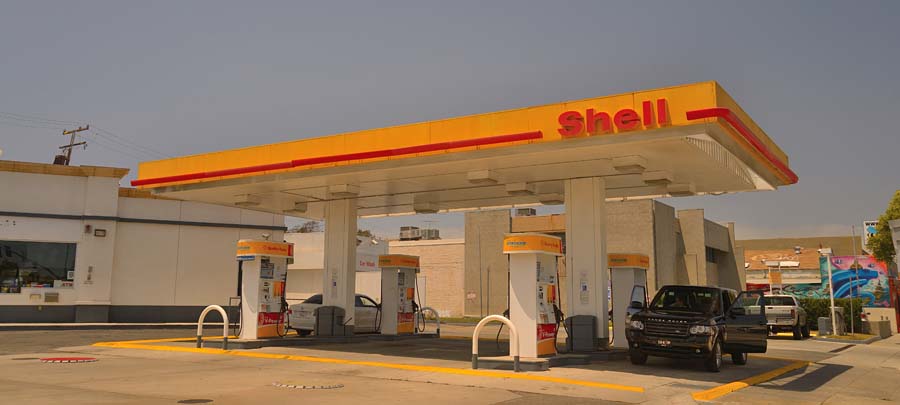
I processed it in raw to a much warmer color (higher color temperature):
brown2.jpg


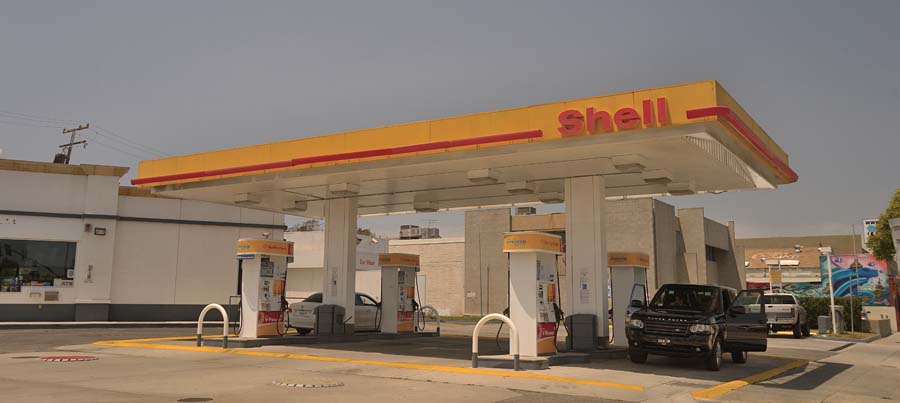
I then reduced the saturation:
brown3.jpg


You can see how the orange cast becomes a brown tint when desaturated.

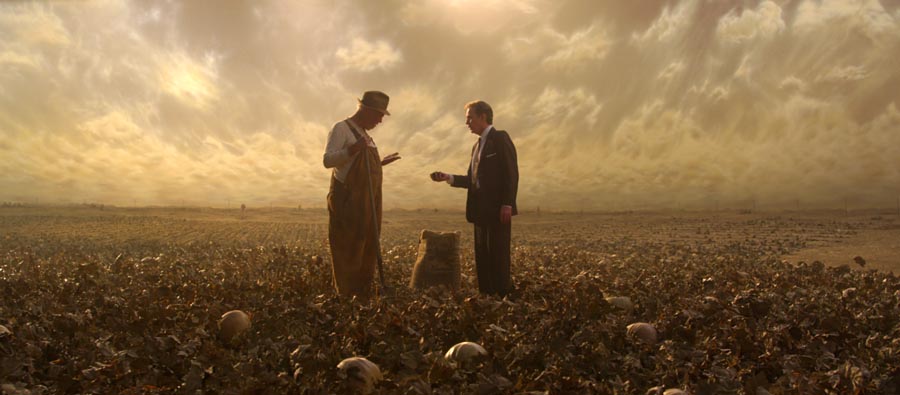
In terms of the power of production design, look at these two frames from my movie "Manure" --- everything in the scene was painted brown, except the actor's faces of course, including painting a brown sky backing. The colors look manipulated but this is more or less how it looked in front of the camera:
900manure188.jpg


Same goes for this interior, it looks brown because everything has been art directed towards brown, otherwise it's straight-forward photography:
900manure186.jpg
 
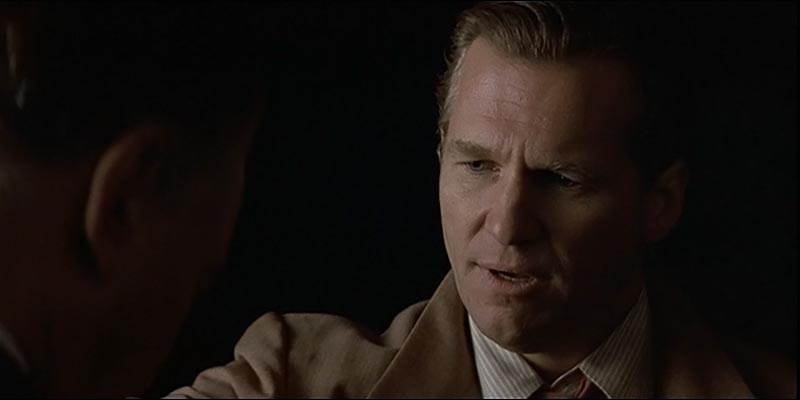
David I don't want to change topic here but after watching the video from the link you posted, I noticed the lighting irregularity in the OTS shot of the male actor. The key has been reversed which stuck out like a sore thumb to me. I understand why the DP may have done it that way but would you do the same in that situation or would you find another way. My first thought's would be to cut the light a stop or so but leave the key on the same side to avoid the obvious change in look but maybe I'm just looking too closely.

Thanks,
Larry
 
David I don't want to change topic here but after watching the video from the link you posted, I noticed the lighting irregularity in the OTS shot of the male actor. The key has been reversed which stuck out like a sore thumb to me. I understand why the DP may have done it that way but would you do the same in that situation or would you find another way. My first thought's would be to cut the light a stop or so but leave the key on the same side to avoid the obvious change in look but maybe I'm just looking too closely.

Thanks,
Larry

I'm torn, which I think most DP's are, regarding doing the cheat which looks better or sticking to the logic of the direction of the source. I flip-flop on the issue, it sort of depends on a lot of factors, partly whether I can get away with the cheat and whether being logical is just not going to look that attractive or create camera shadow problems, etc.

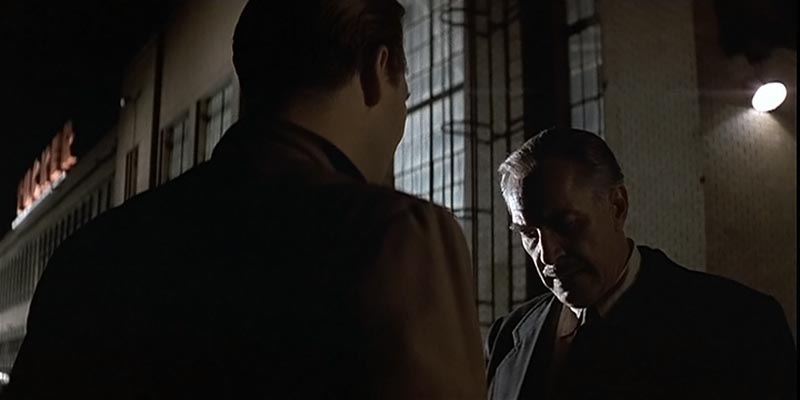
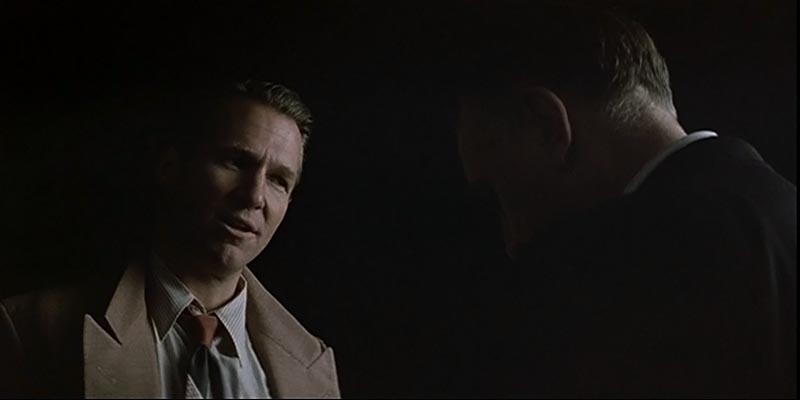
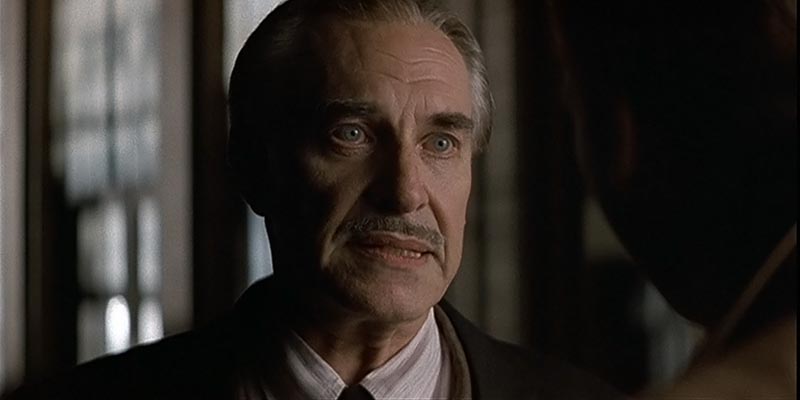
There's a scene in "Tucker" where the camera starts out on one side of the line but as Martin Landau steps forward, the camera tracks over to the opposite foreground shoulder of Jeff Bridges, requiring a new close-up of Bridges with the new screen direction, and in this case, Storaro flipped the key rather than have it be a front-lit shot by keeping the key on the same side that the camera is now also on in the second position.

This:
tucker13.jpg


Intercuts with this:
tucker14.jpg


But then in the first shot, Landau steps forward while the camera slides left, going from Bridge's right shoulder to over his left shoulder:
tucker15.jpg


So now there is a new set-up of Bridges to match the new screen direction of Landau:
tucker16.jpg


Personally I think it works; I'd rather the mood of the scene be maintained than the logic of the light direction. Also, in the first set-up on Landau, he is lit from frame left but he steps forward into a new key light from frame right, so in a sense, by flipping the key light on Bridges between the two angles, it matches the direction that the light is hitting Landau from.

You also have to think about how the two faces intercut, sometimes it's better if the light feels similar rather than have a radical change. For example, often it works to shoot people outdoors in a conversation in back-light in both directions because one face in backlight intercut with another face in frontal sunlight has such a different contrast that it can be jarring. Of course, sometimes jarring is good but other times you want a smoother cut between the two directions.
 
Thanks David, I realize now that there are more factors to consider than just logical light placement and will take these into consideration the next time I'm faced with this scenario.
Back to the filters, my favourite from the examples shown is the Antique Suede for the short film that I am developing. Do you think this would be a good choice for the following look?
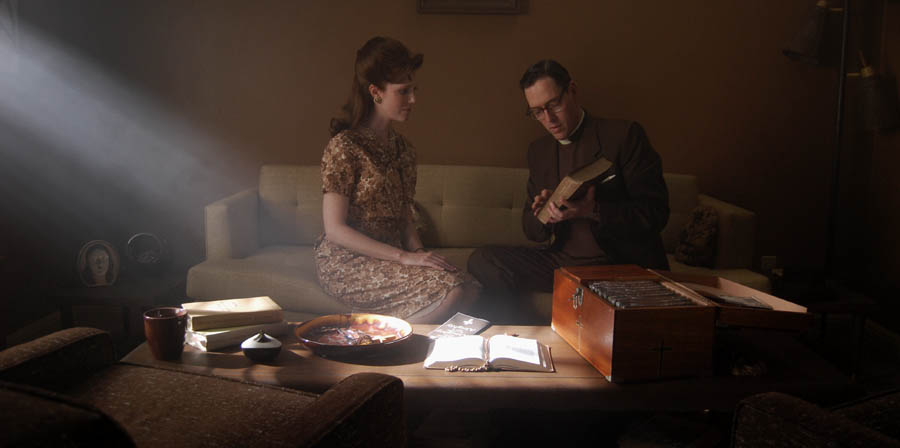
Man and woman in a warm setting at night mostly candle lit (with some help) after power outage. I would like a bit of halation on the candles and a warm tone to the shots. In contrast everything out side and entering the house will be colder and desaturated. I want that contrast between life and "death", warm and cold. I may consider switching from 180 to 90 degree shutter to change the feel of the movement between inside and outside as well. Does this make sense or would you choose a different filter/solution?

Larry
 
I wouldn't bother with warming filters for an interior candlelit scene -- you're already going to be warming up your lights to match the candles and you have room to change the Kelvin setting on the camera to warm up the shot further... plus candlelit scenes tend to be low-light and you don't want a filter that cuts exposure. You could use Full CTS gel for the candlelight color rather than Full CTO, CTS has a bit more yellow in it.

As for halation, there are many types of diffusion filters on the market that will create that.
 
One thing to keep in mind is that if you want a brownish period look, a brown tone can be achieved by taking an orange tone and desaturating it. I remember a thread over at Roger Deakin's site where someone asked Roger about the use of Sepia filters for "True Grit" and Roger said that he didn't use any filters like that, the colors of the movie were built into the production design and the wintery desert landscape. But also a lot of scenes are warm toned -- late in the day or lit by campfire, etc. -- and when you take a warm image and play the saturation on the subdued side, warmth looks brownish.


Thank you very much for your contributions. Making brown a dominant color on set is a great idea.
 
Thanks again David. I will test the CTS on the lights and lay off the coloured filters.
 
Strong color filters make more sense outdoors in daylight when you have plenty of light and you want to "starve" the sensor of other colors. A heavy Chocolate filter, for example, has a nice effect of pulling down blues and browning up the image. On the other hand, I feel that such filters are more useful with film; for some reason, digital cameras seem to naturally bias towards a beige tone easily without much work, which annoys some people who want poppy 3-strip Technicolor colors but does make it easier to create a brown period feeling.
 
Back
Top