Welcome to our community

Be a part of something great, join today!

  • Hey all, just changed over the backend after 15 years I figured time to give it a bit of an update, its probably gonna be a bit weird for most of you and i am sure there is a few bugs to work out but it should kinda work the same as before... hopefully :)

After Effects CC 2014 - Bad R3D Debayer?

Ryan Lightbourn

Well-known member
Joined
Nov 3, 2012
Messages
310
Reaction score
0
Points
0
Location
Orlando, FL

Attachments

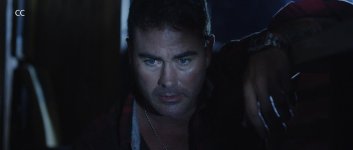
  • CC.jpg
    CC.jpg
    48.8 KB · Views: 0
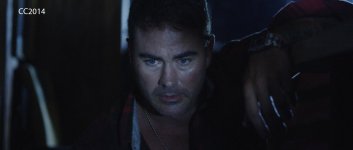
  • CC2014.jpg
    CC2014.jpg
    50.1 KB · Views: 0
Last edited:
Strange, emptying disk cache did nothing, but deleting the folder did. Now it isn't showing up. I'm dual outputting to an HDMI TV, so don't know if that was the cause. It happened with multiple R3D files & showed up after exporting through the render queue as well.

I'll report back if it continues.

UPDATE: Still happening fairly frequently. May be tied to HDMI output, not sure why.
 
Last edited:
This is just a guess, but when I downloaded CC8 (don't know why it was so important for them to call it 2014). I got a message to update my gpu driver. You should check the driver version for your gtx card on Nvidia's site. It seems like there have been a slew of driver updates since May.
 
EDIT: I was wrong about the following (it's now well documented that Red footage has a major issue with AE CC 2014):

OSX is not the issue...it's happening in Windows as well.

It seems to be the Mercury output via HDMI that I'm running for reference.
 
Last edited:
Seeing the same issue with Dragon footage on After effects CC2014 when importing R3D. Footage looks as if it was 16th resolution debayer. Same footage opens fine in the previous CC version...
I have that issue on my Macbook pro 17" 2011 with latest Mavericks (10.9.4), AMD Radeon HD 6750M 1024 Mo, and no extra output via HDMI, displayport or anything. Clean install don yesterday, problem still there.
Also saw the same issue on my new Mac Pro with D700... Checked with different R3Ds, same results.

Has anyone else been seeing this ?

Attached is an example at 100%, should be perfectly clean...
 

Attachments

  • Dragon AFX CC2014 issue.jpg
    Dragon AFX CC2014 issue.jpg
    46.5 KB · Views: 0
This is becoming a serious problem for me. I have tried the Remember/Apply Interpretation fix and it does not work for me. Also, the Purge does work, but takes almost 2 minutes to cycle. I can't do a two minute purge every 5 minutes after waiting another 10 seconds for the screen to re-draw. Another problem I have is that I often use two versions of the same R3D file, each with different interpretation settings, but with the limitation of having only one RMD file, this also seems to break the fix.

My lively-hood depends on AE working, and I do not have an older version to fall back on. So I hope they come up with a fix soon.

Phil
 
Julien, I was incorrect, it's not my HDMI monitor, I assume the issue was just more apparent on that since it's playing full screen/full res (vs. my desktop monitor where I'm viewing playback in a 960x409 window).
 
a workaround I discovered on accident when using red green screen footage was applying keylight and switching the key method from soft to hard. It seems to reset the resolution. Might be able to do this to any clip then delete the effect if it's obviously not green screen footage.
 
Unfortunately neither the Keylight trick or the interpretation fix are working. The odd thing is that it only happens to certain R3D clips and not others in my project.
 
I have found the fixes to be unpredictable and fleeting. For example, the problem can re-occur when a certain number of undo's are reached and/or a memory threshold is reached. Also, the fix does not hold after saving and re-opening. The Adobe staff have identified the problem code, but say that the fix is a difficult one, which I guess means that we won't see a resolution very soon.

My only solution has been to fall back to the previous version of AE CC (12.x.x). AE CC 2014 does allow the user to "save as" projects to the previous version.

Phil
 
I have found the fixes to be unpredictable and fleeting. For example, the problem can re-occur when a certain number of undo's are reached and/or a memory threshold is reached. Also, the fix does not hold after saving and re-opening. The Adobe staff have identified the problem code, but say that the fix is a difficult one, which I guess means that we won't see a resolution very soon.

My only solution has been to fall back to the previous version of AE CC (12.x.x). AE CC 2014 does allow the user to "save as" projects to the previous version.

Phil

Thanks Phil, unfortunately I had issues with the previous version accepting Dragon footage with the new OLPF, so it looks like I either need to transcode and rollback to 12 or wait it out.
 
Still having issues with this here, anyone ever able to resolve this problem. I've found that changing the debayer settings from High to medium sometimes helps, but then clips usually switch and then I have to swtich it back to high. Very frustrating.
 
Back
Top