Welcome to our community

Be a part of something great, join today!

  • Hey all, just changed over the backend after 15 years I figured time to give it a bit of an update, its probably gonna be a bit weird for most of you and i am sure there is a few bugs to work out but it should kinda work the same as before... hopefully :)

ADVICE - Best sub-$1000 24p Camcorder?

Brandon Fraley

Well-known member
Joined
Apr 20, 2007
Messages
2,269
Reaction score
0
Points
0
Age
41
Location
Bay Area, Ca.
I just sold my DVX100 and all related miniDV gear and want to use some of the cash to replace it with a smaller 24p camera.

You can get an HV30 for $750 at amazon. Anything else worth looking at on the market?

THANKS :)
 
What do you really need to do with it? I'll have an HV30 in my hands later today. We're getting one in here at work. But the next camera I'll be buying myself for filmmaking work is a Nikon D90, even though I'll have access to an XH-A1 and HV30. The D90 really excites me.
 
What do you really need to do with it? I'll have an HV30 in my hands later today. We're getting one in here at work. But the next camera I'll be buying myself for filmmaking work is a Nikon D90, even though I'll have access to an XH-A1 and HV30. The D90 really excites me.

D90? for filmmaking? even after seeing all the jello footage? I was excited about it until I saw it in action. :(

As for what I want in the camera: I want it small, cheap, 24p. Beyond that I'd like as many manual features as I can get, and HD would be nice.

I have my RED ONE for anything important, so this camera would just be for home movies, reccies, b-cam for live events, etc.
 
hv30 is great

hv30 is great

We shot a lot with 2 hv20s and really still cannot believe how nice the material looked from such a nondescript looking camera. Especially nice for doc work where larger cameras can be intimidating. Do get a hand stabilizer though as it has almost no weight. We had a beachtek DXA-6vu adapter but found the audio technica AT822 to be such a perfect fit for it that we rarely used anything else except for lavs. I've used the hv30 and didn't notice that much difference.
 
how is the onboard mic? Of course it's unacceptable for pro work but how does it perform for normal everyday stuff?
 
The HV20 is a great camera, and I forget why, but it is actually a bit preferable to the HV30 not to mention a lot cheaper.

I use it all the time for my "Don't make me set up the red for the birthday party" shots. I have a buddy that uses a 35mm adapter and is quite happy with it.

The sound is as good as any. You could always hook up a beach box and plug an external microphone to get better sound, but it's as good as sound on a MiniDV can be.

Don't forget the 24 P is done through a magic pull down, so you have to run the footage through compressor or alternative before using it--it's not quite as easy to edit 24 P, but we have a preset for Compressor and just run it through before using.

the HV20 also has a mode, Cine something or other, that turns off the gain to let the blacks be black with out graining up the gain to give you some "Holy shit, that was shot on a camcorder" shots.

I think the higher bit rate solid state cameras will be out next year, but until then--you can't go wrong with the HV20.
 
Thom, do you use the standard HV20 setting in Compressor or have you tweaked it? I have found that unless I downres to 720P, I still get some fringing effects on edges. Almost like it's not completely guessing right on the pulldown. 720 does not seem to have this issue. Staying at 1440x1080 seems to have less issues but still there and the scaling to 1920x1080 definitely has it.

Let me know if you have found a good solution. I love the HV20 for certain things, but this one issue drives me crazy.
 
As I remember, there wasn't a standard HV20 setting in compressor, so we had to create it ourselves. (We found a document on the internet that laid it all out)

I'll have my friend comment as he lives and breathes this stuff every day. Since I got the Red, I have only been shooting regular with it for family functions and if I'm going to bother for any sort of film look--I'll do it on Red.
 
The HV20 setting isn't labeled as such but is in the Advanced folder. But it will scale to 1920x1080 where the problems are much worse. I'd be curious about your friend's process. Bruce Allen has been helping me with this as well, as he shoots a lot with the HV20.

I've even shot a couple of family events with the Red, just for fun. :-) Can't get enough of this camera. One family member has commented that after seeing the Red footage, that it's just not fair.
 
As I remember, there wasn't a standard HV20 setting in compressor, so we had to create it ourselves. (We found a document on the internet that laid it all out)

I'll have my friend comment as he lives and breathes this stuff every day. Since I got the Red, I have only been shooting regular with it for family functions and if I'm going to bother for any sort of film look--I'll do it on Red.

Hey Guys,

This is Thom's friend, Ronnie. Here's my input on this discussion:

Final Cut Pro 6 and Canon HV20 camcorders are both capable of working with 1080p24 material, but due to differing characteristics in the ways that the media is handled, special care is required so that interlacing artifacts and pulldown cadence issues are not introduced in your work.

Here's the steps we used to come up with acceptable results:

In the HV20, for daylight, I capture using HDV 24p in Time priority mode at 48. I then lock the exposure by keeping the exposure on the screen while adjusting it. Adjusting this also gives you full control over the aperture. You can view the aperture by half pressing the shutter release button. Adjusting the exposure changes the aperture. This method allows you to control the aperture, speed, exposure, focus, etc...

In Final Cut Pro, Log and Capture your clips shot as 1080p24 from the HV20 using the Easy Setup named "HDV, 29.97, HDV - 1080i60 FireWire Basic".

This is just an intermediary step to capture the raw footage. We then have to perform our 3 2 pulldown via Compressor. You can go straight to Compressor from Final Cut or go to Compressor.

In Compressor, choose Add File and navigate to the capture scratch folder for the clips you captured and open them all.

Select the first clip in the batch.
Choose the setting named "Apple ProRes 422 for Progressive material" (found in Settings tab > Apple > Other Workflows > Advanced Format Conversions > Apple Codecs), and drag it onto the first clip.

Double-click the setting on the first clip to highlight the Inspector window.

In Inspector > Encoder Settings > Video Settings, change the framerate to Custom, and enter 23.976.

In Inspector > Frame Controls, enable Frame Controls and make the following settings:

Set Frame Controls to On
Set Deinterlace to Reverse Telecine

Click Save As to save this setting with a name such as "HV20 HDV 24p to ProRes 24p".

Add this new Custom setting to all your clips and submit the batch.

The resulting clips will be 24p and can be edited in a 24p sequence in Final Cut Pro with no interlacing or cadence issues.

That's about it.

Here's some sample results just shooting my kid for testing:

http://www.vimeo.com/ronniesilos

All the footage in here are shot with the HV20. There's really not a lot of difference with the HV20 and the HV30 so if you had an HV20, there was no good reason to buy an HV30 but if you were to buy now, I guess HV30 would be good.

If you want tapeless, the hf10 and hf100 from Canon are the way to go - HOWEVER:

Here comes the HF11: http://gizmodo.com/5027604/canon-updates-hd-palmcorders-with-hf11-hg21-versions

These are the first consumer camcorders that come with 24mbps bitrate, which is the highest the AVCHD standard supports.

This is the first model which may beat HV20/30 to its number 1 spot in the consumer market in terms of picture quality, with such a high bitrate from these cameras.

If you want to know more about 35mm DOF adapters, I can expand on that a little bit too. 8-)

Hope this info helps. Now, you know, I'm just dying to get in line for a Scarlett.

Ronnie
 
Ronnie, thanks for posting. That's the exact method I use. I'll post some stills that show the artifacts I'm getting.

By the way, great videos. Your 6 year old has a lot of talent!
 
Thanks for this workflow, Ronnie.

Could you just run this conversion in Compressor at the very end, after you have done your final edit in Final Cut?
 
thanks for all the info, guys. Looks like the this is the best camera to fit the niche.

Anyone know why 20 would be preferable to the 30? I read the 30 had better low light and a little better manual control. It's also for some reason $250 cheaper than the 20 on amazon right now :/
 
I actually just shot a short on the HV20 that's gotten me a bit of attention from hollywood, so I can vouch for the camera somewhat. If you milk all its little exploits, there's some real potential there. Here's a link in case you're interested: http://www.vimeo.com/1333375

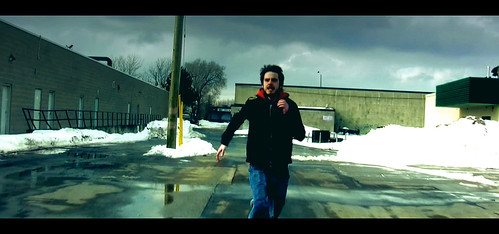
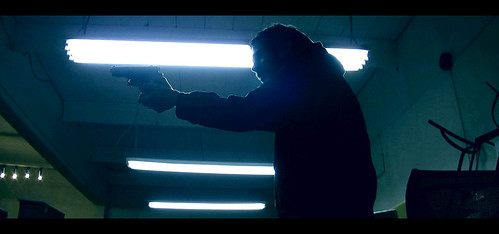
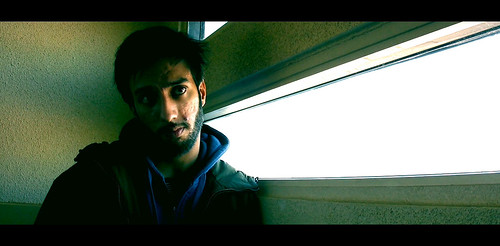
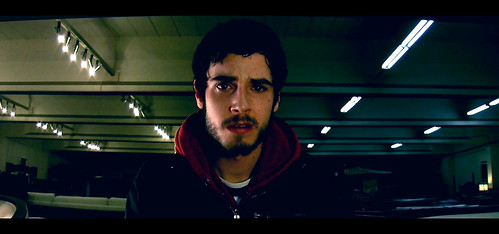
Also some stills from the final product:


2569982213_29ef4d119a.jpg

2569982297_635651ded6.jpg

2664891501_08e43cccdd.jpg

2570808326_db3b68e73f.jpg
 
watched your film. excellent work. couldn't ask for a better endorsement of the camera than that. I'm jealous of who ever did your grading :)

again, any one know if there's a reason to get the hv20 over the hv30?
 
Thanks Brandon. I graded it myself. Did many tests before the shoot, and then shot it with tweaked settings that allowed me to push the look exactly as I wanted in the grade.

But yeah -- a decent cam if you're on a budget. ;)

and as far as I understand, there's not a huge difference between the hv20 / 30. Aside from the new 30p mode (which is useless to me), it's mostly cosmetic or minor adjustments. I'd go for the cheaper hv20.
 
Thanks Brandon. I graded it myself. Did many tests before the shoot, and then shot it with tweaked settings that allowed me to push the look exactly as I wanted in the grade.

While I pretend I have an eye for light and composition, for some reason I can't for the life of me play with coloring tools and get something I'm really proud of. It's a talent I really admire. Congrats! :)
 
and as far as I understand, there's not a huge difference between the hv20 / 30. Aside from the new 30p mode (which is useless to me), it's mostly cosmetic or minor adjustments. I'd go for the cheaper hv20.

Unless I find one used, the new hv30 is $250 cheaper than the the old hv20. Are you saying try to find a used one?
 
Hi Brandon! The main difference is that HV-30 can record 30P, unlike HV-20 - and it has somewhat more robust focus and zoom controls. However I would also recommend going for the HDD/FLASH versions... :D

PS: I have sent You couple of weeks back the new ideas, no reply... :)
 
Back
Top