MikeHedge
Well-known member
- Joined
- Dec 28, 2006
- Messages
- 1,100
- Reaction score
- 0
- Points
- 0
- Age
- 44
- Location
- Los Angeles, CA
- Website
- www.mikehedge.com
Any Premiere genius people out there?
I am finally finishing the huge documentary we shot out at Burning Man. We have the final approval from Burning Man to make the DVDs.
I finished the DVD but am running into problems burning the master DL disc for replicating. I think I fixed the burning problem (started from scratch on all my Encore work)
But noticed another problem. In my final export of the film as a high quality .m2v file, I am getting these weird ghosting things in my credits.
It is when I fade a title on top of a fading image or video.
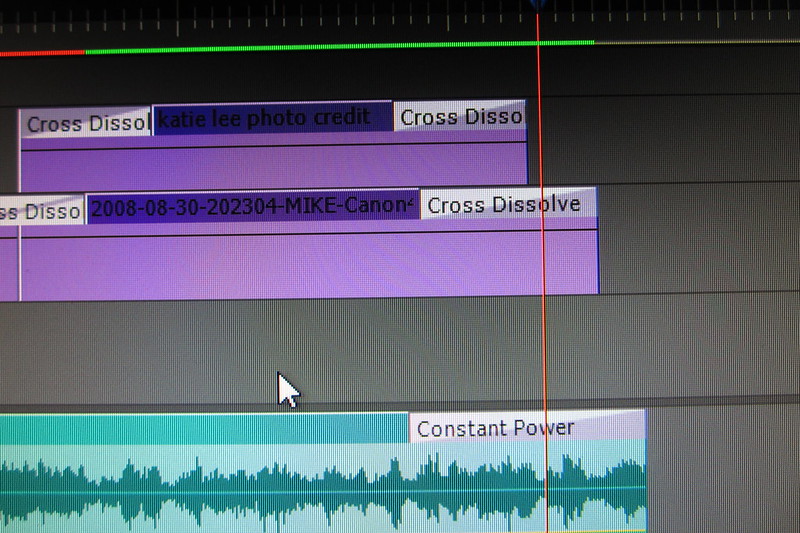
2 video tracks each item doing a fade to black. I have never seen this before. nor can I get rid of it. I have tried instead using the keyframes in the opacity. I also have added black video underneath both the tracks. Nothing changes this weird ghosting thing.
http://www.youtube.com/watch?v=e8hbkJcKSo4
anyone an Adobe Premiere genius?
I am finally finishing the huge documentary we shot out at Burning Man. We have the final approval from Burning Man to make the DVDs.
I finished the DVD but am running into problems burning the master DL disc for replicating. I think I fixed the burning problem (started from scratch on all my Encore work)
But noticed another problem. In my final export of the film as a high quality .m2v file, I am getting these weird ghosting things in my credits.
It is when I fade a title on top of a fading image or video.
2 video tracks each item doing a fade to black. I have never seen this before. nor can I get rid of it. I have tried instead using the keyframes in the opacity. I also have added black video underneath both the tracks. Nothing changes this weird ghosting thing.
http://www.youtube.com/watch?v=e8hbkJcKSo4
anyone an Adobe Premiere genius?