SeanBrown
Well-known member
- Joined
- Oct 30, 2009
- Messages
- 760
- Reaction score
- 0
- Points
- 0
- Location
- Portland, Oregon
- Website
- www.seandbrown.com
Hey Guys,
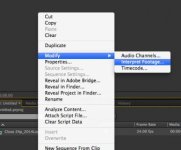
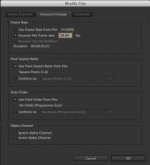
We shot some 3k Footage at 60FPS with the Project based at 23.98 so of course you can see the "slow-motion" when you bring it into the editor. In premier we want to play the footage at 60FPS so we can send that to after effects and use Twixtor on it. Anyway we can fix this? I know next time I will keep the project timeline at 60FPS as well.
Any ideas can be sent to 117production@gmail.com or I can try to check this all day.
We shot some 3k Footage at 60FPS with the Project based at 23.98 so of course you can see the "slow-motion" when you bring it into the editor. In premier we want to play the footage at 60FPS so we can send that to after effects and use Twixtor on it. Anyway we can fix this? I know next time I will keep the project timeline at 60FPS as well.
Any ideas can be sent to 117production@gmail.com or I can try to check this all day.