Welcome to our community

Be a part of something great, join today!

  • Hey all, just changed over the backend after 15 years I figured time to give it a bit of an update, its probably gonna be a bit weird for most of you and i am sure there is a few bugs to work out but it should kinda work the same as before... hopefully :)

40 Minute FCP Sequence 100x Render Times

Joined
Jul 11, 2011
Messages
7
Reaction score
0
Points
1
Hopefully there are some editors out there who can help me figure out why my render times for a 40 minute video are upwards of 76 hours and climbing? These are FCP ProRes sequences (there is a large amount of Animation codec VFX shots though) sent to compressor for output to H.264. 1080p24 @ 5000kbps.

I'm working on a June 2009 MacBook Pro, 2.8GHz Core2Duo, 8GB RAM, reading and writing to a 7200RPM LaCie external drive via FW800. I realize the system is a bit dated, but 100x render time is absolutely unacceptable.

OSX v10.6.8, FCP v7.0.3, Compressor 3.5.3. Telling me I'm using an antiquated consumer level system isn't going to help. I know this, and I've rendered out stuff orders of magnitude faster than this from this exact machine days ago. Any serious help is much appreciated.

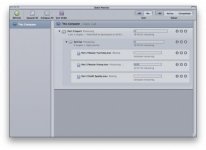
I've attached a screenshot of Batch Monitor if it helps anyone.
 

Attachments

  • Screen shot 2011-08-08 at 7.31.53 PM.jpg
    Screen shot 2011-08-08 at 7.31.53 PM.jpg
    12.5 KB · Views: 0
Are you sending an unrendered sequence to compressor or fully rendered one? If you send an unrendered sequence sequence it will take forever at that resolution and if there are any filters on clips then even longer. This was the way to do it for DV sequences since you didn't want to lose generations on rendering DV material. Now with prores codecs it's a little different. Usually what I do now is render my timeline and export a reference file, Command+E and "using current settings" but make sure "Make Self-Contained" is NOT checked. It will make a small file of your timeline. I then take that into a new sequence and send that to Compressor. It'll still take a while for 40 minutes but should be more like a few hours. On my 2006 MacPro a 5 minute Prores 1080p clip takes about 25-30min to export to h.264. I'm a quality freak and I've concluded this method works well and with great results. Oh and for 1080p files I tend not to go under 7000kbs, usually 10000-15000, I use 5000 for 720p stuff.

Hope that helps.
 
Export the movie first and then use compressor to compress it.

David
 
First thing I'd do is not use Animation codec movie files for effects shots. Get frame sequences in there... tif, dpx, or exr

Otherwise, I don't know man except check your output settings.
 
Export the movie first and then use compressor to compress it.

David

I've found in most instances you get better encodes sending files to Compressor from within Final Cut.
 
So I decided to take a different approach by rendering the footage within FCP (took about 2 hours) and exporting with same settings, everything. It exported in less than 5 seconds. This has me very confused, so I'm going to watch the entire edit to make sure everything worked, then send that to compressor. I'm very confused but I guess I can't complain yet.
 
Right, if everything is rendered and you make a reference file it just gathers the rendered bits and makes a pointer to it, it doesn't render it. In most cases it's really quick. Lay that new file to a timeline and send it to compressor. It's an exactly copy of your rendered timeline in one file.
 
So I decided to take a different approach by rendering the footage within FCP (took about 2 hours) and exporting with same settings, everything. It exported in less than 5 seconds. This has me very confused, so I'm going to watch the entire edit to make sure everything worked, then send that to compressor. I'm very confused but I guess I can't complain yet.

Having a fully-rendered timeline makes for faster exports, but 5 seconds is too fast. As Jarek says, you likely made a reference file, which is NOT what you want.
 
Having a fully-rendered timeline makes for faster exports, but 5 seconds is too fast. As Jarek says, you likely made a reference file, which is NOT what you want.

Sure it is! That will send to compressor just fine, its how i do it all the time. I make temp reference files just for this reason. No need to export a full 40min file when the whole thing is all rendered and just sitting on your timeline.
 
Johnny,

Yes,

You can use a reference movie file in compressor.

The big key here is RENDER the timeline first.

If you export to PR 4444 codec you can get great results. Or you can use somethin like HANDBRAKE for really super gorgeous final web renders (Brice Ansel turned me on to that software).
 
So now that I have this good-looking reference file, my options are to lay in back into FCP and send it to compressor, open it directly with compressor, or attempt to open it with Adobe Media Encoder, MPEG Streamclip or Handbreak. Which is going to give me the best results in a reasonable amount of time?
 
If you mess around with Handbrake you can get good results, not sure how quick it would be. I would just take it back into FCP, plop it on a new timeline and send to compressor with the settings of your choice.
 
Back
Top