


Jonathon Laing
Badass
- Joined
- Jul 20, 2008
- Messages
- 249
- Reaction score
- 0
- Points
- 0
Hey guys.
Ok, so I know you need two cameras to simulate the human eyes perspective when filming for a 3D film.
But what I'm trying to figure out is how and what you must do in post production with the footage so it creates a 3D image. When I took my 3D glasses off in the cinema while watching "Bolt", it seems they make the left and right footage 50% opaque over each other.
So I put my theory to the test. I kept my glasses from bolt and I went on Cinema 4D made a simple animation of 3D text spinning around 360 degrees. I used two cameras and put them at approximately eyes length apart. Rendered the left and right image. Then on After Effects I made the left and right footage opaque by 50%. This looked similar to what bolt looked like without my glasses on, but sadly nothing happen. No 3D.
So I researched it on google to see how others do it, and all I found was that people bring out the red channel in the left footage and the blue channel in the right, or vise-versa, then they make both sides opaque by 50% (i think). Anyways you end up with a picture like this.
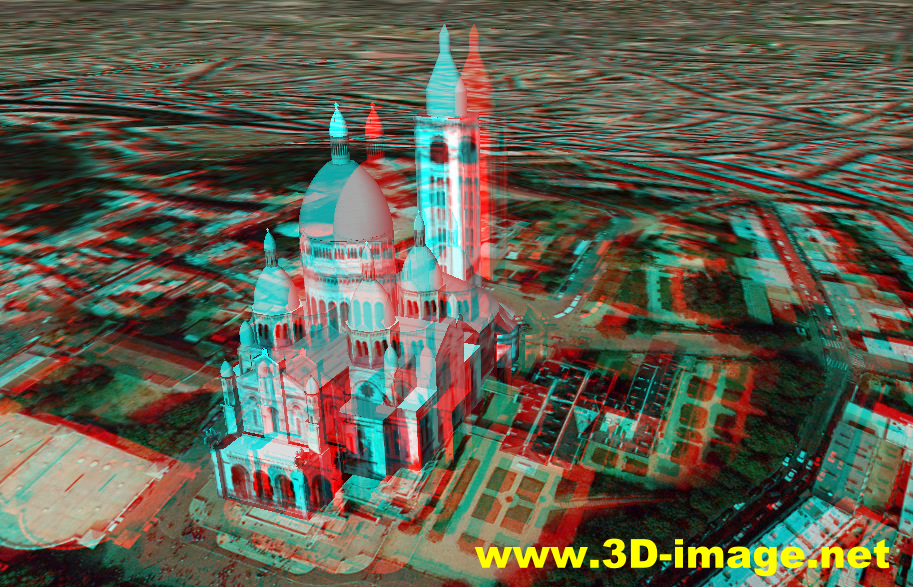
With the glasses I'm using, I didn't pick up anything 3D. I think thats because I'm not using the kind of 3D glasses with blue and red cellophane or what ever they use. So now I assume there are two types of 3D.
I really want to find out how to create a 3D Image(s) using these 3D Glasses (these are not the exact same 3D glasses I'm using however it's the same brand and same theory I think):

Also I want to know exactly how these glasses work, and how it differs from the old 3D technique i described above. Cheers guys
Ok, so I know you need two cameras to simulate the human eyes perspective when filming for a 3D film.
But what I'm trying to figure out is how and what you must do in post production with the footage so it creates a 3D image. When I took my 3D glasses off in the cinema while watching "Bolt", it seems they make the left and right footage 50% opaque over each other.
So I put my theory to the test. I kept my glasses from bolt and I went on Cinema 4D made a simple animation of 3D text spinning around 360 degrees. I used two cameras and put them at approximately eyes length apart. Rendered the left and right image. Then on After Effects I made the left and right footage opaque by 50%. This looked similar to what bolt looked like without my glasses on, but sadly nothing happen. No 3D.
So I researched it on google to see how others do it, and all I found was that people bring out the red channel in the left footage and the blue channel in the right, or vise-versa, then they make both sides opaque by 50% (i think). Anyways you end up with a picture like this.
With the glasses I'm using, I didn't pick up anything 3D. I think thats because I'm not using the kind of 3D glasses with blue and red cellophane or what ever they use. So now I assume there are two types of 3D.
I really want to find out how to create a 3D Image(s) using these 3D Glasses (these are not the exact same 3D glasses I'm using however it's the same brand and same theory I think):
Also I want to know exactly how these glasses work, and how it differs from the old 3D technique i described above. Cheers guys

