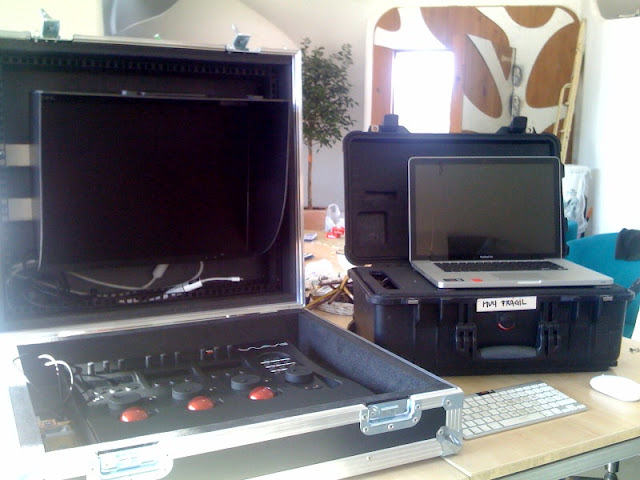
I chose 'Output with Clip Filename to Selected folder' with 'Export Clip in Player' and it still wanted to save it as 'Untitled.mov'
Thanks. That's not working as it should.

Follow along with the video below to see how to install our site as a web app on your home screen.

Note: this_feature_currently_requires_accessing_site_using_safari
I chose 'Output with Clip Filename to Selected folder' with 'Export Clip in Player' and it still wanted to save it as 'Untitled.mov'

I'm also having a hard time getting framing and cropping to do anything. Problem persists with build 100. This is the first RedCine-X build I've used, so there is the chance that I just don't know what I'm doing.
Does anyone have this working? What exactly are the settings one must enter into the Framing window to get it to do something? Is there an APPLY button that I'm missing? I see no change to the player window no matter what I do here.
I know this is a work in progress, but going forward, a framing/resizing interface like in After Effects might be nice... i.e. set a composition size (1920x1080, 720x486, etc) that would be reflected in your player window, and then reduce/move around your oversized 4k footage as you wish. This was basically the implementation in Redcine, but it was still very numeric. It would be great to have a hand tool/reshape tool to do all this.

May I suggest that it would be a good idea if the framing tool defaulted to 'fit width', rather than 'stretch'. That way it would default to preserving the aspect ratio of 2:1 and 4.5k clips when rendered to HD resolutions.
It does work now, but having to make a 'fit width' preset, then apply it to all the clips in the bin to render dailies seems like an unnecessary extra step.

Hey Guys,
Here's a lame request...
I'd like to be able to add my own watermark when conforming in Redcine-X since
it appears to be the all purpose program superseding Red rushes.

Really like the fact you said much later, because that sounds like you guys are gonna continue releasing add-ons as they are being incorporated. Great way to let us grow with the software.Also on the todo list but for much later.
Really like the fact you said much later, because that sounds like you guys are gonna continue releasing add-ons as they are being incorporated. Great way to let us grow with the software.


Quicktime/MXF resume: What are you aborting/resuming for? Would rendering in the background be an alternative?
OSC: We've looked at it for a long time now. Wave got higher priority first. Maybe if someone sends us a few iPads

Ok, I've tried this in build 99 and now in build 101. When I go to export, this monitoring window comes up and then the whole thing crashes. I'm on Windows and getting really frustrated. I've tried uninstalling and reinstalling.
Thanks for the clear example. That'll help quite a bit to recreate.BTW I think I there may still be a little scaling weirdness left in RedCine-X as of Build 101. Either that or I'm in idiot mode again. Picture attached.
1. Is there any chance I can get back selected in & out points + chosen first light looks ?
2. Is there any chance Redcine X can render the timeline with subfolders for each clip, and if so what is the correct procedure besides checking the "subfolder per clip" ?
3. Can we expect FCP XML import any time soon ?
1. Did you save your project? The bin's will be remembered on restart but all looks/edits/etc. should be saved and opened with the project file.
Yes, I saved the project often. Last time I saved it was after all the timeline was done and first light on all clips. On re-opened project timeline was gone. I also tried opening it with older version of Redcine X and that one doesn't even recognize the selected clips in the bin.
I'll try again in the morning and re-re-check.
 )
)