Welcome to our community

Be a part of something great, join today!

  • Hey all, just changed over the backend after 15 years I figured time to give it a bit of an update, its probably gonna be a bit weird for most of you and i am sure there is a few bugs to work out but it should kinda work the same as before... hopefully :)

Color 1.5 render problem

Jean Déraps

Well-known member
Joined
Jan 2, 2007
Messages
846
Reaction score
1
Points
18
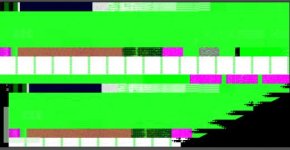
Up until last week I had no problems with the new color 1.5. Now I'm getting clips like the one I've attached. Does anyone have an idea of what's going on?

Thanks

Jean
 

Attachments

  • Final Cut ProScreenSnapz002.jpg
    Final Cut ProScreenSnapz002.jpg
    20.2 KB · Views: 0
What codec are you rendering to?
 
I rendered r3d to proress 4444 and 422 HQ they all get the dead green clips------
 
I rendered r3d to proress 4444 and 422 HQ they all get the dead green clips------

Have you tried uncompressed or dpx. There have been spotty reports of issues with the new prores out of color.
 
Have you tried uncompressed or dpx. There have been spotty reports of issues with the new prores out of color.
I have tryed all and I guess someting is wrong with my Graphic card or memory ---- because when this happen I reboot the mac pro and rerender it'll be ok and then trun bad...... if the r3d clip stands too long even reboot I can't render it OK also bad green ones----
 
yup

yup

I'm having the exact same problem. I've some luck getting it to render if I adjust the "Internal Pixel Format" to "10 bit" in the User Prefs pane.
I would rather not do this, but its the only way I can get a render out.

edit: after further testing, I'm getting the render to show picture, but its not looking great. The gamma or something is off.
edit: if using uncompressed 10bit, instead of Prores... it seems to work.

Does anyone have any better knowledge/work-arounds for this??
 
Been having the same issue here. Been working around it using the Media Manager to render all the FCP media to ProRes444 and coloring that... but it makes me sad to lose the RAW manipulation panel... which was kind of the point of all this after all....

I've found that a complete power-down with a minute wait before powering on again gets a few renders done well... then it starts screwing up again.

BTW, it happens regardless of the output codec. I've done everything from AJA's Uncompressed (using my Kona 3's native codec) to DPX to ProRes444 and ProRes422(HQ).... all have the same problem. Heck, if I save a primary or secondary grade, the thumbnail even has the problem.

W

PS... using a Radeon HD2600.... If this could be fixed with a new NVIDIA card, I'd buy one today.
 
...I am going to try to delete the prores component, reinstall and repair permissions.

Did it work? How do you go about reinstalling the ProRes component?

-Parke
 
I'm trying to change a new Graphic card to test-----
I guess the problem maybe in the Memory or the Graphic memory
because "When I put R3d directly into the color ,the Preview in the full or quarter Pattern changed to the green ones------" reboot ---- not happen -----
 
Is your project and media local?, I'm having the same problem when accesing the project through an xsan, and when I copied the project locally started rendering correctly. Worth a try.

Jorge Torrens
 
Been having the same issue here. Been working around it using the Media Manager to render all the FCP media to ProRes444 and coloring that... but it makes me sad to lose the RAW manipulation panel... which was kind of the point of all this after all....

I've found that a complete power-down with a minute wait before powering on again gets a few renders done well... then it starts screwing up again.

BTW, it happens regardless of the output codec. I've done everything from AJA's Uncompressed (using my Kona 3's native codec) to DPX to ProRes444 and ProRes422(HQ).... all have the same problem. Heck, if I save a primary or secondary grade, the thumbnail even has the problem.

W

PS... using a Radeon HD2600.... If this could be fixed with a new NVIDIA card, I'd buy one today.

Same card. EXACT same problem. Even shows up in the thumbnails and the project files..

PLease keep posting to keep this thread going. We need to bring it to RED and APple's attention.

David
 
Did it work? How do you go about reinstalling the ProRes component?

-Parke

Did the following:

Rep permissions
Clean install of FCS3
Rep permissions
Restart
Install RED FCS3 installer
rep permissions

NOTHING!!!!

David
 
Is your project and media local?, I'm having the same problem when accesing the project through an xsan, and when I copied the project locally started rendering correctly. Worth a try.

Jorge Torrens

Locally?

as in the boot drive? I hope that is not the solution...


david
 
Idea.

Let's all issue RED support tickets today. I'm doing mine now.

David
 
Because of a couple of nagging problems (most not RED related, but networking, audio etc !) I decided to upgrade to Snow Leopard and do a clean install of everything. So far, I've been able to do clean renders...but i have no idea what caused the problem in the first place. i'll keep you posted...
 
I had a similar issue of rendering out green frames a while ago out of final cut pro 6.

After hours of frustration we moved our media to a newer machine and it rendered it out fine.

Our specs were as follows...
OLD MACHINE
1st gen 3.0 mac pro (8 core)
FCS2
Radeon X1900


New machine
Nahalem 2.26 (8 core)
FCS 2
NVIDIA GeForce GT 120

Both machines had updated and identical software.

I can't recreate the issue anymore, and have been using the new Nahalem MacPro to render out proRes (in color and FCP) just fine since then in Snow Leopard and FCS3.

Good luck to you guys - and I hope that apple/Red comes up with a solution for you.
 
Back
Top