Welcome to our community

Be a part of something great, join today!

  • Hey all, just changed over the backend after 15 years I figured time to give it a bit of an update, its probably gonna be a bit weird for most of you and i am sure there is a few bugs to work out but it should kinda work the same as before... hopefully :)

Is the Panasonic TH-42PF11UK still the plasma monitor of choice?

I think I've tried to make that clear throughout this thread. But I've also said that because the Series 11 is basically an HD video monitor - and designed as such - that as long as you disable all of the automatic stuff, a basic setup using something as simple as the Blu Ray discs that are sold for home theater setup purposes can get you far more than close enough for most eyes that don't happen to belong to a professional colorist. And even professional colorists often won't be able to see a significant difference. If you have scopes connected to the same feed the monitor is getting (in order to confirm that what you're looking at makes sense), and the room lighting is reasonable for color work, my feeling is that it will likely provide a very acceptable image 95% of the time - and certainly something that will look reasonably similar on any other monitor it's likely to be seen on. That may not make it technically perfect, but it happens to be true.

Thanks Mike

I will search out that DVD. With Primes, Rocket, Null and LCD up for payment, the DVD is about all we can afford:)

Thanks for the info
 
Jake, I hear you and I understand what you're saying. But here's the thing. I've often found here and elsewhere that when most people on forums like this ask these kind of questions, what they're really saying - without saying it - is "I've never had to set up a monitor professionally, I don't know the first thing about standards, and I don't know what charts or displays to use to do this - and I don't want to pay someone else to do it for me. So what's the easiest way I can cheat the monitor into showing me what I'm supposed to see?" When someone starts talking about using LUT's on an HD monitor to make it look like, well, an HD monitor, what that says is that the LUT would be implemented as a bad cheat. Unless you set up the monitor properly in the first place, no LUT is going to show you proper contrast, brightness, or anything else. It will all be an approximation based on your basically incorrect monitor setup. That's not good, it's exaggerating the original problem. Viewing LUTs are very good for color space transformations, and for allowing something like a video monitor to show you a reasonable approximation of a film print, or even a digital cinema projector. They cannot and should not be used to make an improperly set up HD monitor somehow look like a properly set up HD monitor, which seems to be what a lot of people here (NOT you) expect them to do.
Oh, not a problem Mike. I understand, that people just want a simple explanation and I would be first to admit, that there are times, when I forget this. Like this time:-) But, I still would like to know your opinion on a need of CRT emulation for LCD or Plasma. Do you think they are truly capable to display REC-709 compliant images, without some kind of emulation? Because that is what I was describing, when I'd mentioned CRT LUT emulation and not as a replacement of good old fashion calibration. That would be in addition to calibration.
 
Oh, not a problem Mike. I understand, that people just want a simple explanation and I would be first to admit, that there are times, when I forget this. Like this time:-) But, I still would like to know your opinion on a need of CRT emulation for LCD or Plasma. Do you think they are truly capable to display REC-709 compliant images, without some kind of emulation? Because that is what I was describing, when I'd mentioned CRT LUT emulation and not as a replacement of good old fashion calibration. That would be in addition to calibration.

Technically, probably not, although quite frankly, the Series 11 plasma has an improved color gamut that is quite close to Rec 709 (earlier models were off a bit, particularly in the greens). Practically? I really don't think it makes any real difference. I say that for three reasons. Reason #1 is that very, very few viewers are going to see it on an HD CRT now or in the future - and almost none of the viewers whose opinions really count, namely, your clients. Reason #2 is that even if they did, the differences between, say, the reds on one monitor vs. the reds on your plasma screen are not going to be night and day anyway. If it works on one it's going to work on the other. Reason #3 is that even as a colorist you tend to work with what you see and color memory is very poor, meaning that if you see the image on your plasma, and then look at it on, say, an LCD screen, even if individual hues are ever so slightly different it is not going to make a serious quantitative difference in the basic visual experience. And all of this is not to mention the simple fact that I have seen a properly set up Series 11 plasma and a Sony 32 inch CRT side by side and even I - an experienced colorist with a decently discerning eye - could see very little difference, either in overall grey scale or in individual hues and saturation levels. Quite frankly, I preferred the plasma for the obvious reason that the image was bigger, which let me see things - both good and bad - that I couldn't see on the CRT at all.

Being technically perfect for the sake of being technically perfect is fine, but the reality is that CRT technology is basically done, and right now we are faced with the reality that newer viewing technology is slightly different. It has always been impossible to ensure that the viewing experience on any monitor other than your own would be the same. Quite frankly, I find these days that plasmas and LCD's - for the most part - have much, much less variation than we ever did with CRT's. If you need any more proof, go to your local Best Buy and look at all of them side by side. Then try to remember how different each and every screen was when they were all CRT's.
 
You guys are so fortunate, the monitors are just over 2 grand. When I purchased my state of the art Pana back in 2005, it cost just under $4000. I believe this has DVI, or at least vga, you can calibrate it with a ColorMonki, off your computer.

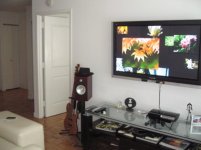
My old set below.
 

Attachments

  • IMG_7337.jpg
    IMG_7337.jpg
    31.6 KB · Views: 0
Technically, probably not, although quite frankly, the Series 11 plasma has an improved color gamut that is quite close to Rec 709 (earlier models were off a bit, particularly in the greens). Practically? I really don't think it makes any real difference. I say that for three reasons. Reason #1 is that very, very few viewers are going to see it on an HD CRT now or in the future - and almost none of the viewers whose opinions really count, namely, your clients. Reason #2 is that even if they did, the differences between, say, the reds on one monitor vs. the reds on your plasma screen are not going to be night and day anyway. If it works on one it's going to work on the other. Reason #3 is that even as a colorist you tend to work with what you see and color memory is very poor, meaning that if you see the image on your plasma, and then look at it on, say, an LCD screen, even if individual hues are ever so slightly different it is not going to make a serious quantitative difference in the basic visual experience. And all of this is not to mention the simple fact that I have seen a properly set up Series 11 plasma and a Sony 32 inch CRT side by side and even I - an experienced colorist with a decently discerning eye - could see very little difference, either in overall grey scale or in individual hues and saturation levels. Quite frankly, I preferred the plasma for the obvious reason that the image was bigger, which let me see things - both good and bad - that I couldn't see on the CRT at all.

Being technically perfect for the sake of being technically perfect is fine, but the reality is that CRT technology is basically done, and right now we are faced with the reality that newer viewing technology is slightly different. It has always been impossible to ensure that the viewing experience on any monitor other than your own would be the same. Quite frankly, I find these days that plasmas and LCD's - for the most part - have much, much less variation than we ever did with CRT's. If you need any more proof, go to your local Best Buy and look at all of them side by side. Then try to remember how different each and every screen was when they were all CRT's.
Surely, Mike, you're talking about times before VIR came about, bringing dramatic improvements in color fidelity:-)
On a serious note, I appreciate your frank response. I don't think we're necessarily disagree on the facts, although I may have a bit different take on the spirit. Everybody is getting excited about new technologies, such as 10 bit Dreamcolor LCD display, but even, if this display does exhibit wider color gamut, it's still lacks proper blacks, which makes it, in my opinion, unsuitable for grading. I personally never seen plasma and CRT side by side. I have seen only LCD and CRT side by side at NAB back, when SONY attempted to replace the CRT with LCD. For me, matching SONY CRT displays in the past was never an issue, as long as it was properly calibrated to SMPTE standard and as long as CRT was in good shape.
I agree with you on a poor color memory. Unfortunately, in effect, poor reproduction in just the red channel will not only affect the color of the pink scarf in girl's hand, which I agree is not very significant, but it will also affect the color of her skin tone, which is much more important and readily noticeable. I don't mind going the extra mile in using good color science, knowing perfectly well, that my clients will never even know the difference or appreciate it. Nor would I be doing this just for the sake of being technically perfect. I would do it to ensure, that my broadcasted images would have the intended skin tone color spot on. That is, if I was using Plasma, which I'm not. I'm still using CRT, so it's a bit academic:-)
 
Surely, Mike, you're talking about times before VIR came about, bringing dramatic improvements in color fidelity:-)

Residents of PAL countries will, of course, tell you that they didn't even need that, because with PAL the colors are always perfect and every monitor looked exactly the same.

Right......

I'm still using CRT, so it's a bit academic:-)

While CRT's properly set up are very accurate as far as color goes, the problem is that they hide a lot of flaws in the image - in particular, noise in electronic images and grain in film images - that are much more readily apparent on the LCD and plasma displays that most of your clients now use. When I was in Florida the last couple of years, the facility used (and is still using) CRTs in the color correction suites. I can't tell you how many times we heard from clients that there was a problem with the ProRes files we delivered because the image was showing lots of noise that they never saw in the telecine suite. It was almost always the case that they were looking at them on either a computer LCD monitor or an LCD video monitor, and frankly, they were right. I'm saying this not to criticize one or the other, but simply to point out that in a changing world, CRT's have their issues as well.
 
Jake, Mike, you both seem to know what you're talking about, so I pose this question to you- I read a discussion on CreativeCow, where one person suggested that the BlackMagic HDlink could be used to calibrate the TH-42PF11UK to REC 709, so long as both the display the computer were equipped with HD-SDI. I was skeptical, given that the HDlink is under $1000. Can you comment on this at all?
 
What about the TH-65PF11UK 65" Plasma...is it as good as the 50"?

I have no idea. I don't know anyone who would want something that large in a room that is being used primarily for television work. Once you get that large, you're talking about theatrical DI work, and for that, you're better off with projection, for a number of reasons.
 
I read on the Scratch user group that someone was told by B&H that the 50" was sort of the sweet spot in performance for the 11 series plasmas... Sorry for the very vague message, but at least it would be something to investigate.
 
Jake, Mike, you both seem to know what you're talking about, so I pose this question to you- I read a discussion on CreativeCow, where one person suggested that the BlackMagic HDlink could be used to calibrate the TH-42PF11UK to REC 709, so long as both the display the computer were equipped with HD-SDI. I was skeptical, given that the HDlink is under $1000. Can you comment on this at all?
I think, without seeing the actual thread, what CreativeCow were suggesting is the very cheat, that I'd described in an earlier post, where a LUT is used in order to compensate for missing color controls on the majority of computer LCD screens as well as to be able to emulate Rec-709 or film profiles. So, while it's technically possible to do, there is, in my opinion, number of caveats, that makes this solution not very practical. First, this wouldn't work very well with SDI on the Mac, as OS X doesn't support SDI on the system level, so, I think, you're then limited only to 8 bit SDI source from AJA or Blackmagic cards or 8 bit DVI. If you display is 8 bit also, then you're in good shape. On the Windows side the situation is little better, as usual , when it comes to supporting video. You can have something like Quadra FX5600 with 10 bit SDI feeding the HDLink. I suspect, if one already have this video card installed, they may already running something like Scratch. Otherwise, why would they spend $6000 on the card? If they do, then they can run the same LUT within Scratch and save the money. So, if you just need to look at pictures for video deliverables, as Mike had already explained, you can probably get away with just selecting a display with full compliment of color controls and good calibration and feed it with DVI from video card directly. And don't forget, if you still would want to use HDLink, you'd then would need to build a proper LUT, which is not a trivial endeavor.
 
Thanks for the info Jake. I'm not a colorist by any stretch, but I do like to educate myself. I appreciate your indulging my ignorance!
 
If using this with the Red Rocket is it possible to use an HDMI input so we don't need to buy the spendy HD-SDI board. Is there a visible quality difference?
 
One point here. Whatever monitoring device is selected its equally and arguably more important to make sure the viewing environment is set up correctly with suitable lighting and room colour. If you don't do this no matter what your monitoring device is you wont get good results.
 
If using this with the RED Rocket™ is it possible to use an HDMI input so we don't need to buy the spendy HD-SDI board. Is there a visible quality difference?

It depends. If both Red Rocket and your chosen monitor support HDMI 1.3a (deep color, aka 10 bit color) then, no, no difference in quality. Anybody knows, if RED Rocket and 11 series plasma support 10 bit on HDMI?
 
Thanks for the info Jake. I'm not a colorist by any stretch, but I do like to educate myself. I appreciate your indulging my ignorance!
Better thank Mike for keeping us all honest and on message:-) On other note, has anybody noticed, that, if you just write RED Rocket, Reduser will add trademark logo automatically? I get amused pretty easily...
 
jake blackstone said:
REC-709 specifies brightness of the screen as well as brightness and color temperature of backlighting. You must have proper backlighting for cc for video deliverables...

I would love to read that.

All I know is that a good room will have neutral gray walls and the lighting will be "not too dim"... not a lights off room, but not one with windows letting heaps of sunshine in either. But that is all I know.

I would love to know if there is an actual exposure level that is considered optimal, and if there is a better color temperature to use for the lights.
 
Back
Top