Welcome to our community

Be a part of something great, join today!

  • Hey all, just changed over the backend after 15 years I figured time to give it a bit of an update, its probably gonna be a bit weird for most of you and i am sure there is a few bugs to work out but it should kinda work the same as before... hopefully :)

Clipfinder 2.2 beta 4 supports new color science

Hans you made a great great nice tool..... thx so much.... donation is on the way....

Only one question.... in the ctrl-E menu the histogram is very nice as well, but could you please make a mark at the 5% point? And one thing is when I have the ctrl-E menu open and the lupe also, I cant bring the lupe in foreground. Is it possible to change that?

thx
Rainer
 
Old Clipfinder "log" files in Beta 4?

Old Clipfinder "log" files in Beta 4?

Hans -

I cannot open my older Clipfinder logs in the new beta release. Is this a know issue or is it only me? Any intention to resolve, or do I need to run multiple version of Clipfinder?
 
Rainer:
Can you explain about the 5% mark ?
Horizontal or vertical ?
I'll see if I can change the Histogram palette behaviour.
digitalfx:
Can you mail a screenshot of your render settings ?
Anson:
This is a known issue.
I'll fix it in the next release.
If you need something urgently, please mail me.

Thanks for your feedback,
Hans
 
Hans, a vertical mark would be nice to set the black point more accurate. For example the option in Redalert that you can put a marker on the histogram is also a very usefull tool to set it.

thx
rainer
 
Hans -

I cannot open my older Clipfinder logs in the new beta release. Is this a know issue or is it only me? Any intention to resolve, or do I need to run multiple version of Clipfinder?

You can open an old project in the old version of Clipfinder, and then copy and paste the records into an empty project created with the latest version.
 
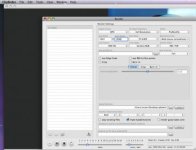
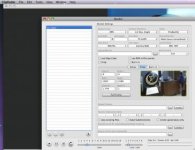
#1- Renders images 1920 X 2160
#2- Renders 1920 X 1080

The second settings work fine, its when we select “Full Res” and “Scale to 1080P” that we end up with a file that is 1920 X 2160.
 

Attachments

  • Picture 1.jpg
    Picture 1.jpg
    14.9 KB · Views: 0
  • Picture 2.jpg
    Picture 2.jpg
    16.7 KB · Views: 0
You can open an old project in the old version of Clipfinder, and then copy and paste the records into an empty project created with the latest version.

Thanks, Nick

I never thought of that.
I hereby declare this the officially recommended procedure for migrating documents from Clipfinder 2.1 to Clipfinder 2.2.

Cheers,
Hans
 
Just a heads up for those following this thread:
The problem digitalfx described was caused by the Scale Height field not being properly updated (the cursor was still in the field when the render start button was pressed). The next release will automatically close any edited field when you press the start button.
That should fix the problem.
For now, make sure you TAB out of any fields you have edited before you press start.

Cheers,
Hans
 
First time I've tried using Clipfinder and I really like it! Thanks for making this tool available Hans!

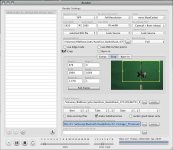
I'm currently having a problem where Clipfinder will only render the first 2 or 4 frames of each file in a batch (sometimes it will render 2 images from each file, sometimes 4). As you can see, Clipfinder "thinks" it's completed the batch successfully; 2148 frames, avg. speed 28.87 frames per second - I wish :~). It had rendered a batch earlier successfully. I've attached a couple images showing my settings. Any ideas what may be going wrong?

Cheers,
Dennis Wilkins
 

Attachments

  • ClipfinderBatch_dw_01.jpg
    ClipfinderBatch_dw_01.jpg
    33.6 KB · Views: 0
  • ClipfinderSettings_dw_01.jpg
    ClipfinderSettings_dw_01.jpg
    64.3 KB · Views: 0
There is often a problem with "foreign" characters (umlauts, accented characters) in the source file path, i.e. the path to the original R3Ds.
Could this be the case here ?

I am trying to reproduce the problem here.
So far it works fine, except for the fact that TIFF rendering does not show the rendered frames.

Cheers,
Hans
 
EDITED TO PROTECT THE INNOCENT (RED)

Dennis,

I think I have found the problem.
When OriginY in the crop settings is set to zero, Clipfinder drops that parameter from the list of parameters it sends to REDline.
REDline doesn't like an empty cropY parameter.

Will be fixed in the next release.
In the meantime, set OriginY to 1.

Cheers,
Hans
 
EDITED TO PROTECT THE INNOCENT (RED)

Dennis,

I think I have found the problem.
When OriginY in the crop settings is set to zero, Clipfinder drops that parameter from the list of parameters it sends to REDline.
REDline doesn't like an empty cropY parameter.

Will be fixed in the next release.
In the meantime, set OriginY to 1.

Cheers,
Hans

Thanks Han, That was it!

Thanks for this amazingly helpful tool. Sending a token of my thanks via donation...

Cheers,
Dennis Wilkins
 
Last edited:
Every time I click on a file that has been loaded into the bin from a directory into Clipfinder, it will slooowly go "searching for movie data in file".
I have to wait until it finds all the 2GB pieces of the clip and then it will display the clip in CF.

I'm processing 1hr long clips so this can take 5-10 minutes just to view each clip.

Any ideas as to why this is happening and what I can do to speed things up?

Thanks
 
This usually happens when the clips have been moved away from their original location. It is not a problem caused by Clipfinder. The same thing happens when you open one of the reference files in QuickTime player.

Try rebuilding the reference files (proxies) in REDrushes or Clipfinder (CMD-A, then ALT-CMD-A). That should solve the problem. If it doesn't, let me know.

Cheers,
Hans

Every time I click on a file that has been loaded into the bin from a directory into Clipfinder, it will slooowly go "searching for movie data in file".
I have to wait until it finds all the 2GB pieces of the clip and then it will display the clip in CF.

I'm processing 1hr long clips so this can take 5-10 minutes just to view each clip.

Any ideas as to why this is happening and what I can do to speed things up?

Thanks
 
It fixed itself inadvertently earlier and I didn't know how why. But that is exactly what happened, I had recreated the proxies.
I just started using this app and I'm loving it more and more. Thanks for your great work on this.

One another note.... will Flight Director have any benefit to those of us that don't have a RR yet, Or is it just for use with the card?
 
Doesnt it allow use to have edited cuts within redcine-x to primary grade from raw and render out just those frames/clips ?

s

Flight Director only works with RocketCine X, not RedCine X.
 
Back
Top