Welcome to our community

Be a part of something great, join today!

  • Hey all, just changed over the backend after 15 years I figured time to give it a bit of an update, its probably gonna be a bit weird for most of you and i am sure there is a few bugs to work out but it should kinda work the same as before... hopefully :)

IBC - Motion Mount ready to ship...

So excited for this. Love to see side by side tests of 2 cameras w/ standard shutter and motion mount for comparison.

PCG
 
Any word on a Nikon version coming? I know it's been kicked about and understand there's a higher level of complexity involved -- but sooner the better, please!
 
Anyone tested the 24-290 with the motion mount? There's no issues maintaining focus throughout the zoom range, is there?
 
I did a quick test with my motion mount in ND mode and I started seeing these weird aliasing artifacts (or something like it) Has anyone seen this?

Hi Mark,

where you see artifacts? i used motion mount for spot in Italy in mode ND, but not see nothing. RED EPIC.
 
Here is a detail of what I am seeing. Going to do more tests today.

Notice in the high contrast areas the little Christmas light type artifacts, I have never seen this before. I first saw it on the 5.6" screen when zooming in to focus.
 

Attachments

  • CU 2.jpg
    CU 2.jpg
    70.2 KB · Views: 0
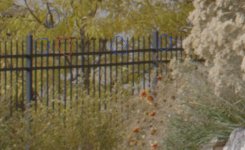
Another test, it's not perfect because the light changed a bit while the mount was being switched. But you can see that the Chromatic aberrations in the high contrast areas which are apparent with and without the motion mount are enhanced when the motion mount is on. There even seems to be a bit of a sharpening effect with the Motion Mount, as well as possibly a slight increase in contrast (which can look like sharpening) but I feel that the CA is stronger when the Motion Mount is present. These screen grabs are taken from RAW files in RCX 21. My nest test is to output PR422 files to see if things change during the encoding.

1st. pic Motion Mount

2nd. pic Canon Mount
 

Attachments

  • MOTION MOUNT.jpg
    MOTION MOUNT.jpg
    88.2 KB · Views: 0
  • CANON MOUNT.jpg
    CANON MOUNT.jpg
    74.8 KB · Views: 0
After processing the CA becomes negligible. I really can't see it in a 4K, but Its odd that I could see it on the little Red Monitor. It seems that the debayering process is solving most of the issues. I can't really complain at this point, more testing to do.
 
Anyone renting out their Canon Motion mount, what's the day rate? Thanks!
 
Another test, it's not perfect because the light changed a bit while the mount was being switched. But you can see that the Chromatic aberrations in the high contrast areas which are apparent with and without the motion mount are enhanced when the motion mount is on. There even seems to be a bit of a sharpening effect with the Motion Mount, as well as possibly a slight increase in contrast (which can look like sharpening) but I feel that the CA is stronger when the Motion Mount is present. These screen grabs are taken from RAW files in RCX 21. My nest test is to output PR422 files to see if things change during the encoding.

1st. pic Motion Mount

2nd. pic Canon Mount



Mark can share a frame r3d?

I have only had these artifacts in scenes with high contrast, even without motion mount, moving plants, strong sun, and very dark areas ... with 8:1 compression over and above all in slow motion at 300 fps.
 
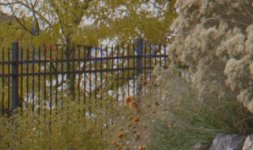
Another test, it's not perfect because the light changed a bit while the mount was being switched. But you can see that the Chromatic aberrations in the high contrast areas which are apparent with and without the motion mount are enhanced when the motion mount is on. There even seems to be a bit of a sharpening effect with the Motion Mount, as well as possibly a slight increase in contrast (which can look like sharpening) but I feel that the CA is stronger when the Motion Mount is present. These screen grabs are taken from RAW files in RCX 21. My nest test is to output PR422 files to see if things change during the encoding.

1st. pic Motion Mount

2nd. pic Canon Mount
Hello,

I see a lot of GPU debayering artefacts (stair like). There is a much flatter grade (the sky is gray instead of white) wich could also be a factor to make the CA much less visible in the original mount picture(?).

Pat
 
I am once again a fan of the MM. There is something about it that creates tiny Christmas lights in the high contrast areas on the RedPro 5" monitor (which is some cases actually helps with focusing) But the final image after debayer is clean. I cant see any defects in the finished 4K image. It's all good.
 
It's possible that Red is doing extra sharpening when a MM is used. This would be similar to how they are normalizing the color when MM is between the sensor and lens. This is all transparent ( pun intended ) to the user and is picked up from the metadata in the r3d file. What color is MM when you look through it at a white wall ? Greenish ?

If someone sends me a couple of r3d files : one shot with and one shot without MM of same scene, I can tell what exactly is happening.
 
Back
Top