Welcome to our community

Be a part of something great, join today!

  • Hey all, just changed over the backend after 15 years I figured time to give it a bit of an update, its probably gonna be a bit weird for most of you and i am sure there is a few bugs to work out but it should kinda work the same as before... hopefully :)

Red One functioning monitor list

Abraham Lim

Well-known member
Joined
Nov 18, 2012
Messages
83
Reaction score
0
Points
0
Location
L.A, South Korea, China
Hey, new Red One BT owner here. Still waiting for my camera to ship and wanting to know if we could start a list of functioning 3rd party monitors SDI/HDMI for the temporarily cash strapped buyers here, who just need to get their cameras fired up and tested. I've been noticing individual posts on monitors, so I'm sure it would be valuable for everyone.

Stated by users as working-

1. Marshall (maybe not John Stamets is having problems with his outputting pink)

2. Small HD DP6 2.1 firmware

3. TV Logic

4. Ruige 4.8/5 (HDMI)- full menu and histogram!
NOTE: After firing up the camera for test, I can say the color on the monitor is whacked. The RAW view is actually more saturated than the RedColor mode. I was freaking out until I actually recorded some footage and it looked fine. The REC709 output looks fine, except for a change in saturation when toggling between RAW and toggling between RC with the hotkeys.

5. Ikan V series (HDMI)

6. Astro WM series (SDI/Waveform/Vectorscope)

7. Lilliput-
Lilliput 7" 669GL-70NP/C-H VGA HDMI DVI Monitor 669HB is NOT working properly - cuts about 8% of the image on the sides. It is possible to understand menu items, but the bottom of histogram is not seen.
The monitor is functioning through HDMI it seems but overscan is cutting out some info.

8. Feelworld
FW678-HD/O works only in 720p mode. No support for MENUS DVI
-Scheglov Dmitry

9. Camax
Crops the picture
- Al Zacharias
NOTE: The monitor only outputs 16:10, no underscan it seems or 16:9 mode.
 
Last edited:
lilliput works fine, Im still trying to See if I can See the Histogram on the Monitor thought. all I see Frame guides and timecode.
 
Astro designs wm series shows image just fine.. have not yet tried to output Exposure and focus aids
 
yeah you probably can get the Lilliput to show histogram via the DVI out setting in the menus. That was how i got the smallhd to show histogram and other info
 
yeah you probably can get the Lilliput to show histogram via the DVI out setting in the menus. That was how i got the smallhd to show histogram and other info

You have to Make sure your Setting for Playback is also 720p not 1080, or you get a Black screen
 
Something to be aware of with the SmallHD. It is kind of minor but I discovered that if you are outputting MENUS (DVI) as opposed to VIDEO (720P) some of the custom menu items on the smallhd don't work right. Like peaking and monochrome and probably several others that I didn't check. If you switch your monitor output on the R1 to VIDEO (720P) these items work fine but then you don't have any of your RED menu items in your viewfinder. Kind of a catch-22 if you are using the smallhd as a stand-alone EVF. Otherwise it works great. But, I WOULD like a more solid connection to the HDMI output of the camera. It is very loose and loses contact sometimes and causes the monitor to flicker or turn off.
 
I think Investing in the RED monitor or RED EVF is the way to go, then Use any other 3rd party Monitor for non Critical stuff. I am Using the Lilliput as reference only and the EVF for Critical. Works Great..
 
Last edited:
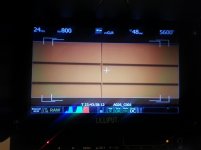
The following Lilliput 5D-II 7" monitor is confirmed to work with the Red One.

Notes:
  • Some HDMI cables such as the XBox HDMI cables don't work very well :)
  • If you see "No Signal" turn the monitor off and back on again. It will then pick up the signal.
  • The HDMI cable included with the monitor won't work without an adapter on one end (not sure what it is called, but the small end won't connect to the monitor or the Red One).


http://www.amazon.com/LILLIPUT-5DII-H-Camera-Monitor-Koolertron/dp/B006HZJXQ4/ref=sr_1_2?ie=UTF8&qid=1356219630&sr=8-2&keywords=lilliput
 

Attachments

  • Lilliput_RedOne.jpg
    Lilliput_RedOne.jpg
    80.1 KB · Views: 0
Does anyone know if the Atomos Samurai will work both as monitor and by recording prores ??? Would be a great combo.
 
Lilliput 7" 669GL-70NP/C-H VGA HDMI DVI Monitor 669HB is NOT working properly - cuts about 8% of the image on the sides. It is possible to understand menu items, but the bottom of histogram is not seen. I don't think there is a solution, except not to use such cheap lcd with RED. (sorry, RED TEAM, I use that type of cheap DSLR equipment:))
 
FEELWORLD FW678-HD/O works only in 720p mode. No support for MENUS DVI. it seems that it is due to the fact that this monitor doesn't support 1280x848 (found on this forum) resolution.

but typical computer resolution is
1280x800 and it is 16:10

ok, the idea now is to find one that supports 1280x800 like a computer monitor.
 
Last edited:
FEELWORLD FW678-HD/O works only in 720p mode. No support for MENUS DVI. it seems that it is due to the fact that this monitor doesn't support 1280x848 (found on this forum) resolution.

but typical computer resolution is
1280x800 and it is 16:10

ok, the idea now is to find one that supports 1280x800 like a computer monitor.

If that's the case Scheglov, the Camax model supports 1280x800 I think. It also has been remodeled with a new metal case.
 
Back
Top