Ben Garvey
Well-known member
- Joined
- Nov 12, 2007
- Messages
- 105
- Reaction score
- 0
- Points
- 0
- Location
- Portland, Or
- Website
- www.hidefcinematography.com
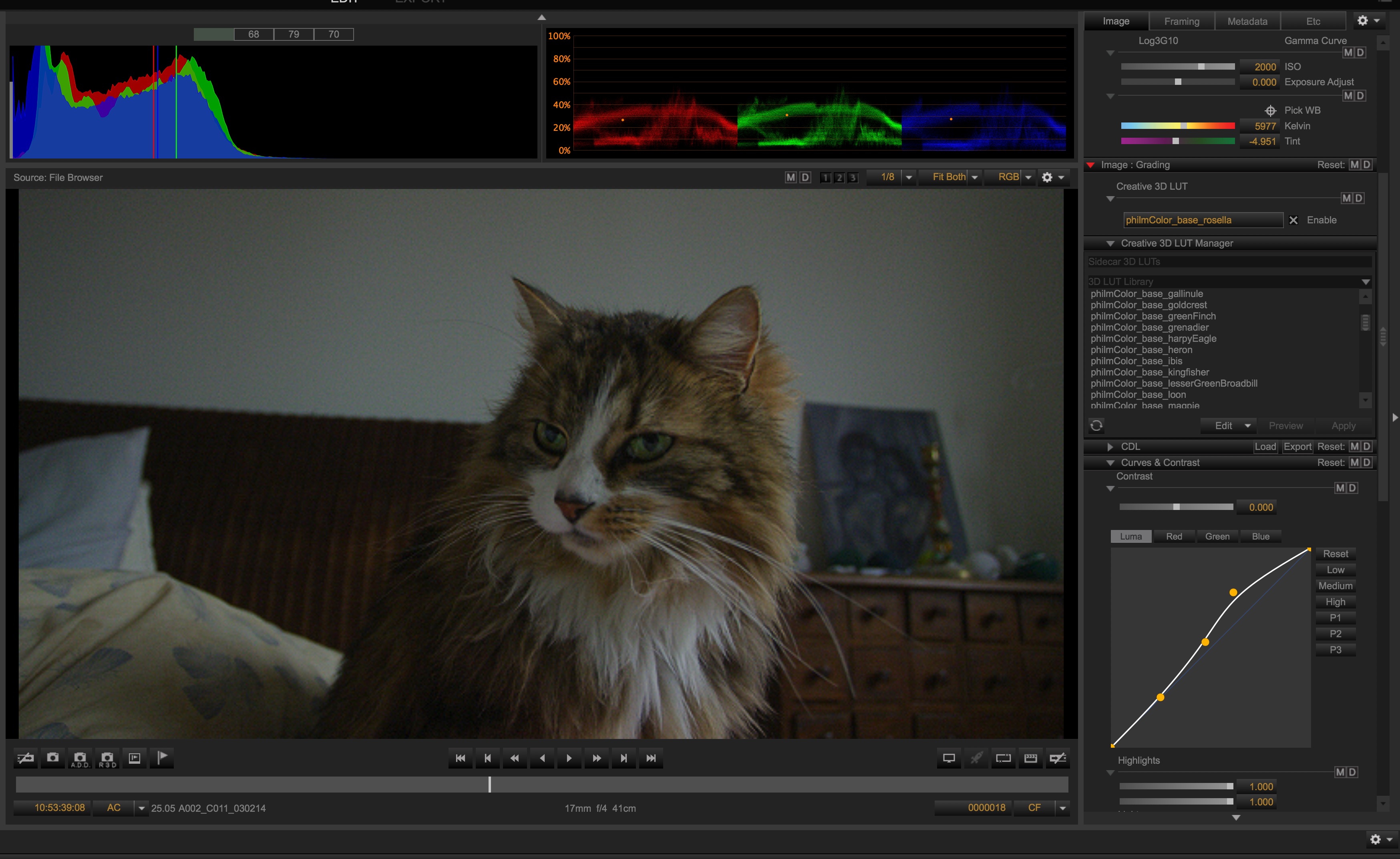
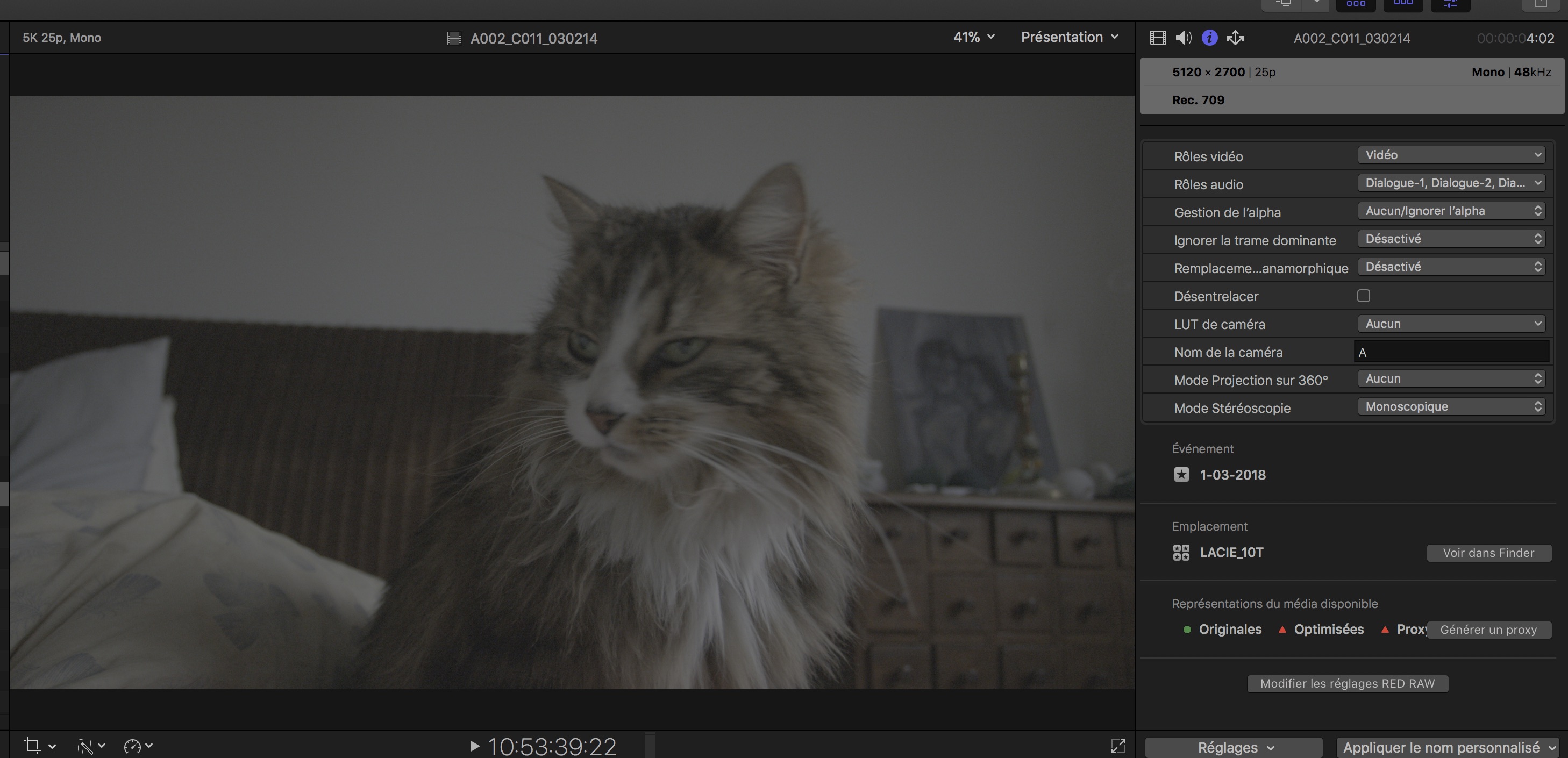
I posted this in the recon FCP X update thread, but no response. I am having an issue of FCP X not updating the saved changes to the RMD file in CINE-X. Is anyone else having this issue? And what import settings are people using for FCP X? Should I just have it import the R3D file as optimized?
The steps I have done are
1. Open R3D in CINE-X
2. Select and save RMD of all clips in CINE-X that will be imported in FCP X
3. Import clips in FCP X
4. Adjust clip color/settings in CINE-X
5. Save RMD in CINE-X
6. Go back to FCP X... and nothing changed.
I was working on another project where I had 'optimized media' selected for the import option in FCP X and seem to have better luck in the RMD being updated, but I had to fiddle around the 'Modify RED RAW Settings' in FCP X to make it update, and it didn't work all the time.
But it seems to me, working with the R3D natively in FCP, and not creating optimized or proxy media will be the best route for FCP X to recognize the updates to the RMD, but this is not the case. Am I doing something wrong or missed a step?
The steps I have done are
1. Open R3D in CINE-X
2. Select and save RMD of all clips in CINE-X that will be imported in FCP X
3. Import clips in FCP X
4. Adjust clip color/settings in CINE-X
5. Save RMD in CINE-X
6. Go back to FCP X... and nothing changed.
I was working on another project where I had 'optimized media' selected for the import option in FCP X and seem to have better luck in the RMD being updated, but I had to fiddle around the 'Modify RED RAW Settings' in FCP X to make it update, and it didn't work all the time.
But it seems to me, working with the R3D natively in FCP, and not creating optimized or proxy media will be the best route for FCP X to recognize the updates to the RMD, but this is not the case. Am I doing something wrong or missed a step?