danibam
Active member
LIN or LOG are just flags in the DPX file header. In SCRATCH, as in many other applications, this flag in the DPX file header is used
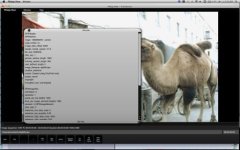
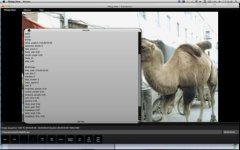
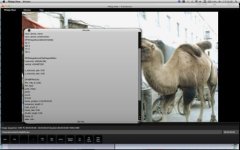
by the software to display it properly. In combination with the AUTOAPPLY option in the Preview LUT (Player Settings) you get
the behavior you are describing: A file flagged as LOG is being loaded and a Log2Lin Preview conversion is being AUTOAPPLIED
to it for previewing. The result is you "see" (preview) the file through a Log2Lin conversion ... which you can set to a specific
custom Lab Preview LUT emulating their filmout process if you want.
As Barend explains, if you set the flag to LIN then AUTOAPPLY will interpret that the file in not LOG and will not apply any preview conversion.
You may as well change the Preview LUT settings (player settngs) and turn off all preview LUTs/conversions.
When you preview the file in RESOLVE no LUT is applied to it because you have not set up such preview parameter in settings.
Nothing wrong with SCRATCH here ... simply interpreting file header metadata using one of SCRATCH preview settings:
AUTOAPPLY by default. SCRATCH will default to whatever setting was used during its last session.
Daniel Perez
by the software to display it properly. In combination with the AUTOAPPLY option in the Preview LUT (Player Settings) you get
the behavior you are describing: A file flagged as LOG is being loaded and a Log2Lin Preview conversion is being AUTOAPPLIED
to it for previewing. The result is you "see" (preview) the file through a Log2Lin conversion ... which you can set to a specific
custom Lab Preview LUT emulating their filmout process if you want.
As Barend explains, if you set the flag to LIN then AUTOAPPLY will interpret that the file in not LOG and will not apply any preview conversion.
You may as well change the Preview LUT settings (player settngs) and turn off all preview LUTs/conversions.
When you preview the file in RESOLVE no LUT is applied to it because you have not set up such preview parameter in settings.
Nothing wrong with SCRATCH here ... simply interpreting file header metadata using one of SCRATCH preview settings:
AUTOAPPLY by default. SCRATCH will default to whatever setting was used during its last session.
Daniel Perez