Paul Leeming
Well-known member
- Joined
- Dec 29, 2006
- Messages
- 2,360
- Reaction score
- 3
- Points
- 38
- Location
- Osaka, Japan
- Website
- www.visceralpsyche.com
WARNING: This may void your warranty so don't blame me if it doesn't work afterwards!! This thread is posted for informational purposes only.
Since we are a rental company as well as a production company we have had many different hands operating our camera. Unfortunately it's hard to keep a constant eye on things even though we go along as DIT to assist with both the camera and workflow on set.
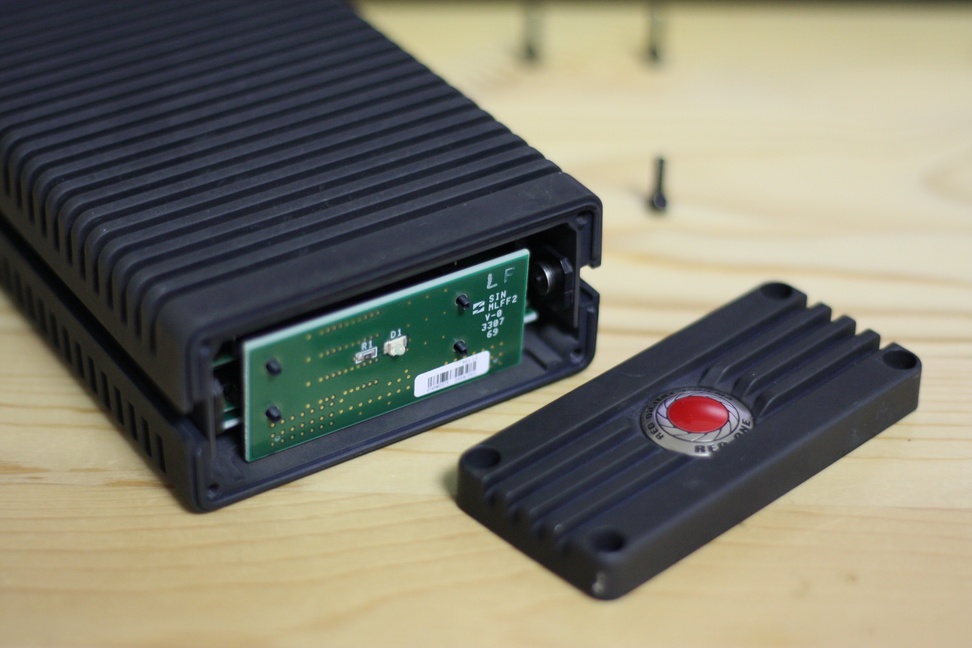
In the course of one of our recent rentals we found that someone had been placing the camera on the ground with the RedDrive's plug supporting the entire weight of the back end (since it is physically deeper than the cage that holds it - bad design flaw). The result was that the RedDrive's plug came loose inside the enclosure:

Being in Japan and having jobs coming up I didn't relish the idea of sending it back to Red HQ for something that was probably an easy fix (and the drive still works fine with the plug loose since it is cabled internally with flexible cable also), so I elected to open it up and fix it myself.
A quick background about me, I owned and ran my own computer company for several years so I'm pretty familiar with computer equipment and fixing things like this.
To cut to the chase, the LEMO plug is held tight by a nut and grip washer inside the RedDrive's back plate:

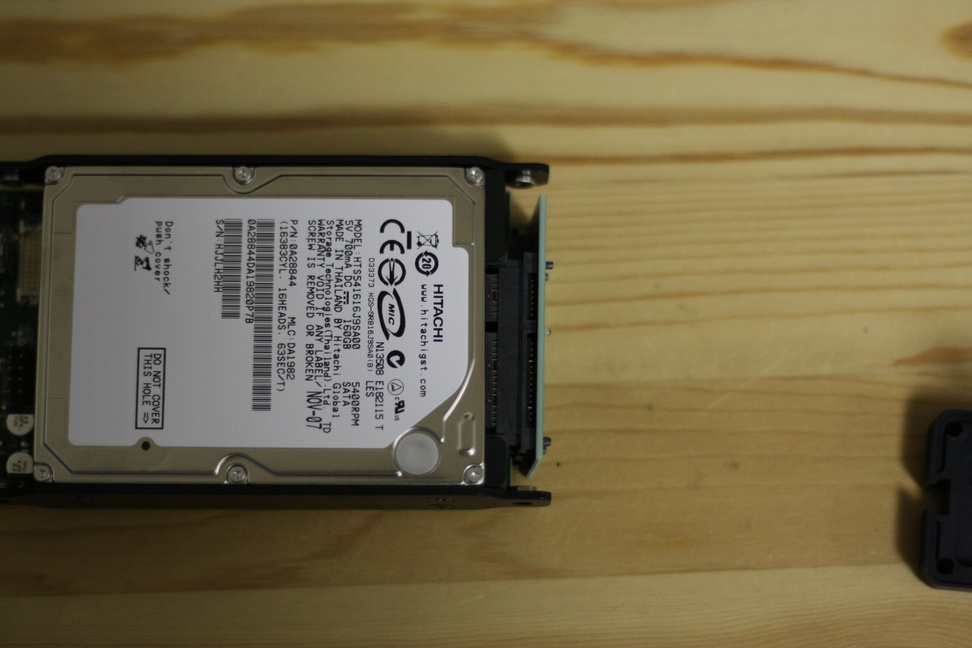
I decided that since it was in close proximity to the circuit board and delicate components, I didn't want to tighten it whilst still attached to everything else. I could see that it was attached at the board by a removable plug, so I decided to pull the entire guts of the enclosure out to remove the LEMO and back plate totally from the rest to prevent any nasty slips or knocks on the drives themselves. This was a matter of unscrewing the four small Philips head screws that run along the drive's retention groove and carefully sliding the board and drives out as a complete unit (I've removed the SATA plug adaptor in the photo - more on that part below):
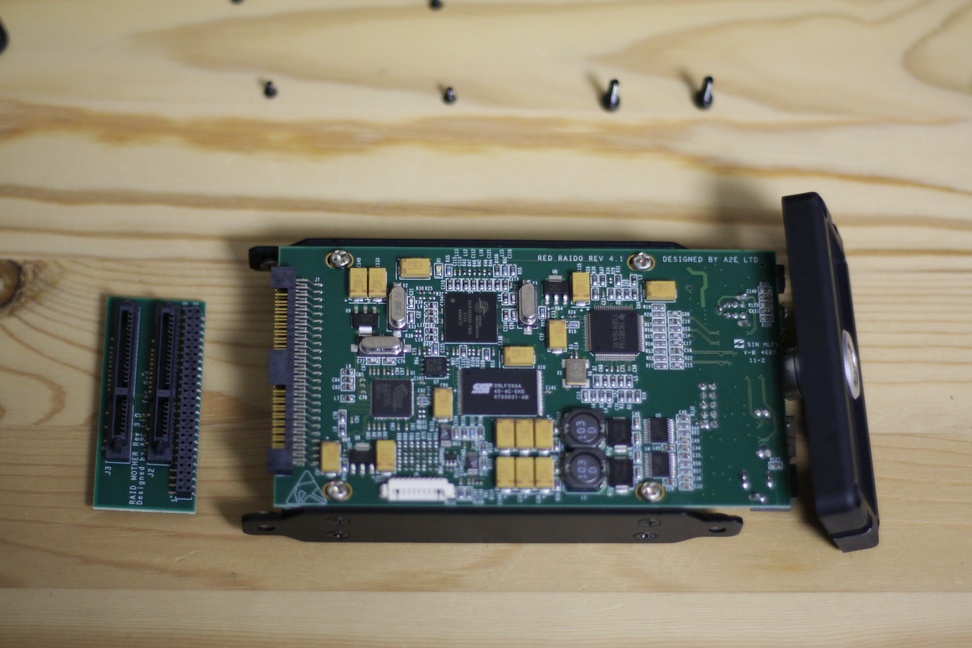
With that done I was able to carefully pull the other end of the LEMO plug off the main board so the back plate was free of the delicate stuff:

From there it was simply a matter of tightening the nut properly with enough torque so that it is not as likely to come undone again the next time.
Since we are a rental company as well as a production company we have had many different hands operating our camera. Unfortunately it's hard to keep a constant eye on things even though we go along as DIT to assist with both the camera and workflow on set.
In the course of one of our recent rentals we found that someone had been placing the camera on the ground with the RedDrive's plug supporting the entire weight of the back end (since it is physically deeper than the cage that holds it - bad design flaw). The result was that the RedDrive's plug came loose inside the enclosure:
Being in Japan and having jobs coming up I didn't relish the idea of sending it back to Red HQ for something that was probably an easy fix (and the drive still works fine with the plug loose since it is cabled internally with flexible cable also), so I elected to open it up and fix it myself.
A quick background about me, I owned and ran my own computer company for several years so I'm pretty familiar with computer equipment and fixing things like this.
To cut to the chase, the LEMO plug is held tight by a nut and grip washer inside the RedDrive's back plate:
I decided that since it was in close proximity to the circuit board and delicate components, I didn't want to tighten it whilst still attached to everything else. I could see that it was attached at the board by a removable plug, so I decided to pull the entire guts of the enclosure out to remove the LEMO and back plate totally from the rest to prevent any nasty slips or knocks on the drives themselves. This was a matter of unscrewing the four small Philips head screws that run along the drive's retention groove and carefully sliding the board and drives out as a complete unit (I've removed the SATA plug adaptor in the photo - more on that part below):
With that done I was able to carefully pull the other end of the LEMO plug off the main board so the back plate was free of the delicate stuff:
From there it was simply a matter of tightening the nut properly with enough torque so that it is not as likely to come undone again the next time.