Welcome to our community

Be a part of something great, join today!

  • Hey all, just changed over the backend after 15 years I figured time to give it a bit of an update, its probably gonna be a bit weird for most of you and i am sure there is a few bugs to work out but it should kinda work the same as before... hopefully :)

R3D Komodo - Help

  • Thread starter Thread starter Fred Potts
  • Start date Start date
F

Fred Potts

Guest
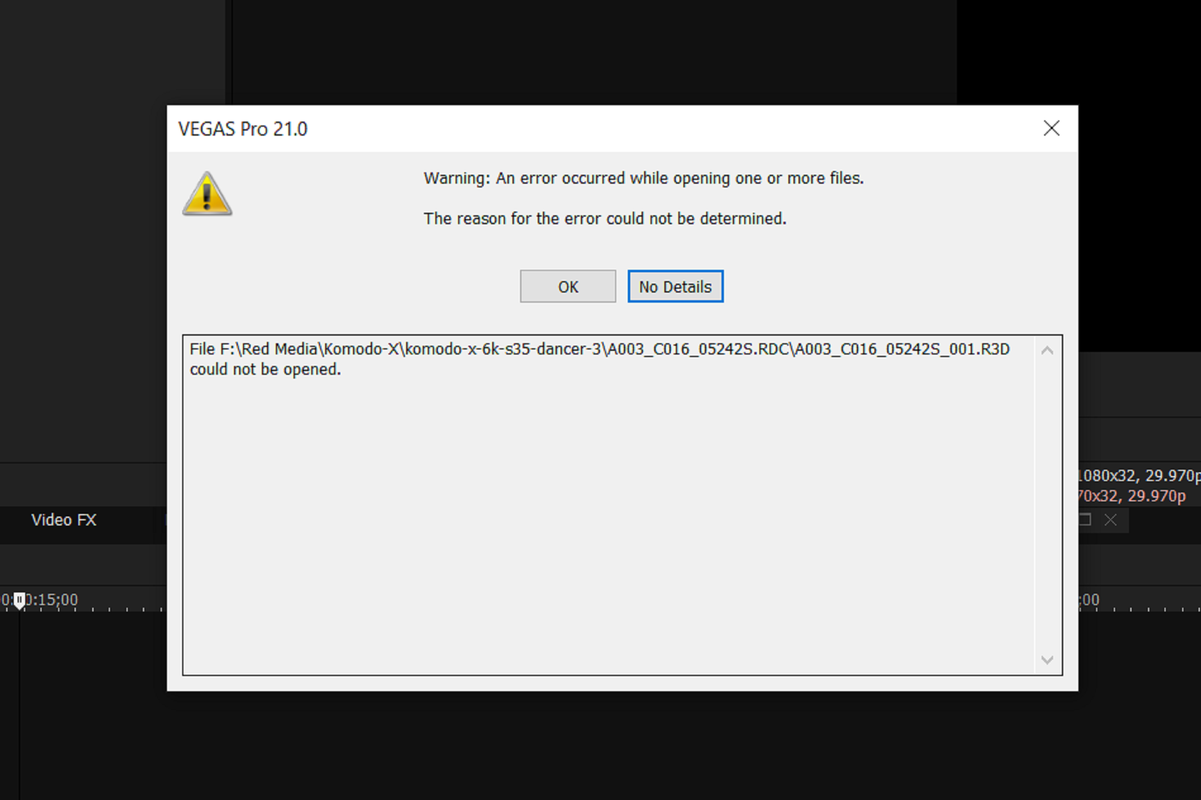
I have been shooting on the Red Epic Dragon 6k and the files run smooth on my timeline for editing. I shot some footage today on the Komodo using the R3D and it won't download onto my time line. What am I missing? I thought (my first mistake) ALL Red footage would run in my editing system (Vegas Pro 17). Any help would be GREAT
 
Try the latest version of Vegas Pro. Should be somewhere around version 21 now.
 
Vegas opens with prores but not R3D (I did testing with both). I pulled up my Epic files which looks the same as the Komodo files and it works. Not sure why it not working
 
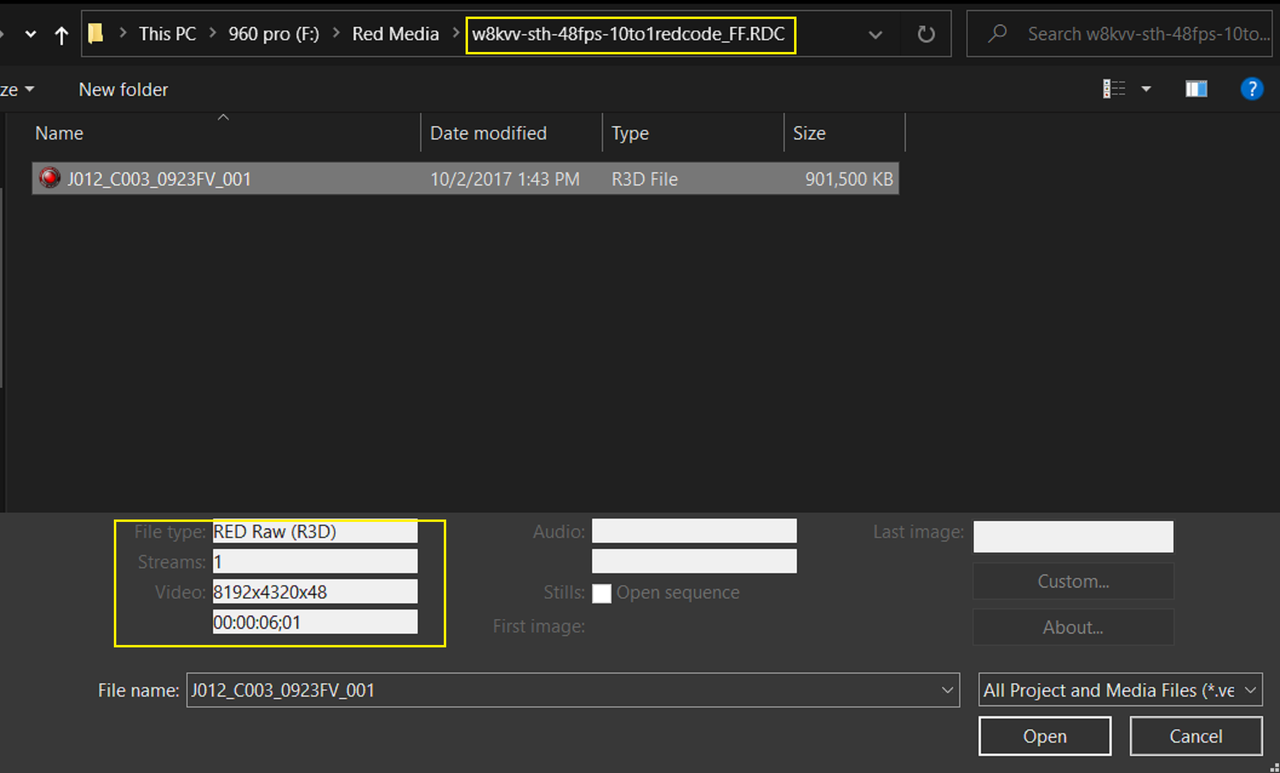
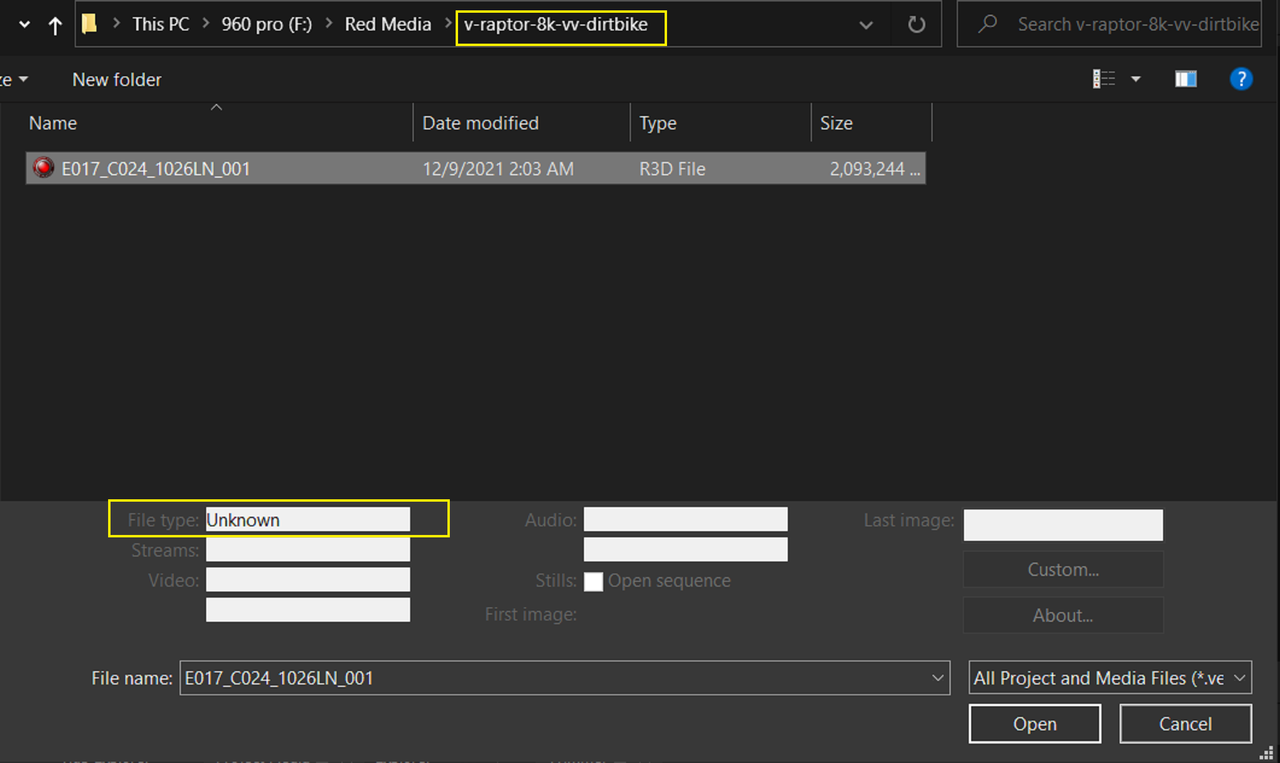
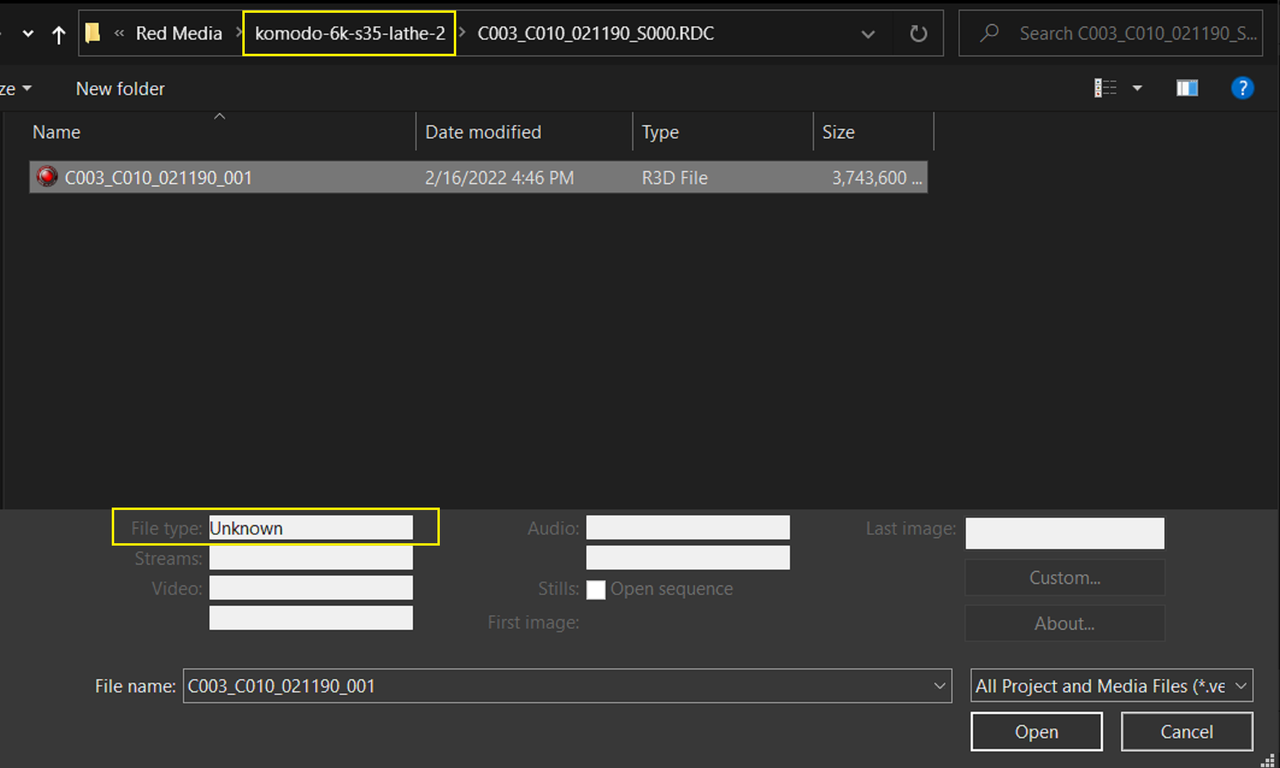
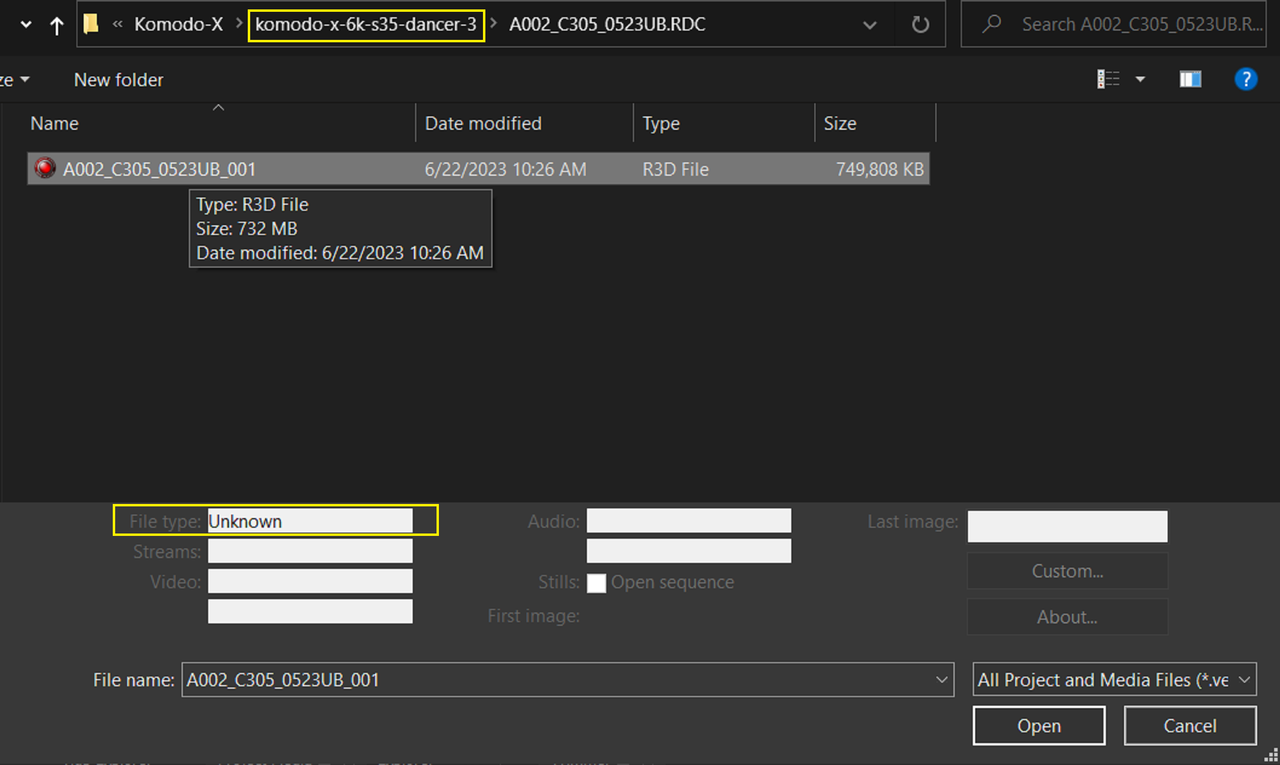
I downloaded the free version of Vegas Pro 21 and it seemed to support RED DRAGON VV 8K backwards. However, V-Raptor, Komodo OG and Komodo-X were shown as "UNKNOWN" and give an "ERROR" message when you try to Import them. I think like Andrew stated the RED Compression file type is different in the newer RED Cameras than the Older ones. And the Newer Compression method still "seems" to not be supported yet even in the Most recent Updated Version 21 of Vegas Pro.


Screenshot-11482.png


RED Dragon VV 8K ( Recognized)

Screenshot-11484.png


RED V-Raptor, Komodo OG and Komodo-X ("Unknown")

Screenshot-11485.png

Screenshot-11486.png


Screenshot-11487.png
 
sounds like I need to change my editing system from Vegas to?
 
Thanks everyone. Hey Richard I tried Resolve and was able to open the file. I just have a very, very, very little knowledge on that software Now I just need to see if there is a weekend class somewhere in the USA that I can take to learn Resolve (basic editing on that system). I have been on Vegas pro since 2003 and can cruise through editing but when I look at RESOLVE I end up being mind bogged - yeah a bit over my head.
 
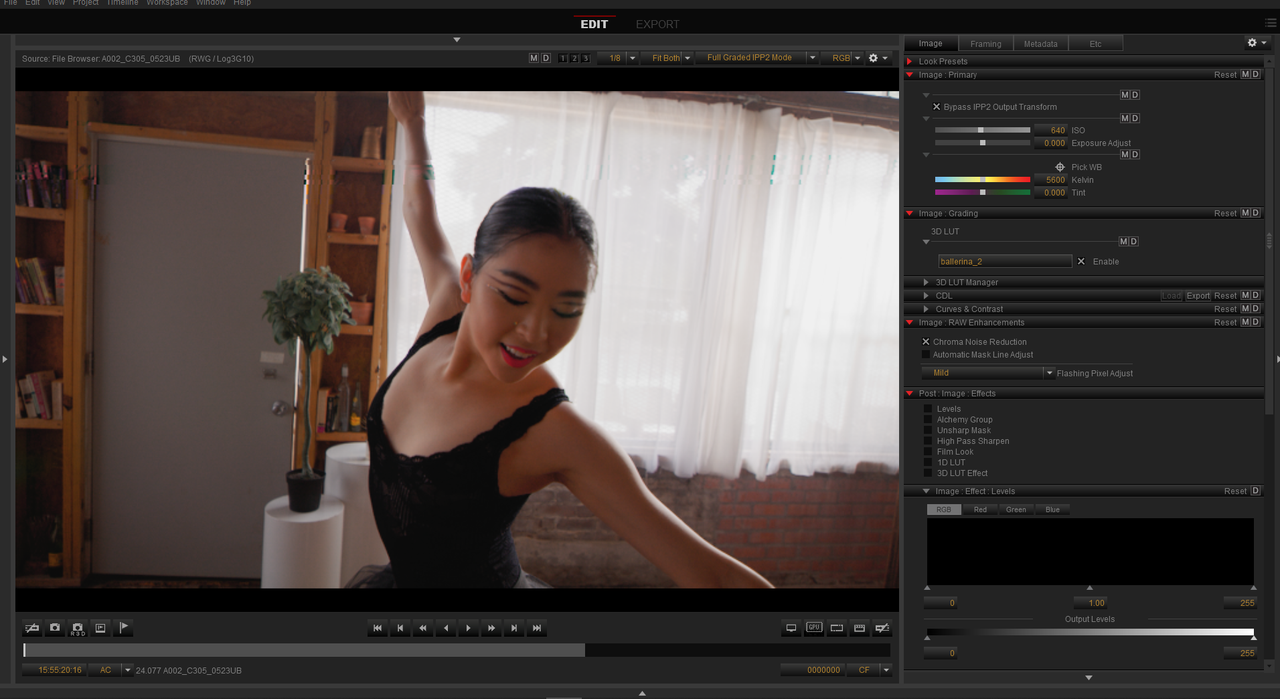
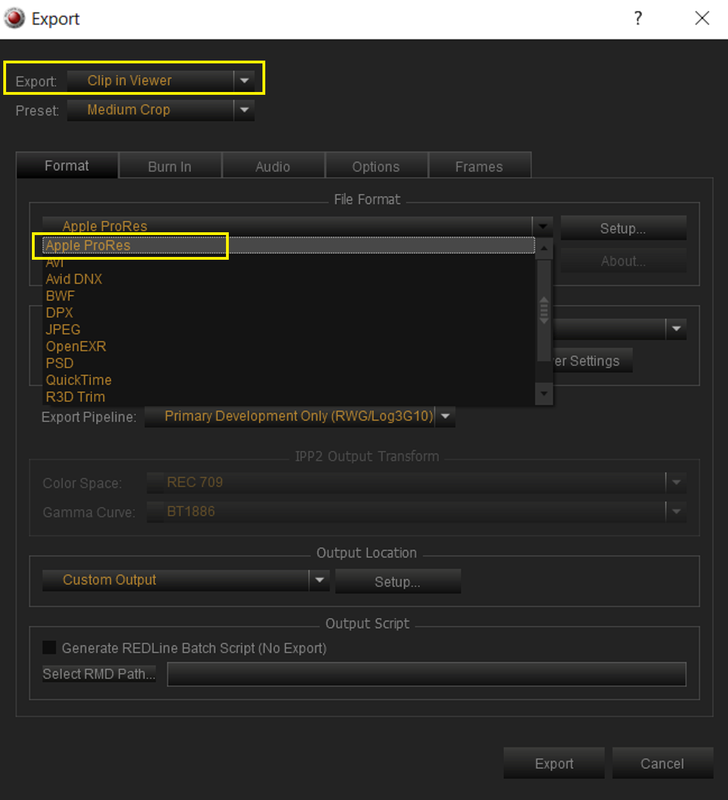
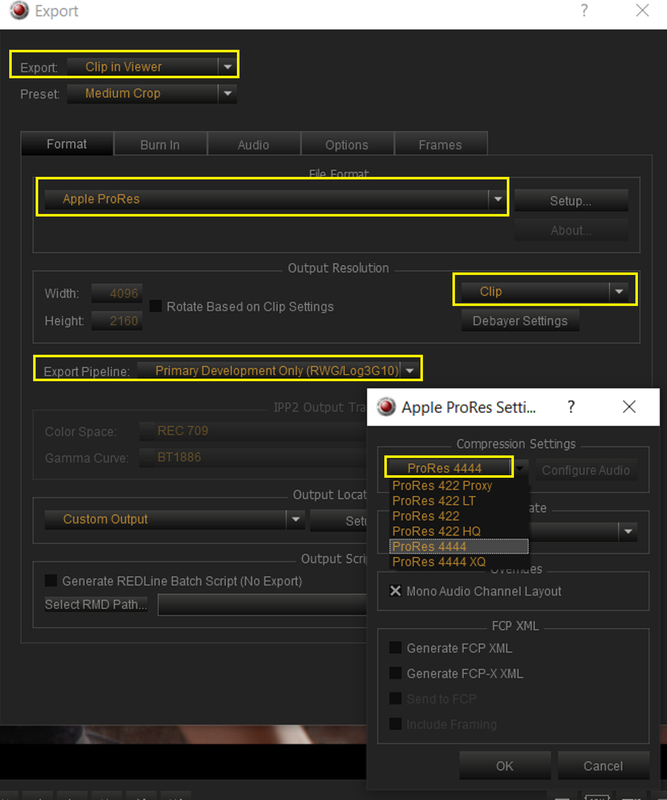
Yes you can transcode the RED Komodo .R3D files to ProRes, EXR or a .TIFF sequence. However you do understand that you also will lose all RAW control capabilities as well. Plus the Transcode Times for however many Komodo .R3D files you have will depend on the processing power of your computer and may be something you might or might not be willing to do for a large number of those files.

However if you do choose to do so, I believe even Vegas 17 Pro can handle ProRes Files with no Problem.


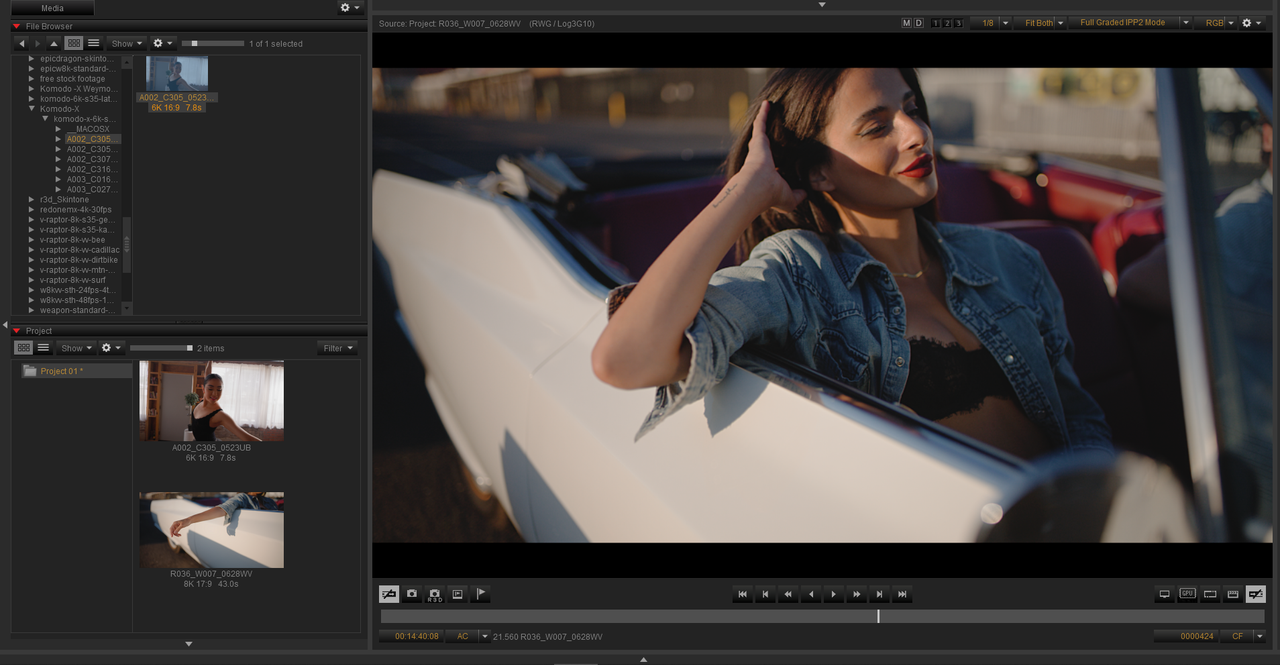
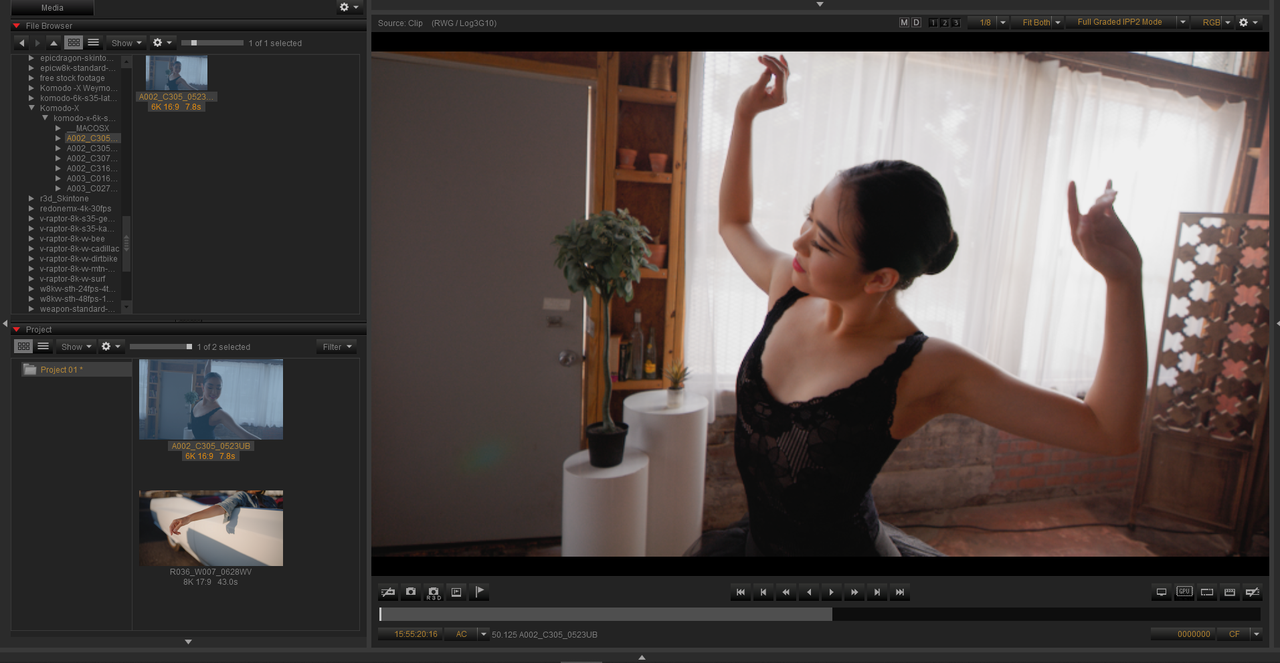
REDCINE-X (RED Komodo-X sample clip shown)


1.png


ProRes 4444 Export


2.png


3.png


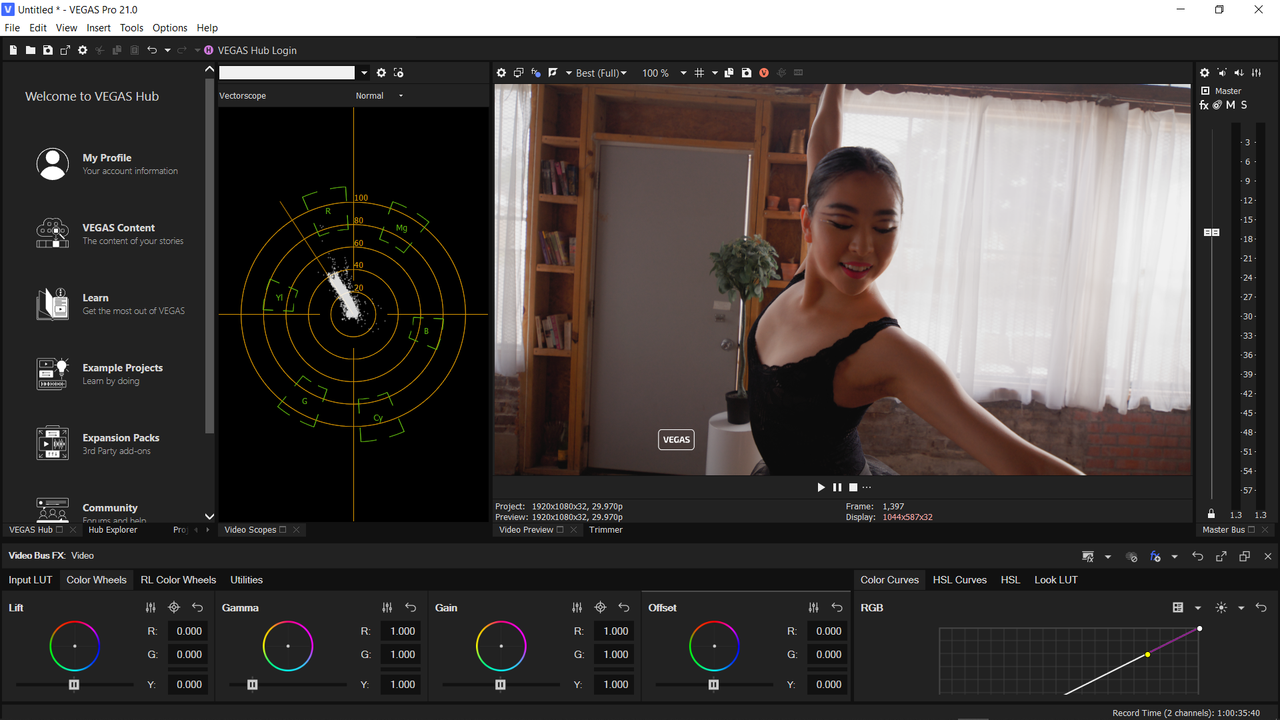
Vegas Pro 21 Trial with ProRes Komodo-X footage


4.png
 
Last edited:
Thanks everyone. Hey Richard I tried Resolve and was able to open the file. I just have a very, very, very little knowledge on that software Now I just need to see if there is a weekend class somewhere in the USA that I can take to learn Resolve (basic editing on that system). I have been on Vegas pro since 2003 and can cruise through editing but when I look at RESOLVE I end up being mind bogged - yeah a bit over my head.

The tabs at the bottom are the key to Resolve: Media Pool / Cut / Edit / Fusion / Color / Fairlight / Deliver.

Edit is the best page for a FCP/Premiere/Vegas type experience. And then Color for the full grading experience. I find the Deliver tab much more user-friendly than Redcine too, - great for quick exports of rushes with BITC etc.

It's a very capable program that gets a lot of updates and support - and it imports/exports well with loads of other editors.
 
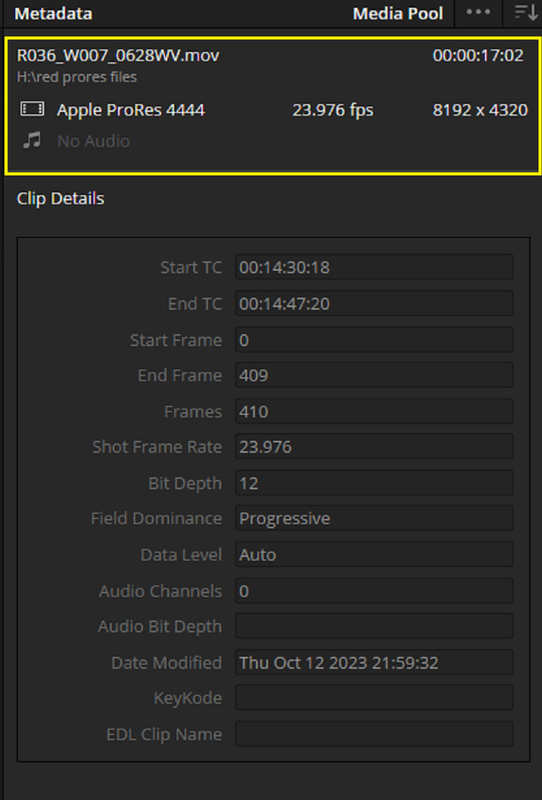
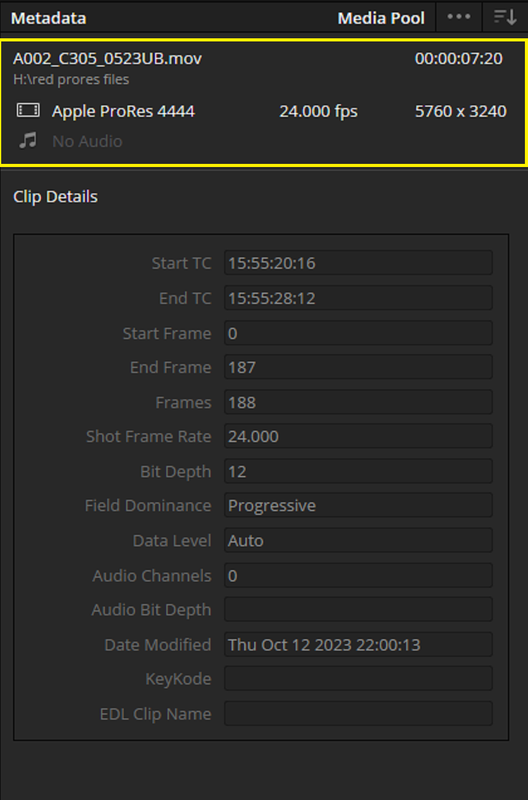
Here are 2 Red .R3D files transcoded to ProRes 4444 to see if you can use them in Vegas Pro 17 or any other version.


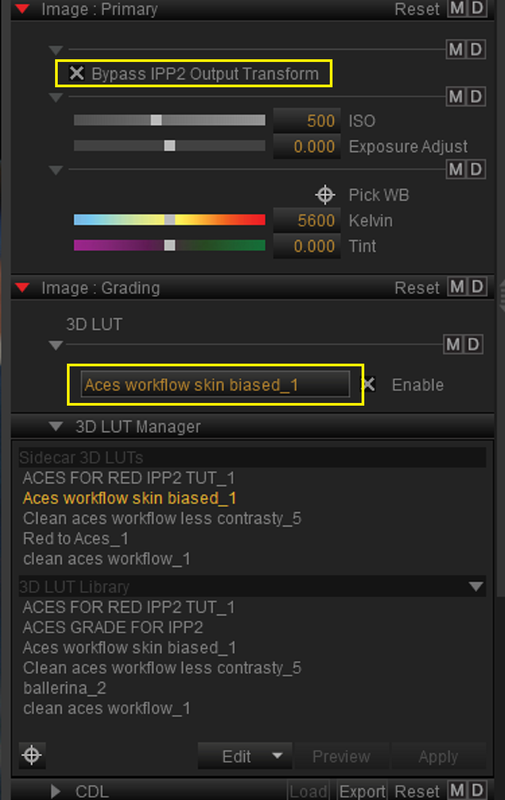
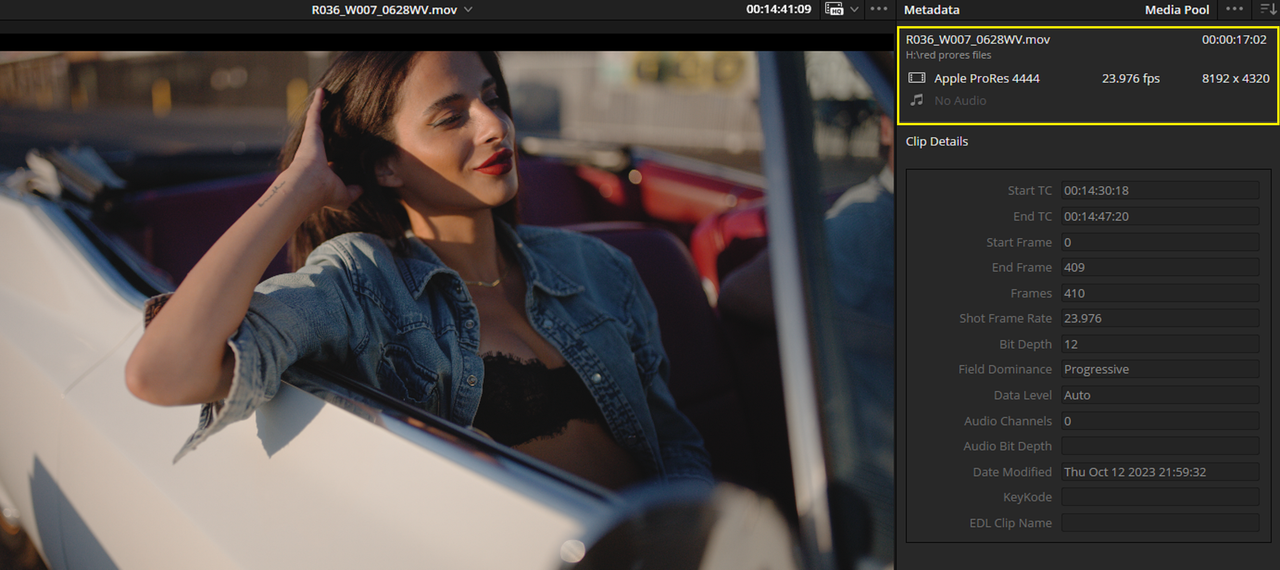
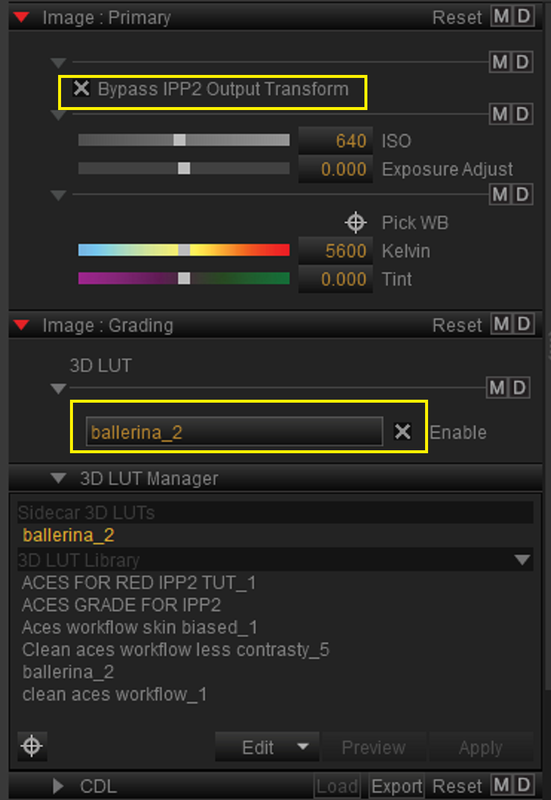
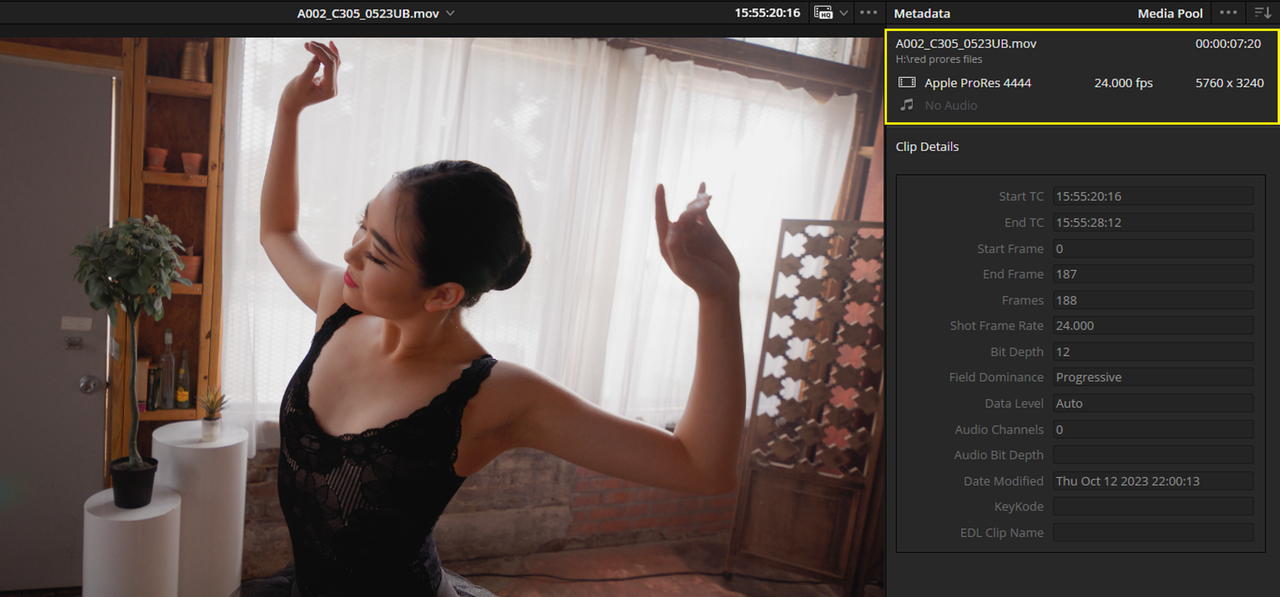
I was going to send RWG/LOG3G10 "Flat" IPP2 ungraded ProRes files but I didn't know if the Vegas Pro Workflow for Red .R3d files would accommodate The transform from RWG/LOG3G10 to REC709 for ProRes files. So I included ProRes files each with Luts made from ACES Workflow grades in Resolve. I re-imported the ProRes Files into Resolve to Show the "Metadata" of the files if you needed that for something.

1) Girl in Cadilac RED V-Raptor Sample ProRes 4444 file

SendGB-8.93GB Link
https://www.sendgb.com/MZ0QxOcbAN1


1.png


1a.png


1b.png


1b2.png


2) Dancer RED Komodo-X Sample ProRes 4444 File-

SendGB-1.74GB Link

SendGB | Send Large Files | Free file transfer


Last edited:
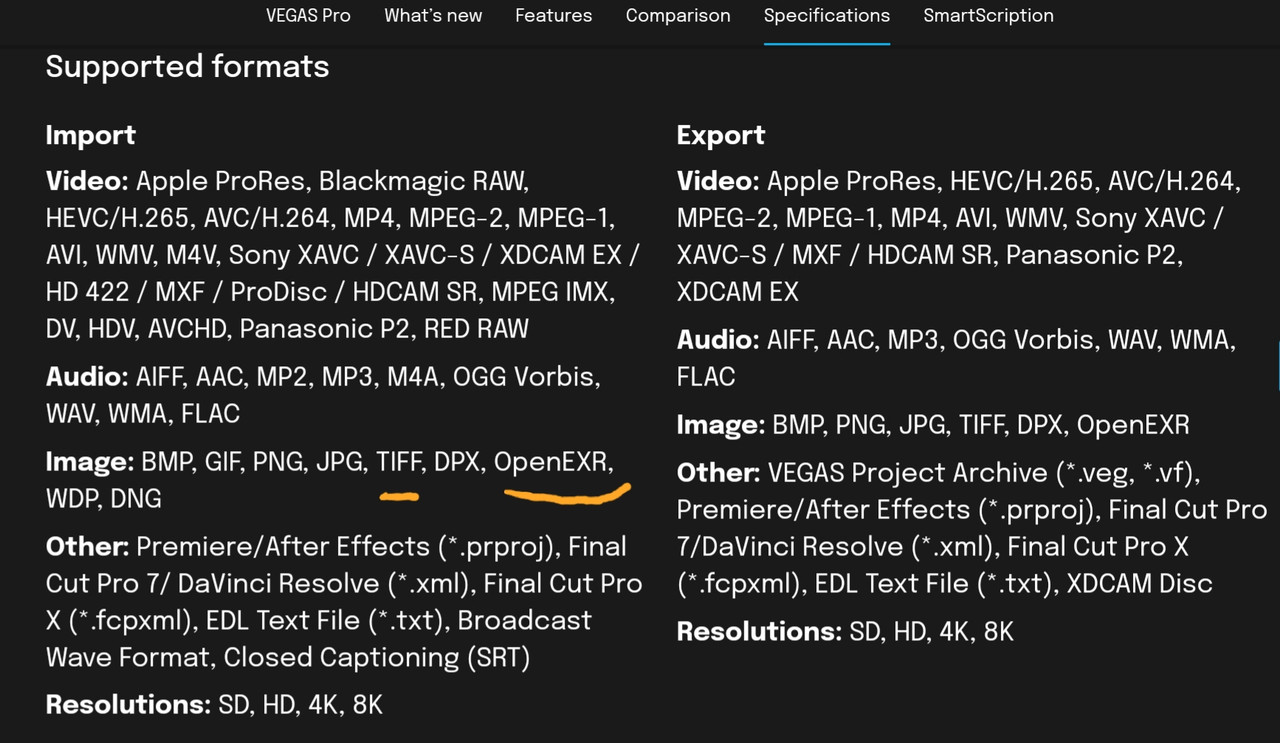
One last thing, I also believe that you can use Avid DNxHR/HD, Open EXR and maybe a .TIFF Sequence in Vegas Pro 17.


20231014-115005.jpg


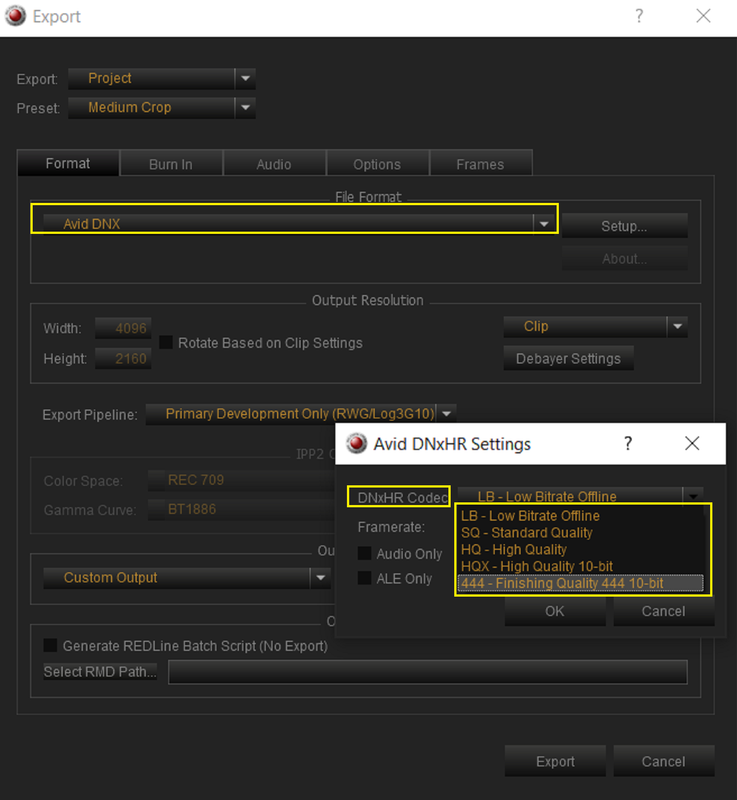
Redcine-X can deliver the newer Red Cameras' Footage in all three of the formats mentioned above along with ProRes.


Avid DNxHR/HD

1.png


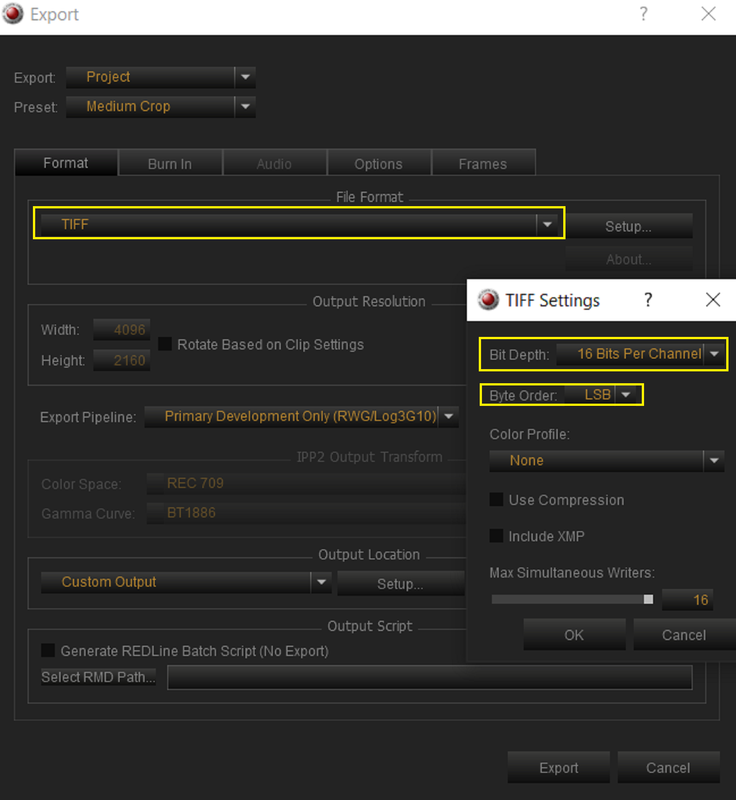
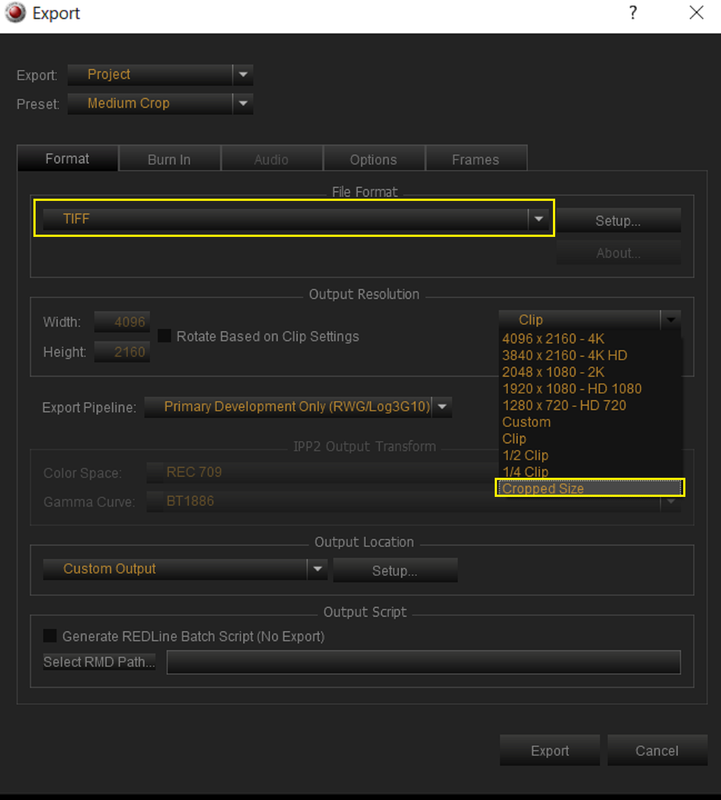
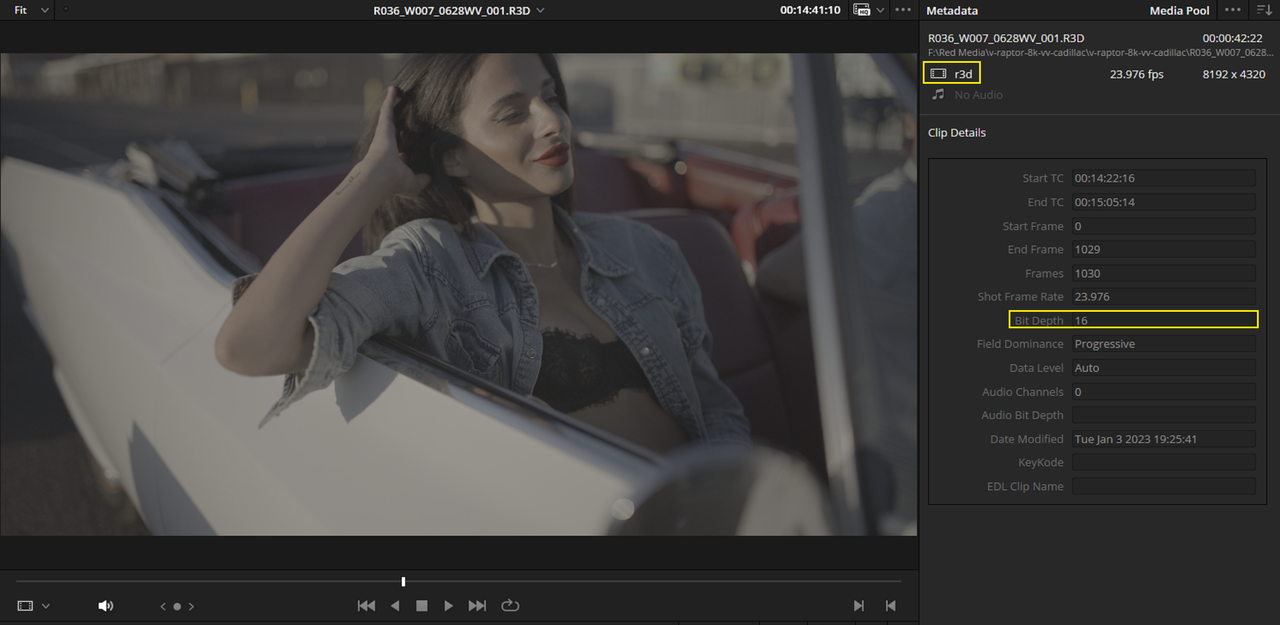
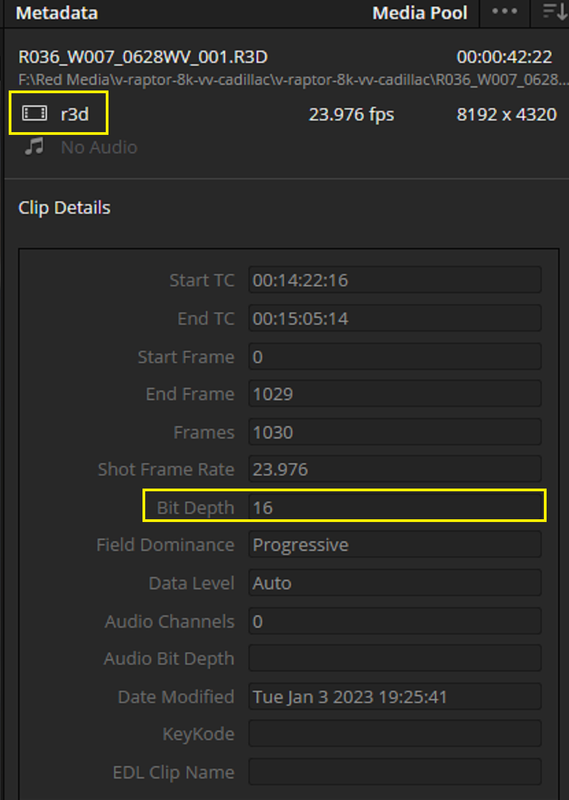
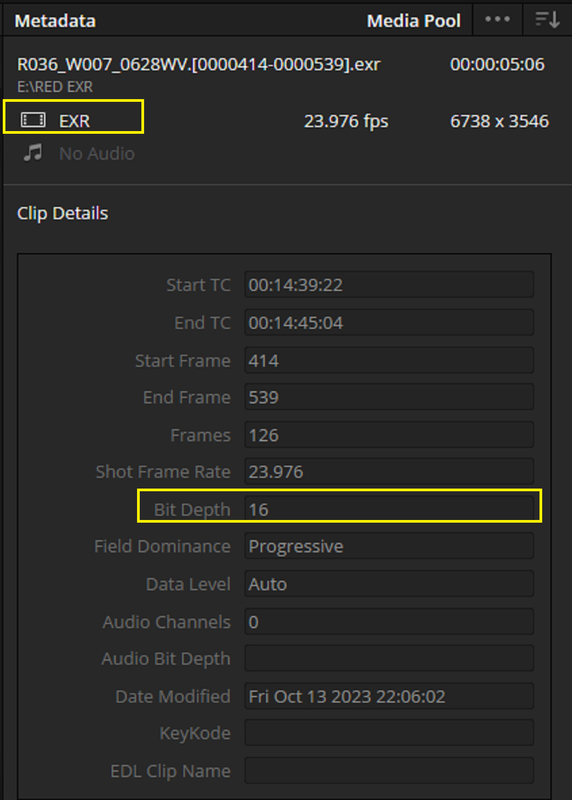
However unlike Avid DNxHR/HD which is only available up to a 10-Bit Depth and ProRes which is only available up to a 12-Bit Depth in Redcine-X as alternatives to the Red. R3D file in either Full-Frame or Cropped, A Tiff Sequence and OpenEXR Sequence are available up to the same 16-Bit Depth as RED .R3D files in either Full-Frame or Cropped.


Tiff Sequence

2.png


3.png


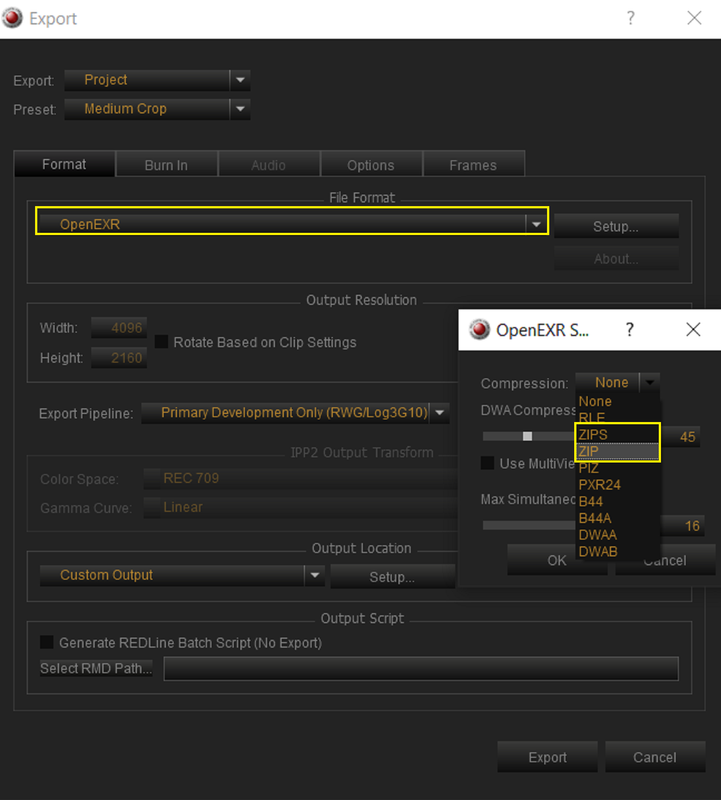
OPEN EXR


It's Best to use "ZIP" Compression to keep the File size down. All of the other Compression choices are for things like "PIXAR's" specific compression type and "Film Grain" Compression etc...

4.png


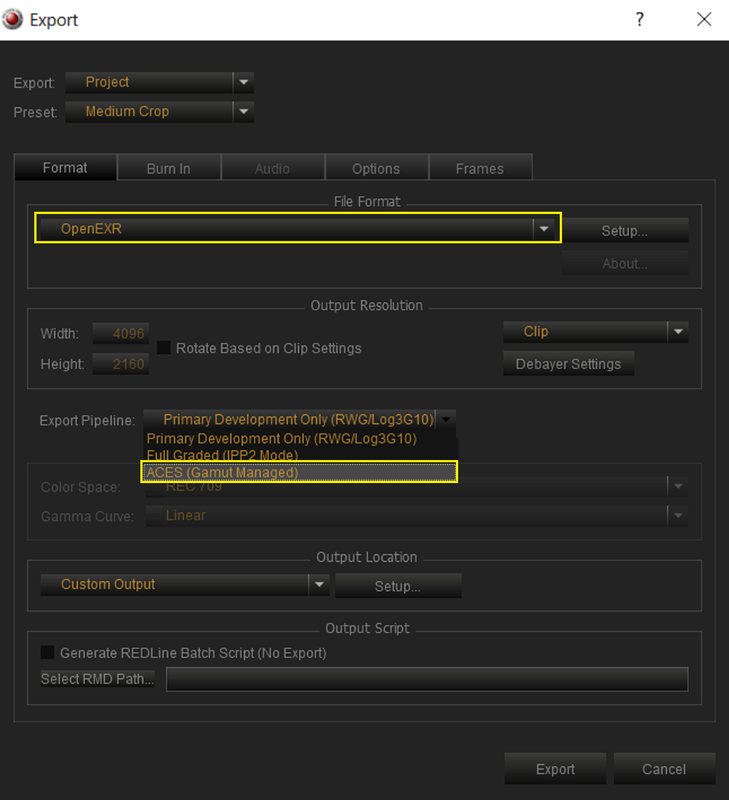
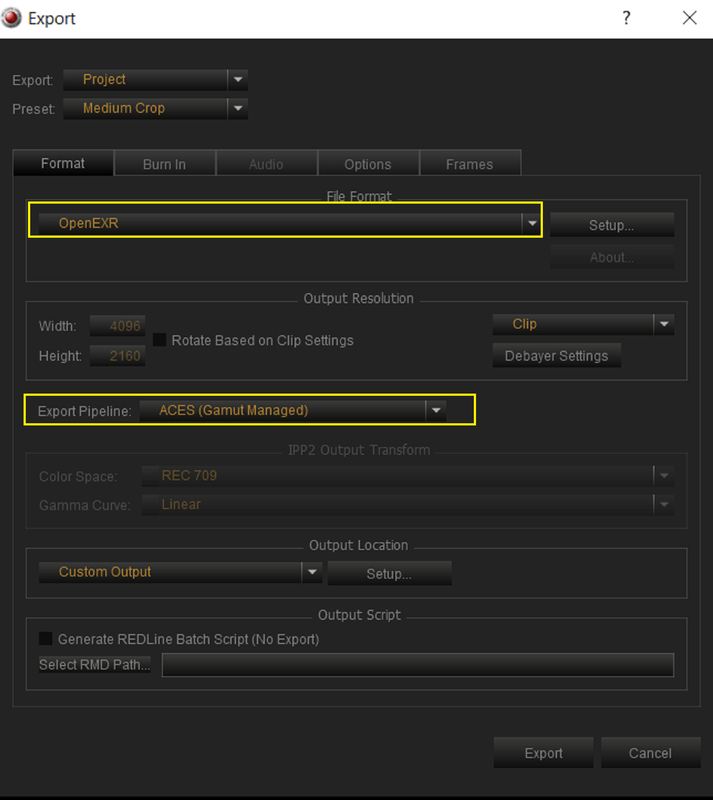
Also use ACES(Gamut Managed) which will put it in an "APO/LINEAR" format

5.png


6.png


As I mentioned earlier, the best thing about using a ".TIFF" Sequence and "Open EXR" Sequence is that you can "Crop" the .R3D file and still export it out as a 16-Bit Depth File not only with a 10-Bit or 12-Bit Depth.

7.png


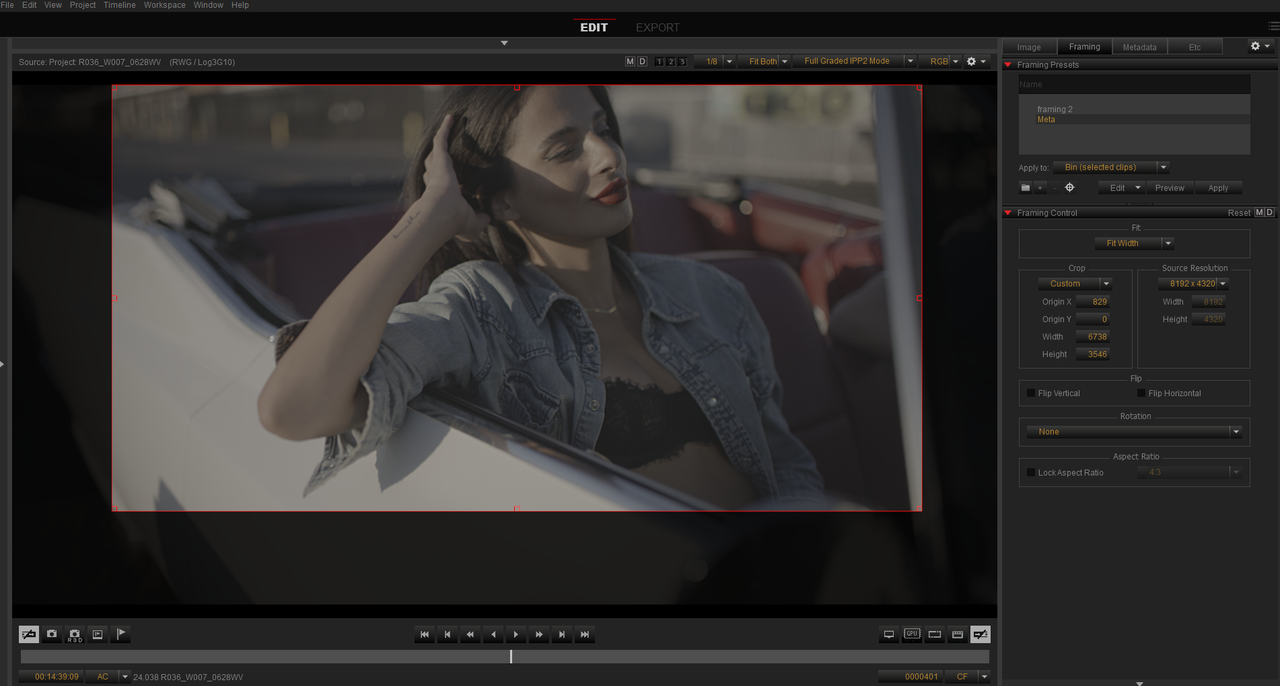
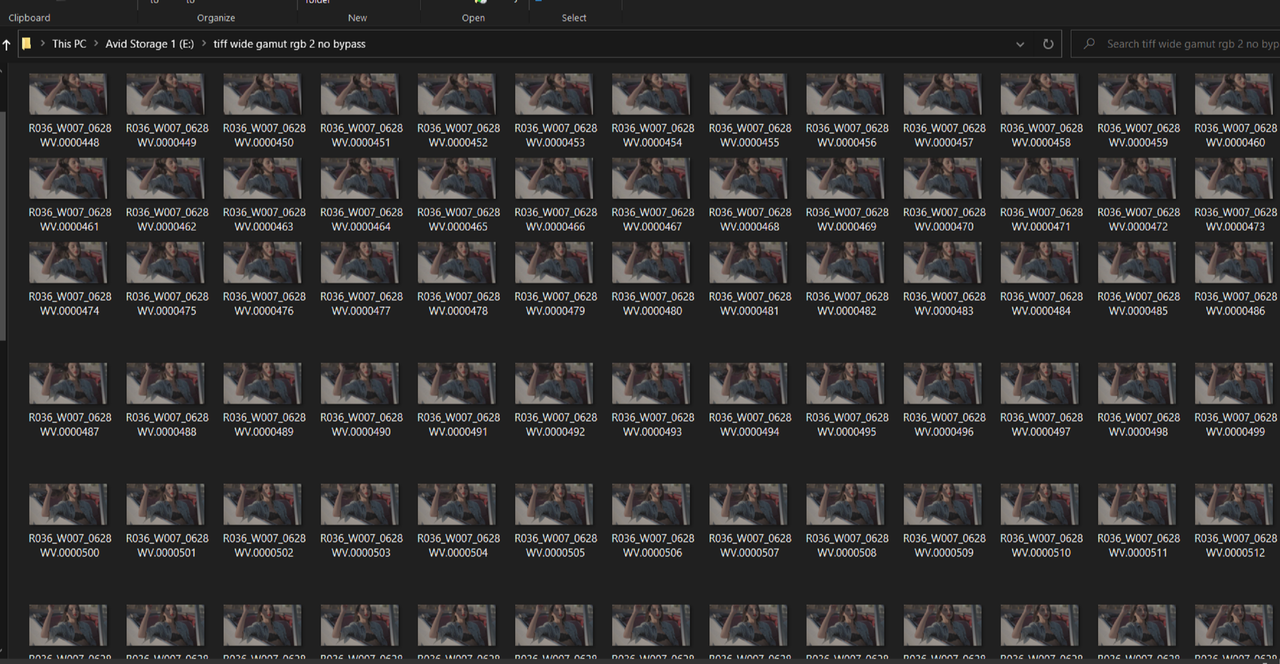
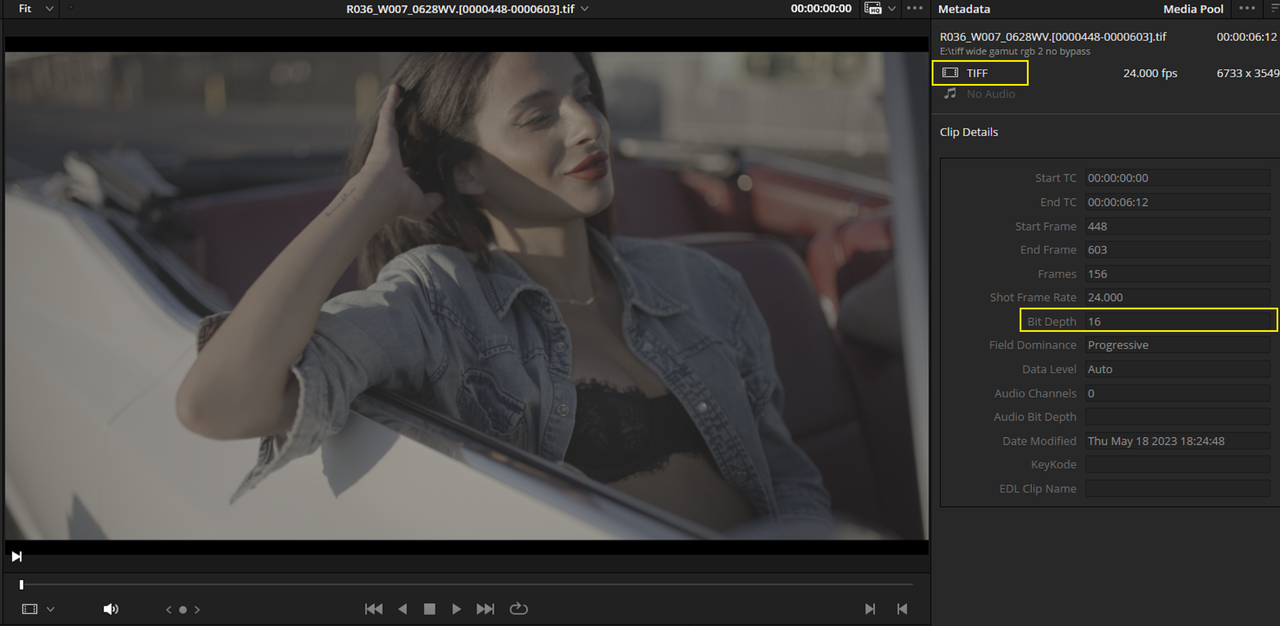
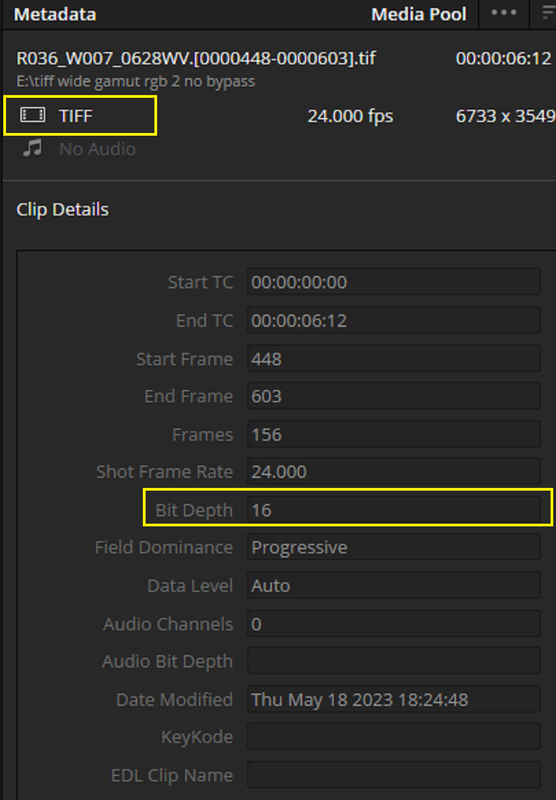
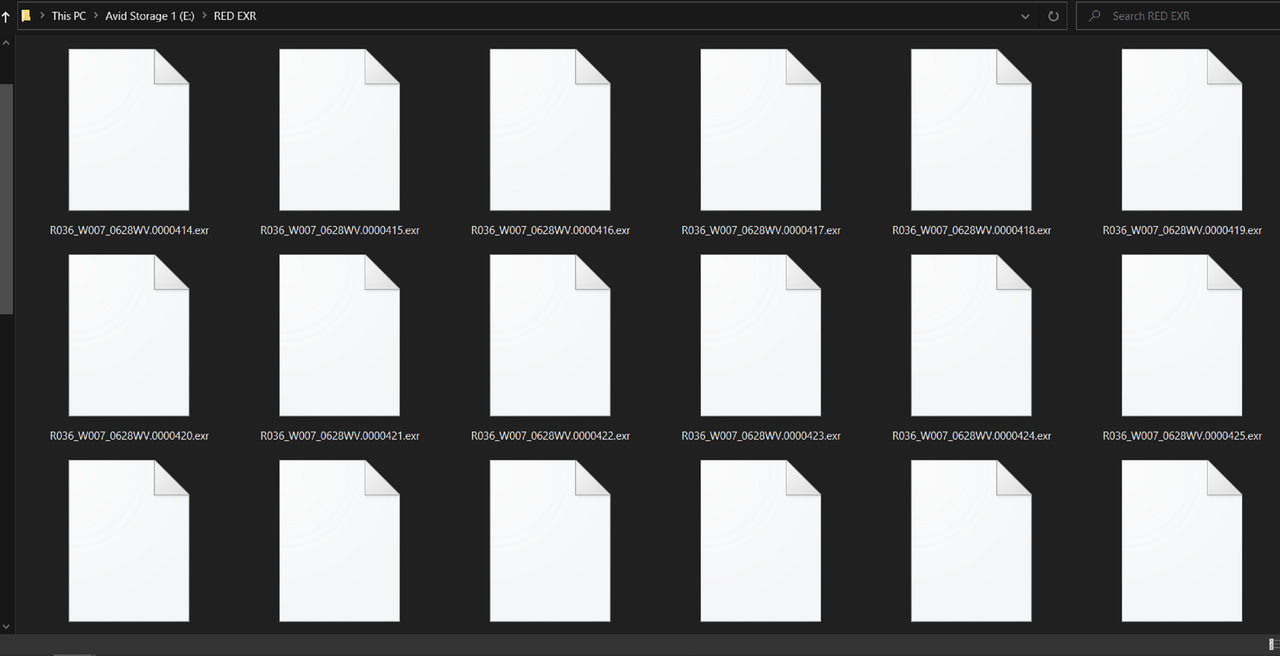
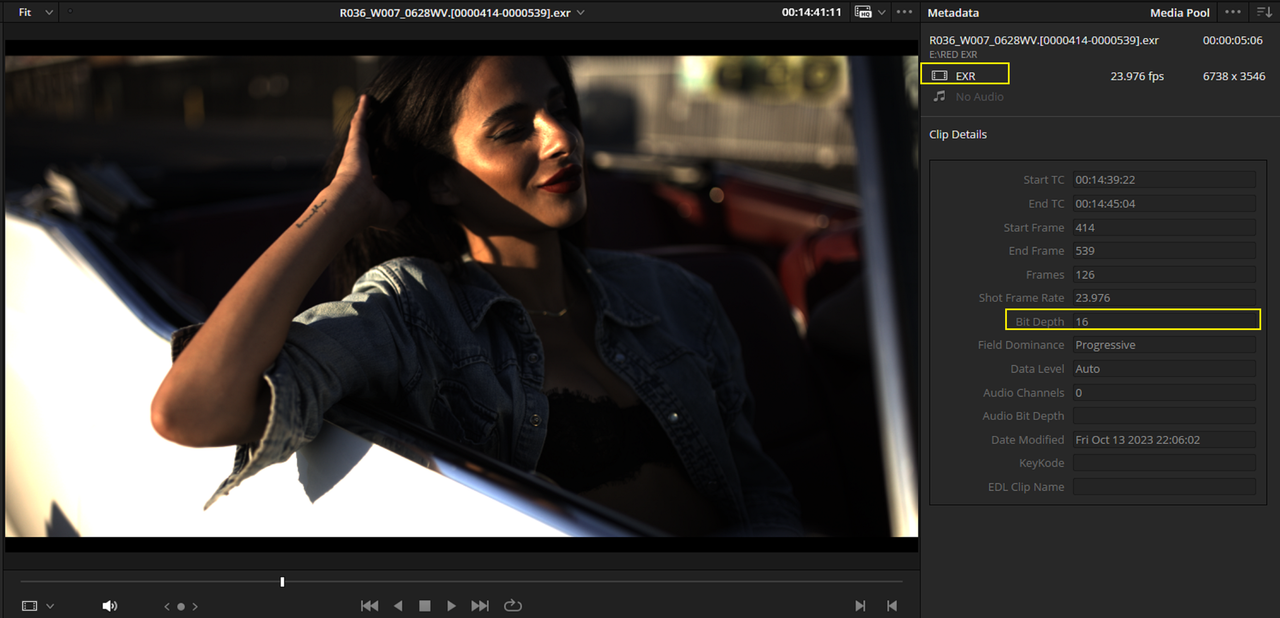
Here are all 3 16-Bit Depth Files exported out of REDCINE-X, a .RED .R3D file, A TIFF Sequence and an OPEN EXR Sequence.


Un-Cropped RED .R3D

8.png

9.png


Cropped .TIFF Sequence

Screenshot-11538.png


10.png

11.png


Cropped OPEN EXR Sequence

Screenshot-11539.png


12.png


13.png


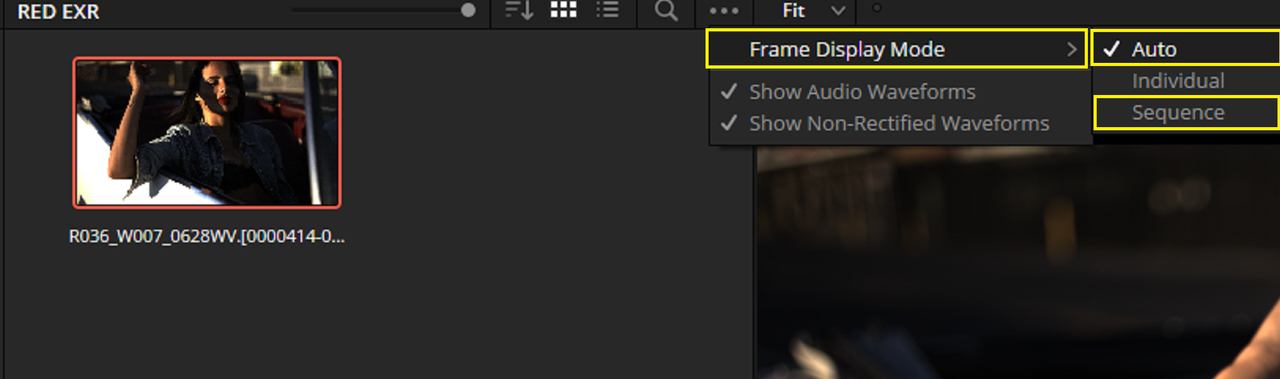
In Resolve you bring both the .TIFF Sequence and OPEN EXR Sequence File in as one Video Image File, Next to "FRAME DISPLAY MODE" make sure it's set to either "AUTO" or "SEQUENCE". "AUTO" is the Default mode. You should be able to transform EXR from ACES APO/LINEAR to ACES AP1/ACEScct in Vegas Pro 17 since I believe it supports EXR files.

14.png


All Graded in ACES


UN-CROPPED RED .R3D Graded image

red.jpg


CROPPED TIFF Sequence Graded Image

tiff-2-1-1-3.jpg


CROPPED OPEN EXR Graded Image
(Transformed from ACES APO/LINEAR to ACES AP1/ ACEScct)

I had to re-export this OPEN EXR file again since I deleted the first one so the grade looks a little different than the others.


exr-2-1-3-9.jpg
 
Last edited:
Back
Top