Johnny St.Ours
Well-known member
- Joined
- Oct 13, 2007
- Messages
- 170
- Reaction score
- 0
- Points
- 0
- Age
- 48
- Location
- Los Angeles
- Website
- www.piraeushd.com
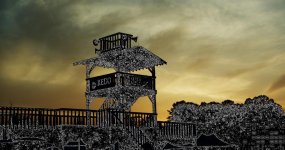
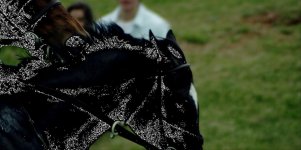
I shot a horse race last weekend and I'm having a major problem with the footage. Everywhere in my frames where it goes deep black, I get this white speckled noise all over
I can look at the clips and adjust them in any one of the following:
Redcine (old style)
RedinceX 221
RedAlert
FCP
In these programs the r3ds and proxies look fine, but as soon as I render the proxies or log and transfer in FCP, they get spotted like this. When I rendered from RedAlert, RA quit on me, when I rendered on either Redcine, RedcineX or Redrushes- they just reported an error and created nothing.
Build 30
Any ideas?
I can look at the clips and adjust them in any one of the following:
Redcine (old style)
RedinceX 221
RedAlert
FCP
In these programs the r3ds and proxies look fine, but as soon as I render the proxies or log and transfer in FCP, they get spotted like this. When I rendered from RedAlert, RA quit on me, when I rendered on either Redcine, RedcineX or Redrushes- they just reported an error and created nothing.
Build 30
Any ideas?