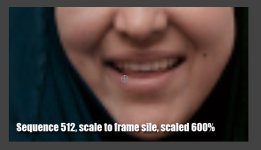
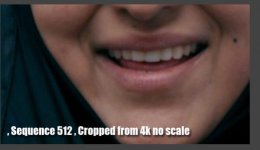
I've shot a film in 4K and will be finishing in 2K. I am working in a 2K timeline in Premiere CS4.
Some of the 4K shots I want to zoom in 200%, so they will essentially be 2K. However is it better to achieve this effect by:
1) Set the clip to "Scale to Frame Size" and then set the Scale to 200%
2) DON'T "Scale to Frame Size" and set the Scale to 100%
3) or doesn't it matter?
I've exported a TIFF frame of each option and it looks like option #2 is very slightly cleaner.
Thanks for the help in advance.
Some of the 4K shots I want to zoom in 200%, so they will essentially be 2K. However is it better to achieve this effect by:
1) Set the clip to "Scale to Frame Size" and then set the Scale to 200%
2) DON'T "Scale to Frame Size" and set the Scale to 100%
3) or doesn't it matter?
I've exported a TIFF frame of each option and it looks like option #2 is very slightly cleaner.
Thanks for the help in advance.