Welcome to our community

Be a part of something great, join today!

  • Hey all, just changed over the backend after 15 years I figured time to give it a bit of an update, its probably gonna be a bit weird for most of you and i am sure there is a few bugs to work out but it should kinda work the same as before... hopefully :)

No r3d in middle of shoot?

Joined
Feb 18, 2008
Messages
11
Reaction score
0
Points
0
Location
Stockholm, Sweden
I have a major problem of r3d's disapearing in the middle of a red disk.

All the folder structure is on the disk and the clips shot before and after these 4 missing clips are all working.

In the folder where the r3d file is there is another file structure with different files and folders.

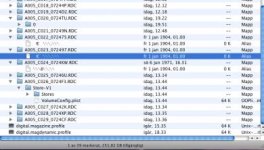
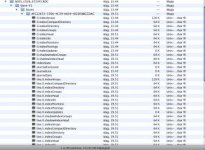
Attached pictures of the folder structure.

Anyone know anything about this?
 

Attachments

  • Bild 6.jpg
    Bild 6.jpg
    19.7 KB · Views: 0
  • Bild 5.jpg
    Bild 5.jpg
    21.8 KB · Views: 0
If the folder is there, the file have been recorded fine, but just not closed. Use REDUNDEAD and you will find it.
 
OK, thanks i will try redundead today and see what it says.

Curran Giddens, zero out the disk as in reformat it in disk utility or what?
 
What firmware in camera are you using?

We are using Build 17.

Tried to figure out how redundead works, but only get the answer "there is no directory or folder with that name,.

I type
Redundead/dev/rdisk3/volumes/ What to type here? The name i named the disk or the number of the disk as in disk1 disk2 ... / the name of my folder.
 
type:
diskutil list

Then you get the disk "id", where "/dev/disk1" in my case. "/dev/disk0", is usually "Macintosh HD"

then type:
redundead /dev/disk1 /Volumes/AnotherDrive/NewFolder

Use a 500GB or 1TB drive to save all files to for "AnotherDrive", ALL files will be saved to there, so it must be bigger then the REDDRIVE.
 
Curran Giddens, zero out the disk as in reformat it in disk utility or what?

Yes. But only do this after you recover the files in REDundead. If the problem was bad sectors then zeroing the drive will map them so it will know to skip over those sectors from now on.

Not sure if this was the problem to begin with. It is just a precautionary measure that I do every once in a while.
 
I tried it on one disk today, working perfectly. The r3d file was recovered.
Next disk is in the redundead procedure now.
 
We are using Build 17.

Tried to figure out how redundead works, but only get the answer "there is no directory or folder with that name,.

I type
Redundead/dev/rdisk3/volumes/ What to type here? The name i named the disk or the number of the disk as in disk1 disk2 ... / the name of my folder.

You can use R3D Data Manager, which puts a nice GUI to the process, prevents writing to the same disk, ensures that your destination has room for the source, and organizes the files & re-creates the reference QT movies.
 
Back
Top