Welcome to our community

Be a part of something great, join today!

  • Hey all, just changed over the backend after 15 years I figured time to give it a bit of an update, its probably gonna be a bit weird for most of you and i am sure there is a few bugs to work out but it should kinda work the same as before... hopefully :)

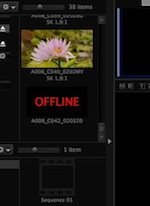
Build 17 - file says 'OFFLINE' , but plays in camera...

Mark Deeble

Well-known member
Joined
Aug 20, 2010
Messages
188
Reaction score
0
Points
16
Location
Kenya
Website
www.deeblestone.com
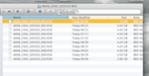
I have a single folder ( time-lapse shot 35GB) that won't play in Redcine or Redplayer but yet will play in camera. If I look at the folder, all the files seem to be there at c 4GB each - but just won't load
 

Attachments

  • Screen Shot 2013-02-03 at 11.18.00.jpg
    Screen Shot 2013-02-03 at 11.18.00.jpg
    15.5 KB · Views: 0
  • Screen Shot 2013-02-03 at 11.19.22.jpg
    Screen Shot 2013-02-03 at 11.19.22.jpg
    2.6 KB · Views: 0
Thanks Gunleik. I've tried it with an older RCX as well and nothing. This is happening with an 128GB SSD - no copying involved yet. I shot all yesterday with the same card at 96 fps without an issue (all those folders open fine) then in the evening I set up for time-lapse, so re black-balanced etc, shot a test which played back fine in camera and then shot the time-lapse this morning. All the folders play back fine in camera, but from where I black-balanced and reset the fps and shutter speed, all the folders go 'OFFLINE'. Trying red-undead next...
 
Copied the files back SSD.
Trying to run REDundead on them...

Dunno if REDundead fixes header problems, but it kinda "should" :)

Doesn't hurt at least!
 
REDundead seems to work, and I kinda see what has happened....

It seems like there is a difference between the names seen by Finder and the names REDundead sees in the metadata from the files...

So I guess it is a metadataissue...


Anyhow, seems REDundead fixes it!

Feel a bit relieved now...
 
Hi Mark, I have the same issue occurring also with probably around a third of a bunch of timelapses I shot last week. Was also glitching in playback and not able to load some clips, which I thought was probably connected.
 
Mark... If my post was unclear, it is pretty well described in the manual.

You nust make the directory yourself.
After you have created the directory, (let's say you did it on the desktop), the path looks like:

/Users/*your username*/Desktop/*name of folder you created*/

Hope that helps.

G
 
Lliam - there must be a bug somewhere. Now I've got REDundead working though, I am slowly retrieving the folders - and they are all loading / playing OK.

Glad for you!

Mine are working fine too.
Playing like nothing happened.

Was a bit scary, though.

But the "recoverd" files all have new names...
 
Gunleik, were you doing timelapse too?

Gunleik and Mark, were you shooting on freshly reformatted Redmags for the timelapse, or a Redmag that already had other non-timelapse footage?

Just throwing some ideas on possible common factors to isolate this bug.
 
I was shooting time-lapse on a mag that had other material on it ( 5K, 96 fps) and I then black balanced for the TL, tried a couple of different speeds etc, so there were a lot of changes.
 
We are having a similar problem, with some red footage we captured on an Epic... Mostly the footage from the shoot works and correctly imports/plays in RCX, a slect few clips show as offline, yet will play in camera. REDundead doesnt seem to run on the REDmag with 128SSD, source and destination are correct, but just says DONE! and doesn't actually run to fix the files.

Dd you ever resolve your problem? Thanks.
 
I ejected the mag without safely ejecting it, and then copied the corrupted files storage (was pressed for time and low on redmags). Came home to 'media offline' and then copied the files to the redmag again (formatted to FAT32 of course) and ran REDundead on that. It worked. So relieved.

Pay careful attention to the instructions and Gunleick's guidance and you may have the same success.
 
Back
Top