Welcome to our community

Be a part of something great, join today!

  • Hey all, just changed over the backend after 15 years I figured time to give it a bit of an update, its probably gonna be a bit weird for most of you and i am sure there is a few bugs to work out but it should kinda work the same as before... hopefully :)

Timeline Export (all clips) not functioning

Michael MK Siu

Well-known member
Joined
Jan 30, 2007
Messages
90
Reaction score
0
Points
6
Location
Montreal, QC; Toronto, On; HKG
Dear all,

I'm trying to export from the timeline of Redcine Cine-x Pro 14.

We have trimmed and color graded clips in the timeline and would like to export the timeline as one standalone quicktime file. To my understanding, this is what the export Timeline (all clips) function would do.

However, upon choosing that option in the export box, and clicking on export, nothing happens.

I am able to export the clips in the timeline as individual clips by choosing the Timeline (separate clips) option.

Are there some settings I must input / correct before the Timeline (all clips) function will work that that I'm not aware of?

Your advice and help is appreciated.

Thank you,
Michael
---
[www.cmkmedia.ca]
[www.ishortfilms.com]
 
Hi Michael,

You are correct in that is how Timeline (All Clips) should function. Unfortunately I'm unable to recreate your issue. Perhaps a screen shot
or a step by step on what you are doing?

When you click export you should be being prompted to enter a save filename. Is this happening?

How have you configured your export preset?

Thanks,
David
 
Dear David,

Thanks for helping.

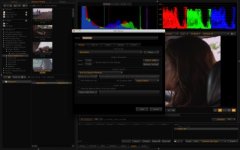
When I have Timeline (All Clips) selected, and then click on Export. Nothing happens - no prompts, and nothing is put into the queue to begin exporting.

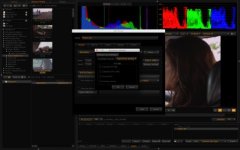
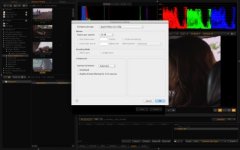
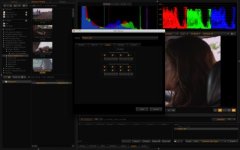
I am using the following settings:

File Format: Quicktime
Compression Setting: Apple ProRes 422 HQ
Frames per second: 23.98
Framerate Override: Quicktime Setting


Output Resolution: 1920x1080
Debayer Setting: Full (on all options)

Output Location:
Ask for Output Filesname
Files Creation Mode: Unique Name

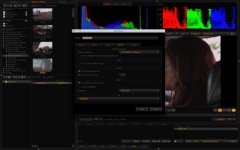
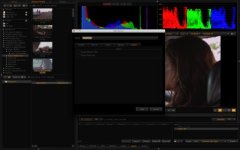
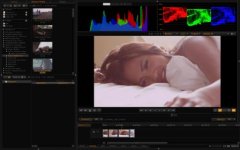
Screen Shots attached.

P.S. I have recently installed a RedRocket onto the machine, but this problem occurred even before the installation of the card.
 

Attachments

  • Screen Shot 2012-07-25 at 2.46.21 AM.jpg
    Screen Shot 2012-07-25 at 2.46.21 AM.jpg
    17 KB · Views: 0
  • Screen Shot 2012-07-25 at 2.46.23 AM.jpg
    Screen Shot 2012-07-25 at 2.46.23 AM.jpg
    17.4 KB · Views: 0
  • Screen Shot 2012-07-25 at 2.46.25 AM.jpg
    Screen Shot 2012-07-25 at 2.46.25 AM.jpg
    16.5 KB · Views: 0
  • Screen Shot 2012-07-25 at 2.46.31 AM.jpg
    Screen Shot 2012-07-25 at 2.46.31 AM.jpg
    15.8 KB · Views: 0
  • Screen Shot 2012-07-25 at 2.46.53 AM.jpg
    Screen Shot 2012-07-25 at 2.46.53 AM.jpg
    16.7 KB · Views: 0
Hi Michael,

It looks like you have "Use REDline (software only)" check on the Options tab. That option isn't compatible with Timeline (All Clips). Sorry for the confusion. I'll be adding a notification or something to make this clearer for future releases.

David
 
Back
Top