Welcome to our community

Be a part of something great, join today!

  • Hey all, just changed over the backend after 15 years I figured time to give it a bit of an update, its probably gonna be a bit weird for most of you and i am sure there is a few bugs to work out but it should kinda work the same as before... hopefully :)

Footage corrupted? HELP

Ryan Nichols

Well-known member
Joined
Jan 31, 2011
Messages
256
Reaction score
0
Points
0
Location
Memphis, TN
I have a small clip shot RED ONE MX at 4.5k and it wont load into RCX. The program crashes and I even had to delete it out of the timeline altogether to get the rest of the clips to export. Every clip before and after that take on the card is fine. Is there a way to fix this? What causes this problem?
 
How was it backed up? Drag+Drop? Was it cloned and verified on set?

Can happen if bad reader, bad cable, system issue during copy. Please explain your procedure for backing up, that will help diagnose it.
 
It’s on cf so, It went into a RED Station (one that I use all the time before and since never had a problem with, via FW 800 into a 2011 17” MacBook Pro then out of that via thunderbolt to the LaCie 2TB Thunderbolt drive where it sits with all the other footage. It was a pickup shot that I didn’t think we’d need, but it turns out that we do so I’m revisiting this problem.
 
Do you still have the CF card with footage on it? If so, can you open the shot directly from the CF reader in RCX and see if the problem is still there.

I would suggest adding a checksum verification stage to your backup process. Either via a paid solution (R3DData, Pomfort Silverstack, etc) or if you are comfortable with command line and such, perhaps do your own. But have some way of verifying things as they transfer. These can alert you to problems with your system.
 
I wish I did still have the card. That footage is long gone off the card. I guess it’s just gone. What do the checksum verification programs do exactly? Any idea what must have tripped it up?
 
A checksum is a verification of data on your source (CF card) to your backup destination (Lacie drive). If the checksum does not verify (match) the exact value, it will give you a warning, and you can re-ingest. R3D Data Manager is what a lot of people including myself use daily. Please do not trust drag and drop, as you might get exactly what you experienced, a corrupt file. Lesson learned.

Von
 
I have also used R3D Data as it has worked well for me from the beginning. But I have used many of the others as well, including Silverstack, ShotputPro, etc. I also visually inspect as much of the footage as I possibly can, because the reality is if something is written badly at the camera to the card there's a good chance it could make it through unnoticed if you don't visually inspect. This doesn't happen very often, but since we are all determined to make sure every frame makes it safely from camera to post, it's worth that extra step when you can afford the time to do it. Most problems happen between the reader and the computer. Either a bad reader, a bad cable, or some disruption that happens with the system during transfer. Hopefully, you're always using a UPS and I tend to like powered devices as opposed to ones that run off bus power.
 
Thanks guys for the helpful insight. Indeed, lesson learned. I hadn’t read about the need for those programs before. Forgive me Steve but what is a UPS?
 
Thanks guys for the helpful insight. Indeed, lesson learned. I hadn’t read about the need for those programs before. Forgive me Steve but what is a UPS?
Uninterruptible Power Supply (Unit) = UPS.
 
I have a small clip shot RED ONE MX at 4.5k and it wont load into RCX. The program crashes and I even had to delete it out of the timeline altogether to get the rest of the clips to export. Every clip before and after that take on the card is fine. Is there a way to fix this? What causes this problem?

If it plays in playback on the camera, then its fine.
Delete the Packet data in the folder and the quicktime proxies... then open in RED ALERT. and redo new proxies and packet...
that should work.. But only if the file plays back in camera.
 
As steve has suggested Visual inspection followed by checksums is the only way to be sure off safely copied footage.

I try and take a backup reader with me just in case I have issues with the first one. Our sandisk CF readers used to act up after constant use so I took to carrying a 2nd that I would change out after X minutes of use.

More often than not in my experiences with bad copies the FW cable is to blame.
 
I found a corrupted file shot from my SCARLET. Thankfully it was B roll, and it was only corrupted for about 1 second, right in the middle of the 15 second clip. I found the exact spot where the footage was corrupted, dragged another clip over it, and deleted the corrupted section. It was mind bottling for about a day or so of trying to render the timeline. But as soon as I got rid of the corrupted section, it rendered right up, and looked beautiful!
 
I have a small clip shot RED ONE MX at 4.5k and it wont load into RCX. The program crashes and I even had to delete it out of the timeline altogether to get the rest of the clips to export. Every clip before and after that take on the card is fine. Is there a way to fix this? What causes this problem?

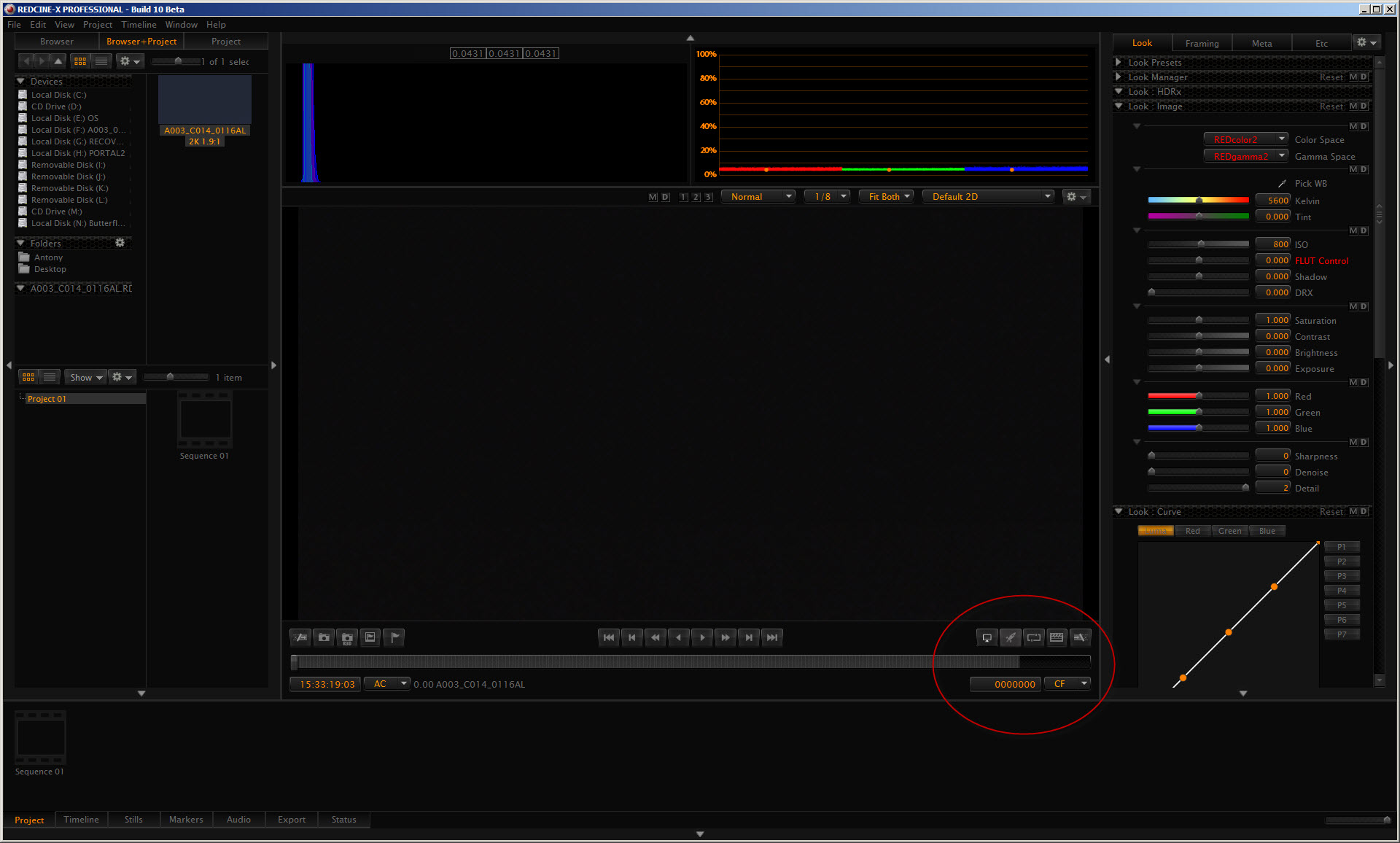
I have a similar problem with a clip shot on the Epic-X.

My problem is NOT due to copy errors (the same problem occurs even with the clip still on the SSD).

The RCX progress bar goes most of the way to the right, then stops.
RCX10_clip_load_error.jpg
 
Back
Top