Welcome to our community

Be a part of something great, join today!

  • Hey all, just changed over the backend after 15 years I figured time to give it a bit of an update, its probably gonna be a bit weird for most of you and i am sure there is a few bugs to work out but it should kinda work the same as before... hopefully :)

MEDIA COMPOSER HOW TO GET TO REDCINE X

Paul Harding

Well-known member
Joined
Mar 11, 2010
Messages
382
Reaction score
0
Points
0
Location
UK
I have imported my red one footage via AMA completed the edit and i want to send the edited Red footage to Redcine x for first light and transcode.
EDL's are coming out blank
Filmscribe wont save.
Any thoughts how to do this

Media composer 6 trial version MacPro
Thanks
 
I think you should have started in REDCineX first.
I have to dig up the old tutorials to prove this.
 
My thinking was that to save transcoding all my Red footage I would import it into Avid which supports Red Files, I thought I would be able to output the edit to recine which would need less transcoding rather than transcode the whole shoot.
 
My thinking was that to save transcoding all my Red footage I would import it into Avid which supports Red Files, I thought I would be able to output the edit to recine which would need less transcoding rather than transcode the whole shoot.
Found this link but the steps might be dated since Resolve and Avid MC6 has fixed some of the issues.
http://community.avid.com/forums/t/86603.aspx
 
Just read the thread, as a new user on Avid it seems complicated.
Thanks
 
IS it possible to generate an EDL for redcineX from MC 6?
 
Are you using "File_16" for your EDL type?

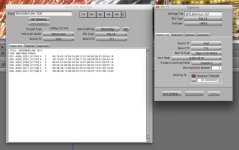
In MC6 I brought in a few clips via AMA, trimmed and exported an EDL using File_16, imported that in RedCine X (as CML 3600) and it brought in all my clips. You also have to remember to choose your R3D master directory on import.

I'm still experimenting, so don't hold me to this but it seems that when importing in RedCine X you can choose the "Destination" for the import, if you choose "Active Bin", your shots will be loose in the bin, if you choose "Timeline" it'll rebuild your Avid sequence.
 
Thanks sounds great I will try it now.

Are you using get sequence

What other settings have you got in EDL?
 
I just set it to File_16 and clicked get sequence (with the sequence open and highlighted in MC).

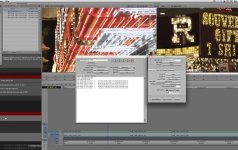
I'll attach a screen cap for you, in case that helps.
 

Attachments

  • AvidEDL-Screen-Shot-2011-11-28.jpg
    AvidEDL-Screen-Shot-2011-11-28.jpg
    96.7 KB · Views: 0
Thanks Brad I am pulling my hair out here at the moment been trying all day to get the import I try the settings now
 
Still no luck the console comes full of errors or just a blank EDL
 
How do you attach a jpeg here when I click on insert image it asks for a URL
 
Yes AMA as i am running out of time I will rebuild the edit in PPro that edl does work for me,
 
Thank you for you info Brad I must be doing something wrong this end, I have to start again in PP I got 95 cuts 4 min long
Thanks
Paul
 
Thanks Roger there seems to be little help on Avid for what Im looking for
 
Back
Top