Welcome to our community

Be a part of something great, join today!

  • Hey all, just changed over the backend after 15 years I figured time to give it a bit of an update, its probably gonna be a bit weird for most of you and i am sure there is a few bugs to work out but it should kinda work the same as before... hopefully :)

HDRx compensation setting & motion control

Patrick Tresch

Well-known member
Joined
Aug 2, 2007
Messages
5,805
Reaction score
84
Points
48
Age
54
Location
Switzerland, Lausanne
I was just wondering if the stop compensation in HDRx mode is impacting on the motion or shutter of the X track?

Before testing... I toughout it could be possible to shoot everything @ highest HDRx 6(stops) setting to have all detail and didn't figure out why using lower stop compensation numbers (1-5) would be interesting.

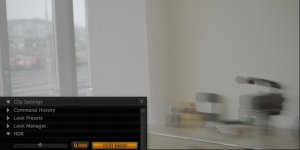
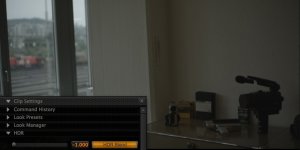
Looking at the below picture I think we could have problems blending the A and X track with a key or similar FX as the 2 tracks have a very different time span.

Any thoughts?

Thanks

Patrick
 

Attachments

  • HDRblend-1.jpg
    HDRblend-1.jpg
    60.7 KB · Views: 0
  • HDRblend0.jpg
    HDRblend0.jpg
    52.1 KB · Views: 0
  • HDRblend1.jpg
    HDRblend1.jpg
    42.2 KB · Views: 0
yes, it does. the hdr-x mode samples twice at the same time, one standard exposure that you've set, and one shorter exposure to protect the highlights (which you also set). so naturally you will have a noticeable difference in motion characteristics. only thing to do is to attempt to blur the sharper image to match the other. there are already a few different options to do that, and i suspect more to come. you could always approach it on a shot by shot basis if it was something really critical.

worst case scenario: you could digital recreate your scene using computer generated models, track your camera in 3d space, project the image onto the 3d geometry from that camera, and attempt to calculate the motion blur. but you really don't want to do that. there are other compositing techniques that could help blend difficult shots, but hopefully we'll have even more options available soon enough.

for this particular shot, well, no offense but i wouldn't spend too much time on it. not to mention it looks like you already have all the information you need to just take the x track and grade it how you like.
 
:001_smile:...the shot was actually an HDRx cam test. Don't juge the quality of exposure nor composition please.
 
haha, i know man, i was just givin you a hard time. but in seriousness, it did seem like you were trying to use it to get more low range data, and it is recommended to rather be used to protect highlights when there's too much native range in the scene. anyways, keep up the testing and let us know what you can come up with! if you haven't already, find jim's threads where he talks about using hdrx... graeme chimes in a few places too if i'm not mistaken, good stuff.
 
Funny thing is that the motion blur difference usually looks very natural when playing a clip... but you can always add motion blur to the X-track if you want. We recommend ONLY using as much HDRx as you need (rarely over +3) to minimize the motion difference.

Jim
 
so... just wondering. would we be able to get at the 3-axis sensor's information to use as a motion vector (for matching motion blur) or for tracking/stabilization purposes? :) we definitely need to make a way to do that.
 
Thanks Jim for the very enlightening post.

- Is pushing the X track to the setting value number 6, like using a faster shutter speed for the X track?

1 stop would be @ 180 shutter, 1/100th similar motion blur?
...
...
6 stop would be @ 180 shutter, 1/3200th similar motion blur?

- Is the "trigger" for the X track immediate after the captured A track or is there any delay for technical reason?

Just trying to understand the limitations of this HDR technique.

BTW did I mention : Epic is an mind blowing tool.

Thanks.

Patrick
 
Thanks Jim for the very enlightening post.

- Is pushing the X track to the setting value number 6, like using a faster shutter speed for the X track?

1 stop would be @ 180 shutter, 1/100th similar motion blur?
...
...
6 stop would be @ 180 shutter, 1/3200th similar motion blur?

- Is the "trigger" for the X track immediate after the captured A track or is there any delay for technical reason?

Just trying to understand the limitations of this HDR technique.

BTW did I mention : Epic is an mind blowing tool.

Thanks.

Patrick

@24fps
HDR : deg : 1/sec : ms
A 180 48 20.8
1x 90 96 10.4
2x 45 192 5.2
3x 22.5 384 2.6
4x 11.3 768 1.3
5x 5.6 1536 0.7
6x 2.8 3072 0.3
 
Well My first HDRx error occurred today:

I shot in a driving car and exposed for the inside then dialed 3 stop for the HDRx mode to compensate the exterior.

As of today's software... the blending looks horrible and appears like duplicated frames.

Patrick
 
Well My first HDRx error occurred today:

I shot in a driving car and exposed for the inside then dialed 3 stop for the HDRx mode to compensate the exterior.

As of today's software... the blending looks horrible and appears like duplicated frames.

Patrick

Screenshots or it didn't happen :)
 
Well My first HDRx error occurred today:

I shot in a driving car and exposed for the inside then dialed 3 stop for the HDRx mode to compensate the exterior.

As of today's software... the blending looks horrible and appears like duplicated frames.

Patrick

Send Graeme and me a sample please.
(deanan a t r e d d o t c o m and graeme a t r e d d o t c o m)
 
Yes, send Deanan and I the clip - we're happy to look into it.

Graeme
 
Hello RED TEAM,

Thanks for your interest and support. I know you are working on tons of stuff, for exemple fine tuning 25p, magic HDRx and other goodies.

I would love to send you the R3D file but the shot is 13GB. I can't even upload the Vimeo compressed file with my connexion on the shooting location!

My understanding is that REDCINE X 454 does not yet suport R3D trim with the HDRx track.

The EPIC is really a pleasure to work with, the quality of the pictures is impressive and the resulting R3D files enables stunning creative power.

Patrick
 

Attachments

  • HDRx_3_Pat.jpg
    HDRx_3_Pat.jpg
    85.7 KB · Views: 0
Back
Top