Welcome to our community

Be a part of something great, join today!

  • Hey all, just changed over the backend after 15 years I figured time to give it a bit of an update, its probably gonna be a bit weird for most of you and i am sure there is a few bugs to work out but it should kinda work the same as before... hopefully :)

Viewer refresh problem

Peter_R

Member
Joined
Mar 5, 2011
Messages
7
Reaction score
0
Points
0
Location
Austria/Vienna
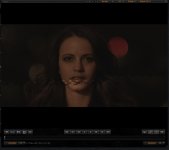
I have a problem in RCX 416ER. If i change clip settings, the clip in the viewer will not be refreshed. When i click on the viewer the viewer will be refreshed.
System: i7 940,GTX 470, 12 GB Ram Win 7 64

sorry my english.

thx Peter
 
Hi Peter,

Can I get some more details? What clip settings are you changing? What type of clip is it?

Thanks,
David
 
Hi David,

The clips are 3k,4k and 5k. I changing ISO,curve or Kelvin settings.

Thanks,
Peter
 

Attachments

  • cinex.jpg
    cinex.jpg
    57.5 KB · Views: 0
I got the exact same problem, also with a 470. Nvidia driver version 266.68.

The problem occurs when I'm switching between clips or changing white balance and other settings.
 
So, i tested Nvidia driver 260.99,266.58 and the 267.24 beta all the same problem.

I swapped to a cheap card ATI HD 2400 pro and all ok.

I hope Nvidia can help.
 
Same problem with the 570. The last few driver releases also really really dislike Seti@Home's screensaver graphics, and Hulu.

I came SO CLOSE to forking out for a Quadro, but decided the enhanced support wasn't worth the price premium. Regretting it now.
 
I have response form NVIDIA

1.NVIDIA 05/05/2011 01:24 PM

Having some problem replicating the problem in our lab. Does this only occur with specific type of files format? We are using sample .R3D file found on the internet for testing and the viewer is updating as we make changes. Can you point us to a sample file that can be downloaded from the web and replicate the problem, that way we are using the same sample file?


2.NVIDIA 05/13/2011 01:46 PM

" We've replicated the failure in our lab and engineering is currently investigating the bug. We hope to have this fix in a future driver release.":001_smile:

Thanks Ray from NVIDIA.
 
Back
Top