Welcome to our community

Be a part of something great, join today!

  • Hey all, just changed over the backend after 15 years I figured time to give it a bit of an update, its probably gonna be a bit weird for most of you and i am sure there is a few bugs to work out but it should kinda work the same as before... hopefully :)

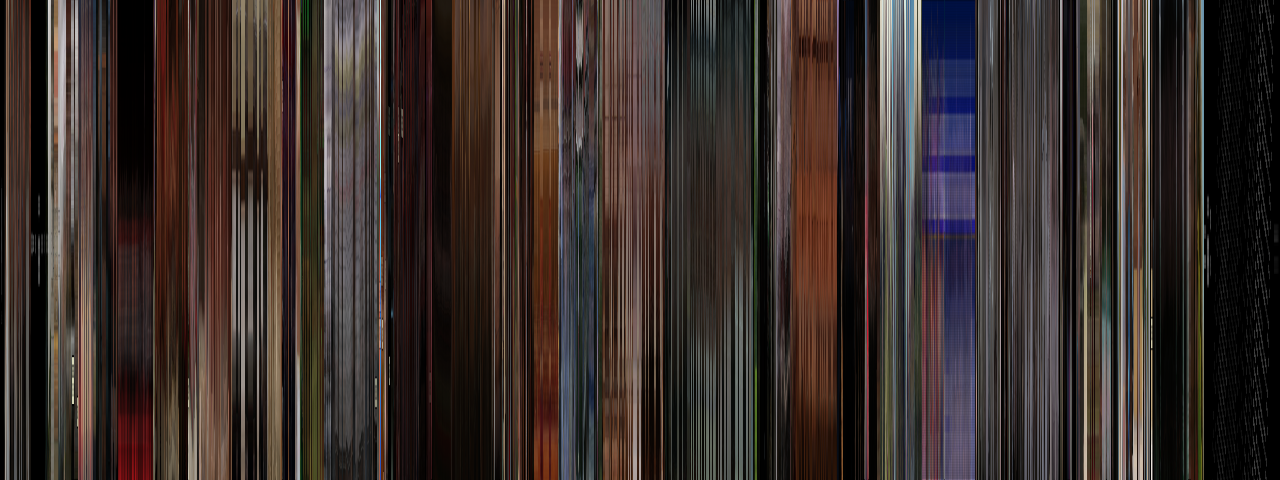
"Bar code" images for famous movies

Cool! Reminds me of the TimeSmear thing Autodesk did for Smoke (did they ever put that in a finished product?).

Also funny to see all of the orange and teal on the Fountain - although it was the one movie where it seemed appropriate, given the settings.

Bruce Allen
www.boacinema.com
 
Hmm, I think I'm going to try to recreate this in Avisynth. Would be interesting to see what the movie in my sig looks like.

EDIT: Apparently I don't have a sig. Who knew? The movie I am referring to is The Long, Slow Death of a Twenty-Something.

EDIT AGAIN: Ok, here's what I ended up with:


And here is the Avisynth function that got me there:
Code:
function MovieBarcode(clip src, int w, int h)
{
GScript("""
    src = src.ConvertToRGB24()
    comp = src.BlankClip(width=1, height=h)
    for(f=1,w,1)
    {
        fc = src.framecount
        cf = (fc / w) * f
        s = src.SelectEvery(fc, cf).BilinearResize(8, h).HorizontalReduceBy2().HorizontalReduceBy2().HorizontalReduceBy2()
        comp = StackHorizontal(comp, s)
    }
    return comp.Crop(1, 0, 0, 0).Trim(0,1)
""")
}
If you want to try it (assuming you already have Avisynth), you'll need to download the GScript Plugin (link) and put it in your Avisynth plugins folder. Copy the contents of the above code box into a text file named MovieBarcode.avsi , place it also in your plugins folder, then evoke it in a script as follows:
Code:
AVISource("C:\Directory\Your_Video_File.avi")
MovieBarcode(1280,480)
Save the script as a .avs file, then open it in Virtualdub or something else that supports avisynth scripts. NOTE: If the script freezes for more than a minute or so, or gives an error message, you may need to add SetMemoryMax(800) to the beginning of the script. Tweak the number until you get a result.

Have fun, and sorry for the bulky post!
 
That is very cool. Reminds me of Jeremy Blake's abstract work in Punch Drunk Love.
 
Cool! Reminds me of the TimeSmear thing Autodesk did for Smoke (did they ever put that in a finished product?).

Also funny to see all of the orange and teal on the Fountain - although it was the one movie where it seemed appropriate, given the settings.

Bruce Allen
www.boacinema.com

Yep, its there in smoke. been there since version 6 me thinks.
 
Brilliant. Thank you very much for linking this. But stacked horizontally? That doesn't seem to make sense.

Perhaps stacked vertically, then shifting to the next column when that one is full. But even that doesn't make sense of some of these patters.
 
This is just one of those things I wish I had thought of myself! The color arrays are exquisite.

And thanks Justin for that script!!
 
Who can guess what movie this is? It's obvious if you look closely. (Clue: There's a road)

tumblr_lgzymukgGZ1qhtovio1_1280.jpg
 
Brilliant. Thank you very much for linking this. But stacked horizontally? That doesn't seem to make sense.

Perhaps stacked vertically, then shifting to the next column when that one is full. But even that doesn't make sense of some of these patters.

The height remains, only the width is 1px.
 
try it on Road to Perdition
 
Back
Top