Peter Majtan
Well-known member
- Joined
- Feb 29, 2008
- Messages
- 3,986
- Reaction score
- 0
- Points
- 36
- Location
- Tokyo, Japan
- Website
- www.petermajtan.com
!!! UPDATE: I have replaced the ZIP files with actual R3D files due to artifacts created by the ZIP compression... !!!
Over the last three days we were shooting a small project in the scorching heat & humidity of summer Tokyo, but I haven't had this much fun in a long time. Why? This was my first date with the M-X and... ...I'm speechless. I can only imagine what Epic will do with this sensor...
Anyway - I remembered that there was not much M-X R3D's floating about, especially ones with direct comparison to standard M sensor. So after our shoot was done I have packed two sets of RED ONE's (one MX and one M) and two sets of RPP's and headed out to the nearby mountains...

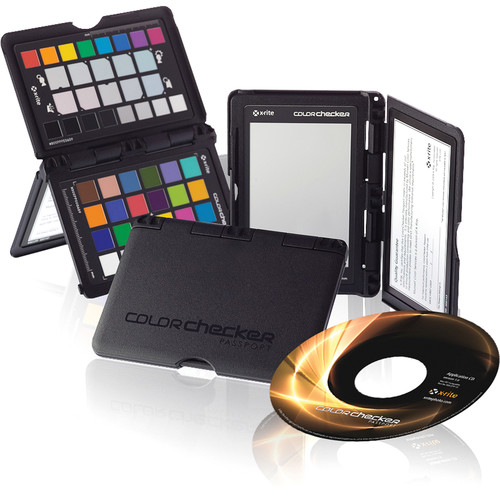
Both cameras had identical settings with 320 ISO and 5600˚ Daylight as the base. I have not used any filters at all - just the bare RPP's. After the initial shot with the chart I have always positioned the MX (Camera A) for the shot first, exposed it perfectly and then kept the tripod in place and swap the cameras. I've then duplicated identical setting on the M camera (Camera B) with the exact same aperture on the primes. Each clip is about 10s. This should clearly demonstrate the improvements...
Many thanks to Date-san from NHK & SUAVE Images for their help...
And I couldn't have done this without the support of MUSETEX, especially Kaku Ito, with whom I have been working for several months now...
If You are ever in Japan and need to do any RED-related project (both production and post) - MUSETEX is the one to go to...
Here are the shots. Bellow each photo there is link to full-res TIFF and the original R3D's. The TIFF's are 49.2 MB. The R3D's are around 10s each and between 150~300 MB's. Enjoy...:

TIFF: http://www.derylgroup.com/downloads/REDONE/MXvsM/A001_C001_0815B9.tif
MX: http://www.derylgroup.com/downloads/REDONE/MXvsM/A001_C001_0815B9_001.R3D
M: http://www.derylgroup.com/downloads/REDONE/MXvsM/B001_C001_081531_001.R3D

TIFF: http://www.derylgroup.com/downloads/REDONE/MXvsM/A001_C003_0815EQ.tif
MX: http://www.derylgroup.com/downloads/REDONE/MXvsM/A001_C003_0815EQ_001.R3D
M: http://www.derylgroup.com/downloads/REDONE/MXvsM/B001_C003_0815WL_001.R3D

TIFF: http://www.derylgroup.com/downloads/REDONE/MXvsM/A001_C004_0815B3.tif
MX: http://www.derylgroup.com/downloads/REDONE/MXvsM/A001_C004_0815B3_001.R3D
M: http://www.derylgroup.com/downloads/REDONE/MXvsM/B001_C004_0815KH_001.R3D

TIFF: http://www.derylgroup.com/downloads/REDONE/MXvsM/A001_C005_0815MT.tif
MX: http://www.derylgroup.com/downloads/REDONE/MXvsM/A001_C005_0815MT_001.R3D
M: http://www.derylgroup.com/downloads/REDONE/MXvsM/B001_C005_0815MN_001.R3D

TIFF: http://www.derylgroup.com/downloads/REDONE/MXvsM/A001_C006_081514.tif
MX: http://www.derylgroup.com/downloads/REDONE/MXvsM/A001_C006_081514_001.R3D
M: http://www.derylgroup.com/downloads/REDONE/MXvsM/B001_C006_08155G_001.R3D

TIFF: http://www.derylgroup.com/downloads/REDONE/MXvsM/A001_C007_0815GV.tif
MX: http://www.derylgroup.com/downloads/REDONE/MXvsM/A001_C007_0815GV_001.R3D
M: http://www.derylgroup.com/downloads/REDONE/MXvsM/B001_C007_0815NS_001.R3D

TIFF: http://www.derylgroup.com/downloads/REDONE/MXvsM/A001_C008_08151G.tif
MX: http://www.derylgroup.com/downloads/REDONE/MXvsM/A001_C008_08151G_001.R3D
M: http://www.derylgroup.com/downloads/REDONE/MXvsM/B001_C008_081528_001.R3D

TIFF: http://www.derylgroup.com/downloads/REDONE/MXvsM/A001_C010_0815XX.tif
MX: http://www.derylgroup.com/downloads/REDONE/MXvsM/A001_C010_0815XX_001.R3D
M: http://www.derylgroup.com/downloads/REDONE/MXvsM/B001_C010_08153U_001.R3D

TIFF: http://www.derylgroup.com/downloads/REDONE/MXvsM/A001_C011_081581.tif
MX: http://www.derylgroup.com/downloads/REDONE/MXvsM/A001_C011_081581_001.R3D
M: http://www.derylgroup.com/downloads/REDONE/MXvsM/B001_C011_08156T_001.R3D
The above shot was on the 25mm RPP. I have then pulled out the 18MM - which was my "another" first that day. This is how the above shot looks like with the 18MM (Same camera position and settings):

TIFF: http://www.derylgroup.com/downloads/REDONE/MXvsM/A001_C012_0815U9.tif
MX with 18MM: http://www.derylgroup.com/downloads/REDONE/MXvsM/A001_C012_0815U9_001.R3D
I have spent rest of the afternoon shooting with the 18MM only to get more feel for it. I will post another thread for the 18MM footage only. But before I go I want to share one LCD grab to show You how amazing the Mysterium-X really is...:

Normally scene like this will either clip in the highlights, or in the shadows. Notice the "perfect" RAW histogram stretching all the way from the shadows all the way to the highlights without clipping either...
And just one more BTS grab...:

As always - feel free to play with the R3D's as much as You like. You may also show them to someone interested in comparing MX & M RED ONE cameras. Just don't claim You've shot them... ;o)
If You want to post any grabs, etc, somewhere else, or show these images in a public space - please credit me and link back to REDUSER.
Hope You enjoy...!
:devil: Peter
Over the last three days we were shooting a small project in the scorching heat & humidity of summer Tokyo, but I haven't had this much fun in a long time. Why? This was my first date with the M-X and... ...I'm speechless. I can only imagine what Epic will do with this sensor...
Anyway - I remembered that there was not much M-X R3D's floating about, especially ones with direct comparison to standard M sensor. So after our shoot was done I have packed two sets of RED ONE's (one MX and one M) and two sets of RPP's and headed out to the nearby mountains...
Both cameras had identical settings with 320 ISO and 5600˚ Daylight as the base. I have not used any filters at all - just the bare RPP's. After the initial shot with the chart I have always positioned the MX (Camera A) for the shot first, exposed it perfectly and then kept the tripod in place and swap the cameras. I've then duplicated identical setting on the M camera (Camera B) with the exact same aperture on the primes. Each clip is about 10s. This should clearly demonstrate the improvements...
Many thanks to Date-san from NHK & SUAVE Images for their help...
And I couldn't have done this without the support of MUSETEX, especially Kaku Ito, with whom I have been working for several months now...
If You are ever in Japan and need to do any RED-related project (both production and post) - MUSETEX is the one to go to...
Here are the shots. Bellow each photo there is link to full-res TIFF and the original R3D's. The TIFF's are 49.2 MB. The R3D's are around 10s each and between 150~300 MB's. Enjoy...:
TIFF: http://www.derylgroup.com/downloads/REDONE/MXvsM/A001_C001_0815B9.tif
MX: http://www.derylgroup.com/downloads/REDONE/MXvsM/A001_C001_0815B9_001.R3D
M: http://www.derylgroup.com/downloads/REDONE/MXvsM/B001_C001_081531_001.R3D
TIFF: http://www.derylgroup.com/downloads/REDONE/MXvsM/A001_C003_0815EQ.tif
MX: http://www.derylgroup.com/downloads/REDONE/MXvsM/A001_C003_0815EQ_001.R3D
M: http://www.derylgroup.com/downloads/REDONE/MXvsM/B001_C003_0815WL_001.R3D
TIFF: http://www.derylgroup.com/downloads/REDONE/MXvsM/A001_C004_0815B3.tif
MX: http://www.derylgroup.com/downloads/REDONE/MXvsM/A001_C004_0815B3_001.R3D
M: http://www.derylgroup.com/downloads/REDONE/MXvsM/B001_C004_0815KH_001.R3D
TIFF: http://www.derylgroup.com/downloads/REDONE/MXvsM/A001_C005_0815MT.tif
MX: http://www.derylgroup.com/downloads/REDONE/MXvsM/A001_C005_0815MT_001.R3D
M: http://www.derylgroup.com/downloads/REDONE/MXvsM/B001_C005_0815MN_001.R3D
TIFF: http://www.derylgroup.com/downloads/REDONE/MXvsM/A001_C006_081514.tif
MX: http://www.derylgroup.com/downloads/REDONE/MXvsM/A001_C006_081514_001.R3D
M: http://www.derylgroup.com/downloads/REDONE/MXvsM/B001_C006_08155G_001.R3D
TIFF: http://www.derylgroup.com/downloads/REDONE/MXvsM/A001_C007_0815GV.tif
MX: http://www.derylgroup.com/downloads/REDONE/MXvsM/A001_C007_0815GV_001.R3D
M: http://www.derylgroup.com/downloads/REDONE/MXvsM/B001_C007_0815NS_001.R3D
TIFF: http://www.derylgroup.com/downloads/REDONE/MXvsM/A001_C008_08151G.tif
MX: http://www.derylgroup.com/downloads/REDONE/MXvsM/A001_C008_08151G_001.R3D
M: http://www.derylgroup.com/downloads/REDONE/MXvsM/B001_C008_081528_001.R3D
TIFF: http://www.derylgroup.com/downloads/REDONE/MXvsM/A001_C010_0815XX.tif
MX: http://www.derylgroup.com/downloads/REDONE/MXvsM/A001_C010_0815XX_001.R3D
M: http://www.derylgroup.com/downloads/REDONE/MXvsM/B001_C010_08153U_001.R3D
TIFF: http://www.derylgroup.com/downloads/REDONE/MXvsM/A001_C011_081581.tif
MX: http://www.derylgroup.com/downloads/REDONE/MXvsM/A001_C011_081581_001.R3D
M: http://www.derylgroup.com/downloads/REDONE/MXvsM/B001_C011_08156T_001.R3D
The above shot was on the 25mm RPP. I have then pulled out the 18MM - which was my "another" first that day. This is how the above shot looks like with the 18MM (Same camera position and settings):
TIFF: http://www.derylgroup.com/downloads/REDONE/MXvsM/A001_C012_0815U9.tif
MX with 18MM: http://www.derylgroup.com/downloads/REDONE/MXvsM/A001_C012_0815U9_001.R3D
I have spent rest of the afternoon shooting with the 18MM only to get more feel for it. I will post another thread for the 18MM footage only. But before I go I want to share one LCD grab to show You how amazing the Mysterium-X really is...:
Normally scene like this will either clip in the highlights, or in the shadows. Notice the "perfect" RAW histogram stretching all the way from the shadows all the way to the highlights without clipping either...
And just one more BTS grab...:
As always - feel free to play with the R3D's as much as You like. You may also show them to someone interested in comparing MX & M RED ONE cameras. Just don't claim You've shot them... ;o)
If You want to post any grabs, etc, somewhere else, or show these images in a public space - please credit me and link back to REDUSER.
Hope You enjoy...!
:devil: Peter

 Peter
Peter