Welcome to our community

Be a part of something great, join today!

  • Hey all, just changed over the backend after 15 years I figured time to give it a bit of an update, its probably gonna be a bit weird for most of you and i am sure there is a few bugs to work out but it should kinda work the same as before... hopefully :)

HDR and red

Its very cool. I actually did something similar to a shot on a web series last week. A girl was walking out of deep shade into bright mid day sun. We had shot at 800 asa exposing for the shade, so she was really over exposed when the sun hit her, but not clipped. I rendered out the same shot at 320 and 800 ISO and put them together with a simple luma key in AE CS5. I was pretty excited with the results. Of course a simple iris pull would have fixed this on set, but still a useful tool to save shots later.
 
It's a land of awesomeness. Can't wait to see what the boys can come up with for Epic HDR.
 
Hmmm... I'm curious how the under and over exposures were achieved. I see too many people shooting phony HDR composites by simply altering the ISO on the RAW image for the different exposures. It also looked to me in this example as the high exposure was too over-exposed to retain usable info in much of the image. As always, it's hard to tell from a Vimeo or YouTube example anyway.

In Nathan's example, rendering out a shot at 320 and 800 ISO, that form of grading is just a convoluted way to achieve what is already there in the original RAW file. If you have a good RAW processing or grading application and know what you're doing, you don't need to pre-render separate passes. Although layering a clip on top of itself and grading different portions based on luma or color keys is pretty common -- more common with still images.

Anyway, back to the example... And I don't know if anyone in this thread knows, but once again still wondering how the different exposures were achieved. The only real way is to use different amounts of ND on the two cameras. Otherwise they would be fiddling with shutter speeds and temporal difference between the two camera, or shifting ISO/exposure settings, which are all meta on the RED anyway, and therefore not actually doing any true combined exposure or "HDR".

Sorry to nitpick, just trying to make sense of what I'm seeing here. A mirror or beam-splitter rig, as you would use for shooting 3D, is the best way to get dual exposures for HDR, so I'd assume they knew what they were doing since they used such a rig.
 
Hmmm... I'm curious how the under and over exposures were achieved.

The same user has a different post here: http://vimeo.com/11774969

In the comments, he mentions using different aperture settings on each lens. f/4 for one and f/20 for the other, thus the different exposures. He also goes on to mention the ensuing DOF disparity.
 
I think this experimentation is fantastic. I've been surprised that more people haven't been trying this technique. As a proof of concept, I think these are great examples.

Running the footage thru Nuke/Ocula for alignment, then doing slightly more sophisticated tone mapping that what you can get from a luma key would be great to see.

As far as the light loss... isn't it possible to get a mirror that would perform the 80/20 exposure adjustment so additional ND wouldn't be necessary? I think Dan Hudgins posted about that a year ago or so.

I think the bigger problem would be monitoring +/- shots and actually being able to tell what you are shooting.

Keep up the good work!
 
In the comments, he mentions using different aperture settings on each lens. f/4 for one and f/20 for the other, thus the different exposures. He also goes on to mention the ensuing DOF disparity.

OK, missed all that. Yeah, the difference in DOF and other image properties between the two would account for some of the fuzzy highlights and other things I'm seeing. But it's really hard to tell when something is presented on Vimeo.

It's a really good test though. Definitely shows what can be done with a proper rig. This will be even more attractive with smaller brains like the Epic/Scarlet. I'm curious to see what RED is cooking up for HDR options, since they have mentioned it.

I've done some HDR tests of my own with the RED, but only using a single RED, shooting static scenery with different exposures via different ND filtering. Interesting and promising, but single-camera static scenery shots are not so exciting. And I have not shot any with the MX sensor. This was quite some time ago that I did that testing -- I did a few tests early on and then again after moving to build 16 with the improved blue channel.
 
The original idea for shooting Project Arbiter was based on slightly over exposing one Red, and NDing the other while shooting jam-synced through a beam splitter. The director wanted to shoot very fast, and hand-held, even though he liked the look of the test footage. It became clear to me, that this was not the project for the technique. That's what led me on the road to the pseudo-HDR look that I used on the teaser grade. Maybe I'll be able to try it again once Epic-X ships. I just wish that we'd have shot the short on M-X, as the micro-contrast bump that I'm applying really brings out the noise in the image.

I'm very curious about what Red has in store for their announced HDR mode. I can't wait to examine their solution.

In the mean-time, I wish that there was some kind of "super curves" tool that would allow me to pull that little bit of extra DR from the highlights without having to 'expose' the raw twice and pull a Luma key.

I'm glad to see people toying with the HDR concepts.
 
Yea I've been shooting all the HDR clips we've been doing. I made a post in the 3D section a few weeks ago.

What this technique seems to do is make almost any shot seem perfectly lit, even impossibly high contrast scenes, with no lighting.

After always trying to do it whenever we had a 3d rig and we've had all the major rigs on various shoots, we were never able to pull it off because of optical pathway issues but as soon as we got the Omnirig we managed to do it and have done over a 100 motion HDR shots so far. Several of the shots will be available at a major stock footage house in the next few weeks. I will post some more over the next couple of weeks....

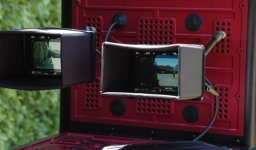
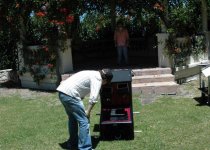
You need to see the high contrast we are up against to get an idea of what we are actually seeing with this technique. Here are some BTS pics that kinda show the contrast.
 

Attachments

  • HDR-BTS2.jpg
    HDR-BTS2.jpg
    49.2 KB · Views: 0
  • HDR-BTS1.jpg
    HDR-BTS1.jpg
    95.6 KB · Views: 0
Back
Top