Welcome to our community

Be a part of something great, join today!

  • Hey all, just changed over the backend after 15 years I figured time to give it a bit of an update, its probably gonna be a bit weird for most of you and i am sure there is a few bugs to work out but it should kinda work the same as before... hopefully :)

problem with send to color

etibamecus

Banned
Joined
May 14, 2010
Messages
2
Reaction score
0
Points
0
hello everybody,

I just finish the edit of a short film, and wanted to grade it in color so i took the step by step pdf given with the red plugin for final cut studio.

(i am on the latest version of osx (10.6.3), final cut (7.0.2), and color (1.5.2)

so my sequence now is set as Red Using ProRes is conformed with red media codec, the compressor is set to apple prores 4444.

but now when i send it to color the timeline is just a crazy mess.

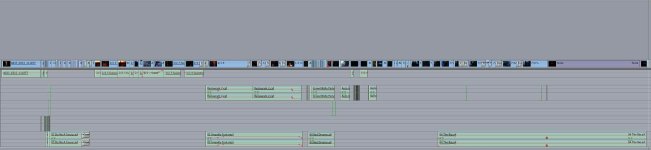
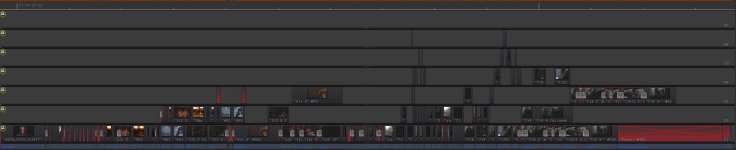
here are 2 screencaptures of the 2 time lines, you'll see that it's a bit different, any idea where it comes from ? what can i do ?

thanks in advance for your replies

etibamecus
 

Attachments

  • timeline color.jpg
    timeline color.jpg
    38 KB · Views: 0
  • timeline final cut.jpg
    timeline final cut.jpg
    42.3 KB · Views: 0
I see that your Final Cut sequence is flattened to 1 track. Not sure why Color is altering the sequence. Try conforming using Clipfinder. Export an XML from your ProRes sequence. Run Conform on Final Cut XML.. Bring that new conformed XML file into Final Cut and try sending that to Color.. That's the workflow I use.
 
Are you exporting with speed ramps? I see dissolves. I know you can usually get away with this, but I find it works best to remove any filters, ramps and dissolves. Looking at your Color timeline it's clearly duplicating some of your clips from V1 to higher tracks. Odd to say the least. Let us know what you find works best.
 
  • Thread starter
  • Banned
  • #4
well, i finally prepared a sequence without dissolves but adding the necessary time to have full clip to grade on, then export the sequence on pro res 4444 and grade on that. i made some test on a shot and honestly there is no difference as color is not a real professional grading software like lustre or da vinci. then send it back to final cut to add the dissolves and its great.

those tools final cut/color are definitly not easy to use. that's all i can say about the workflow with red.

the only good point is this new pro res 4444 apple added !

that's my 4th project with red and i am really starting to hate it. but unfortunatly there are not many options actually for economic solutions as i've worked also with the canon 5D and 7D and it's even worse (in europe with this stupid limitation on 30fps as we are always using 25)

hopefully in the future the integration will be better, or color will finaly be a professional grading software.

thanks anyway for your help, great forum !

see you.

etibamecus

sorry by the way for my english, i'm french
 
The 5D can do 25 fps with the current firmware.

Regarding Color, I agree with you that it's better to use ProRes than native. You can't dive into highlights and shadows with native R3D anyway due to the internal limits imposed on import and the secondaries don't work since they are relating to raw. Quite illogical, as a famous character from Sci-Fi would have put it…
 
look at the new DaVinici for Mac (software only 995 USD) should ship in June and looks really promising
 
Back
Top